
Android Studio Updated but Unable to Install Any Plugins
I recently updated Android Studio to the latest version, and since the update I am unable to install any plugins from the Marketplace or from disk. Every attempt results in an error saying the plugin cannot be installed or downloaded.
Here is what I have already checked:
-
My internet connection is working normally
-
Firewall settings are fully open for Android Studio
-
Proxy settings are configured correctly and match Android’s recommended configuration
-
I also tested the same process on my MacBook, and I get the exact same error
-
I tried restarting Android Studio, invalidating caches, and reinstalling plugins manually — nothing works
-
The issue started only after updating Android Studio
-
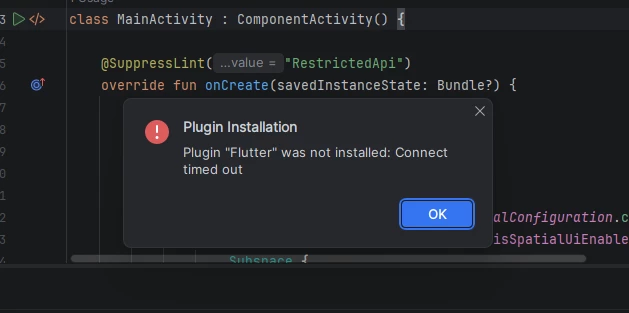
It seems like Android Studio is unable to reach the plugin repository even though the network is fine.
Question: What could be causing Android Studio (on both Windows and macOS) to fail when installing plugins after an update, and what steps can I take to fix this?
