Magcho
Level 1.6: Donut
October 2, 2025
Question

GBoard - Suggestion Strip

  • October 2, 2025
  • 20 replies
  • 179 views

Hi,

We want to use GBoard on kiosk devices but we aren't able to remove the suggestion strip using managed configurations.
All other settings can be configured fine though.

The show suggestion strip configuration is set to disabled.


But with versions 15.x and 16.x of GBoard it's still visible on the devices.
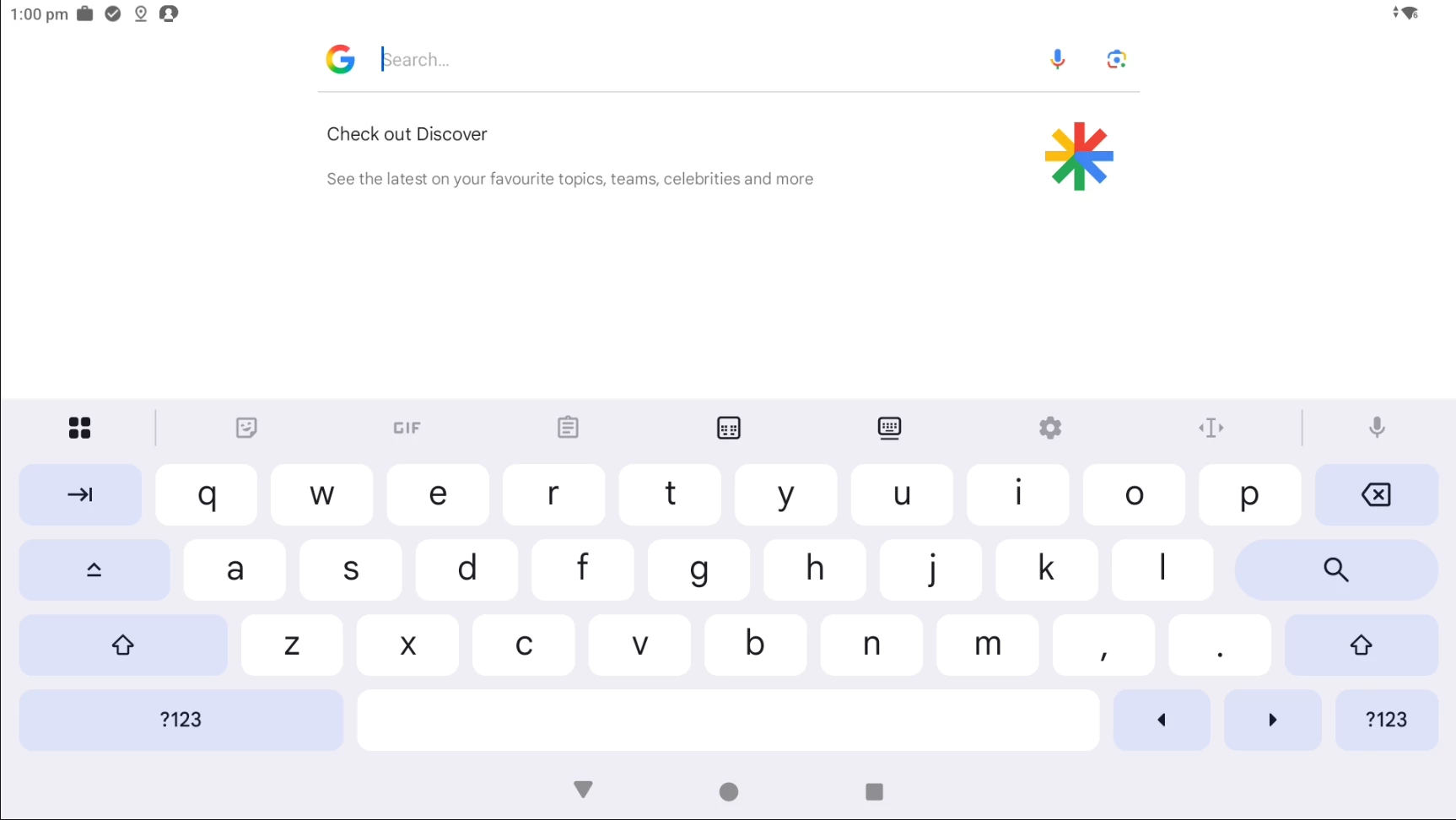
And when checking the setting locally on the device it's still enabled (Disabling manually works fine)
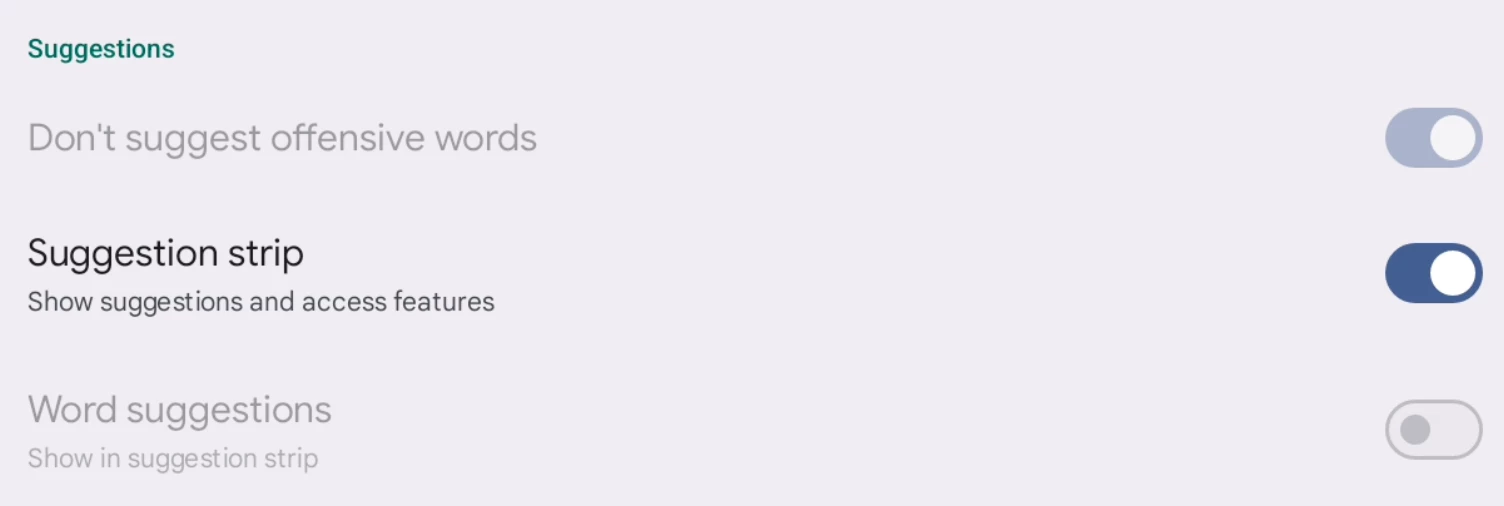
Back in version 14.x this configuration worked fine.
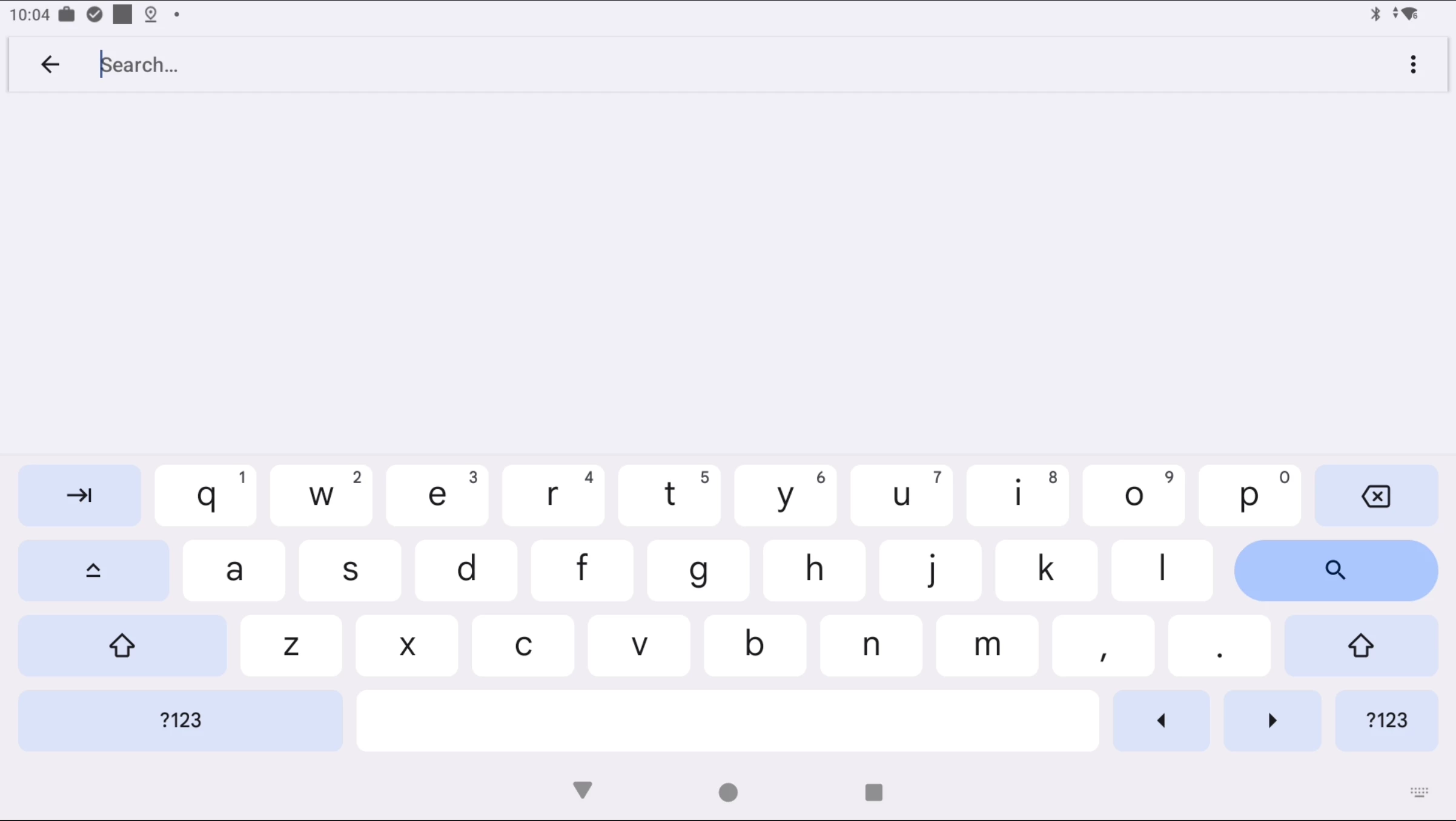

Anyone else who has experienced the same thing?

We've tested this on devices from Samsung, Bluebird, ELO, and Zebra.
Android version doesn't seem to have any impact, just the GBoard version.

// Magnus

20 replies

mattdermody
Level 3.0: Honeycomb
October 6, 2025

I have come across one environment reporting something similar this week. I'm investigating whether it is tied to a specific Gboard version.

mattdermody
Level 3.0: Honeycomb
October 6, 2025

I can confirm I am seeing this issue across a range of Gboard versions. This list is not definitive but I have seen it affecting these versions  so far


15.8.4.793526320
15.9.1.799068799
16.0.5.804347959
16.0.6.804347959
16.0.7.804347959
16.0.8.804347959
16.0.9.804347959
16.0.11.804347959
16.1.1.809934391


I can confirm that "Show suggestion strip" is disabled in Managed Configurations but it is showing as enabled still on the device itself under Gboard settings. If I manually disable it on the device the bar disappears as desired.


There appears to be a bug affecting Gboard's Managed Configurations.

mattdermody
Level 3.0: Honeycomb
October 7, 2025

@Emilie_B are you able to check with the Gboard team?

Magcho
MagchoAuthor
Level 1.6: Donut
October 7, 2025

That matches what I found as well. It worked fine in Gboard version 14.x, but stopped working in 15.x and still isn’t fixed in 16.x.

The issue only seems to affect managed configurations, disabling it directly on the device works without any problems.

Lizzie
Community Manager
October 14, 2025

Hey @Magcho and @mattdermody,


I hope you are both good. I'm just seeing this, after being OOO for the past week.


I've just had a look at the ticket and I just wanted to check if you have reported this with a bug report via your EMM? If so, would you mind sharing the ticket number with me (privately is absolutely fine). 


The reason why this is important is that to troubleshoot this with gboard, we need to work out whether the potential issue here is a potential problem happening with the gboard setting once it's arrived on the device or potentially that the setting isn't being applied correctly before this etc. and different EMMs may process this differently. 


Hope to hear from you soon and thanks in advance. 


Lizzie

Welcome to the Community everyone!
mattdermody
Level 3.0: Honeycomb
October 14, 2025

I do not have a case open with the EMM as it seemed to be an issue with Gboard specifically. This was evidenced by the fact that it was working perfectly fine previously in Gboard and it wasn't until an automatic push from Google Play to a new version did the previously working managed setting break. The suggestion strip was disabled properly on prior versions of Gboard and only started appearing again when Gboard was updated. I have even force uninstalled the upgraded Gboard to an older version packaged with the device firmware (v12.x) and that properly restored the desired adherence to the managed config setting to disable the suggestion strips. All of this seems to point to a bug with the Gboard app specifically and not an issue with the EMM and it's ability to apply managed configurations as far as I'm concerned. 

The EMM is SOTI MobiControl if that helps.

@Magcho what are you seeing this in?


Magcho
MagchoAuthor
Level 1.6: Donut
October 14, 2025

I agree with @mattdermody here. The managed configuration for the suggestion strip stopped working with the version 15 release of GBoard, didn't have any issues before this.

Our EMM is Workspace One.

Level 1.5: Cupcake
November 17, 2025

Hi, 


is there any update on this issue? I can confirm, this also happens with SOTI Mobicontrol.

Emilie_B
Former Community Manager
November 20, 2025

Hi @Kraeutergarten 


Thank you for sharing your experience - I wanted to let you know that I've raised this with the team, specifying that you're having this issue with SOTI Mobicontrol as well; I'll let you know as soon as I hear back!


Just to check: have you contacted SOTI at all? 

Level 1.5: Cupcake
December 1, 2025

Currently not, i have the same issue with SureMDM.

MobileDude
Level 1.6: Donut
August 19, 2026

Hey Everyone! 

While this is an older topic, I'm posting what I found in case it helps the next person trying to solve this issue.

After quite a bit of testing, digging, and then some more digging 🤣, I was finally able to get this working.

I'm using Intune, and it appears that the Intune configuration designer does not fully support the nested managed configurations that Gboard exposes.

Because I didn't initially realize that “show_suggestion_strip” is actually a nested managed configuration key, I kept trying to use a JSON configuration like the below.  Even checking Graph after saving it, it would keep the JSON correct but the suggestion strip was still being shown while the other configurations were being applied. 


{
"kind": "androidenterprise#managedConfiguration",
"productId": "app:com.google.android.inputmethod.latin",
"managedProperty": [
{
"key": "config_theme_access_point",
"valueBool": false
},
{
"key": "config_clipboard",
"valueBool": false
},
{
"key": "enable_text_preview",
"valueBool": false
},
{
"key": "config_settings_access_point",
"valueBool": false
},
{
"key": "config_sharing",
"valueBool": false
},
{
"key": "show_suggestion_strip",
"valueBool": false
}
]
}

Looking back, it now makes sense why Intune would convert the policy back to the Configuration Designer view after a page refresh and remove the “show_suggestion_strip” setting. 

After some additional digging, I found that “show_suggestion_strip” is actually nested under a preferences bundle. Once I configured it using the JSON below, the setting was working and Intune continued to display the policy as JSON instead of converting it back to the Configuration Designer view.


{
"kind": "androidenterprise#managedConfiguration",
"productId": "app:com.google.android.inputmethod.latin",
"managedProperty": [
{
"key": "preferences",
"valueBundle": {
"managedProperty": [
{
"key": "show_suggestion_strip",
"valueBool": false
}
]
}
}
]
}

Hopefully this saves someone else a few hours of troubleshooting.🤣