Level 1.6: Donut
October 3, 2025
Question

Intune - Cannot change screen lock timeout

  • October 3, 2025
  • 4 replies
  • 2 views

Hello community, I'm writing this post 'cause I'm facing a strange issue with the lock screen setting on our AE devices managed from Intune.

The configuration policy was created by my predecessor years ago, and was configured for lock teh screen after one minute. Everything working and all happy.
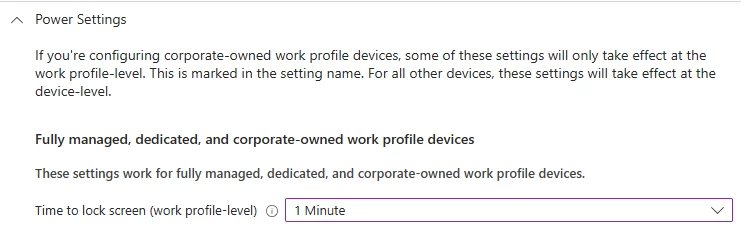
Then I got the request for create an exception group for that, and everything I tried failed.
I tried to change the global policy to 5 mins, but it did not worked, and the maximum lock screen time is still one minute.
Also remove the setting at all and left it Not Configured didn't had any effect.

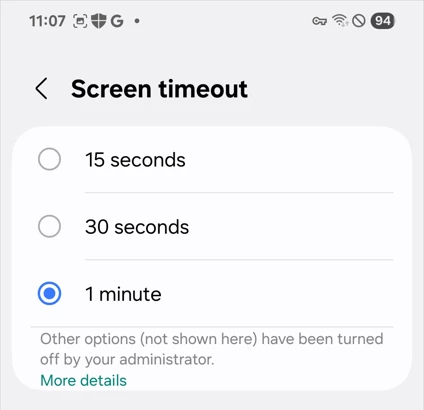
 

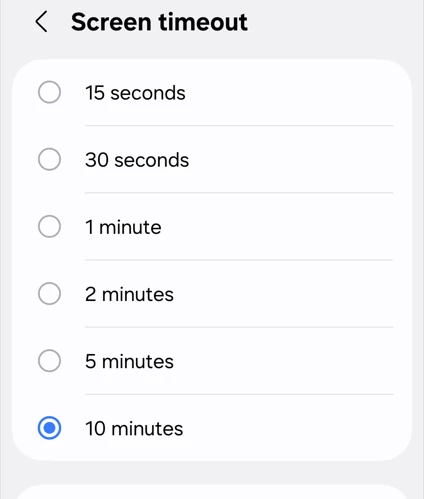
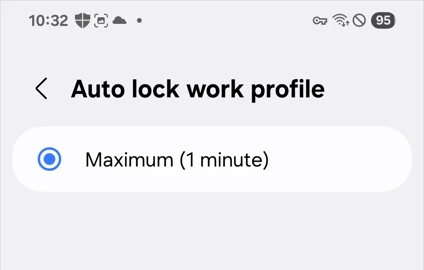
Then I tried to disable One Lock. With this I was able to change the system lock screen settings but on Settings - Security and Privacy - More Security Settings - Work Profile Security - Use one lock I cannot set anything longer than one minute.
 

Pretty sure this is coming from somewhere in Intune, but also involving Microsoft and sending them the verbose logs wasn't enough.

Did any of you ever encountered a similar issue and found a solution?

Many thanks in advance for everyone that will try to help.

4 replies

Kris
Level 1.6: Donut
October 6, 2025

Hey @LFagni 


I verify my configuration & i come back ! 


Kris

Level 4.0: Ice cream sandwich
October 6, 2025

This sounds like a bug in Intunes side. Do you have different Android versions with the same issue? 


Can you verify if some devices work and some don't? This might narrow it done a bit. 


I've never had this issue, you should always be able to change that. But what might happen, if its not a bug, is that your test device is still recieving the original policy. In that case Intune will apply to stricter policy. 

Kris
Level 1.6: Donut
October 6, 2025

@LFagni 


I look my configuration :

For restrictions Power Settings, it is like you : 


And this is i have for Device Security :

I confirm we made the change from 1 minute to 5 minutes few months ago


Kris

Level 1.6: Donut
October 6, 2025

Hi @LFagni ,

you might successfully found a "feature" of Intune:

Source: Questions with policies and profiles in Microsoft Intune - Microsoft Intune | Microsoft Learn

As you are trying to be be less restrictive it might be necessary to "just" re-enroll the devices ;-) (I never saw a similar behaviour with other MDMs).

In order to verify this enroll a new device and check if on that the new policy is successful. 


Level 3.0: Honeycomb
October 6, 2025

Wow. Add it to the ever increasing list of why Intune is a bad choice for managing Android devices.