techtaz
New Member
Sep 16, 2026 5:04 PM UTC
Solved

Intune Connection Setup/Change Email

  • 1 reply
  • 86 views
  • Translate All • Beta, powered by Gemini

Trying to get our Intune tenant connected so that we can start to purchase organizationally owned Android phones and manage them within Intune, similar to what we have done with Apple. 


When I set up the enrollment to connect to Managed Google Play, I foolishly used my Microsoft account to connect them. I thought better of it and thought I’d try to add a different email to our tenant, and connect using this instead. I’ve tried to add this new email by inviting it through Google Admin. I get prompted to log in using my Microsoft account, when I do this, I get the following:
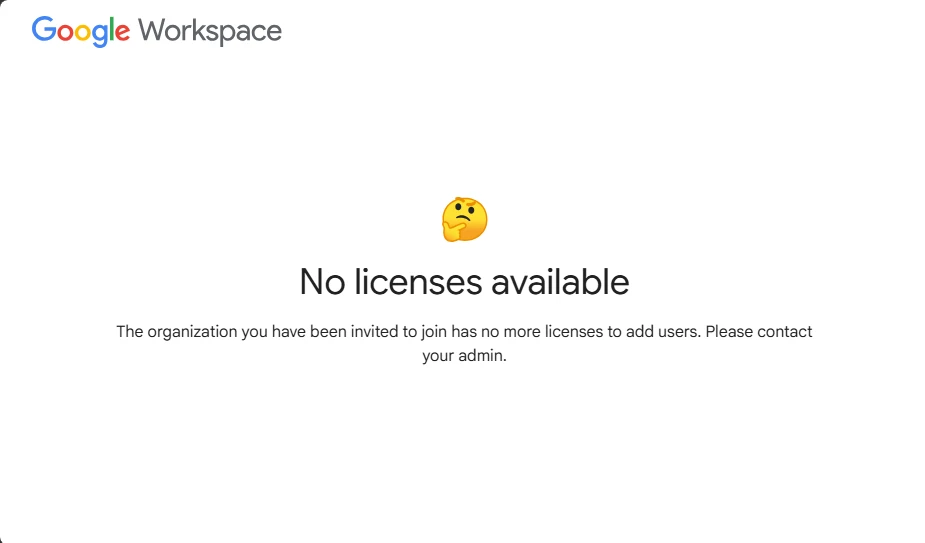


The user I’ve invited, still shows up as “pending” in Google Admin. What else do I need to do so I can use this new account instead of mine?

    Michel
    MichelAnswer
    Level: 4.1: Jelly bean
    Sep 18, 2026 8:50 AM UTC

    Hi,

    Just to be sure, have you followed the steps mentioned here: https://learn.microsoft.com/en-us/intune/device-enrollment/android/connect-managed-google-play#connect-accounts ? 


    If so, you should be able to login in to the Google admin console with those same Entra credentials you used to link managed google play with Intune. the link for that is https://admin.google.com 


    The screenshot you show is for Google workspace, thats another software suite from Google itself that you probably don’t need (its not needed for managed google play or for admin accounts). 


    Try setting up the connecting with the original account, its fine if thats your personal account. After that, login with that same account into the admin console and create multiple admins. In case you leave the company and someone else needs to do something with that connection, they can use the other admin accounts for that. 


    Hope this helps!

    Michel

    1 reply

    Michel
    MichelAnswer
    Level: 4.1: Jelly bean
    Sep 18, 2026 8:50 AM UTC

    Hi,

    Just to be sure, have you followed the steps mentioned here: https://learn.microsoft.com/en-us/intune/device-enrollment/android/connect-managed-google-play#connect-accounts ? 


    If so, you should be able to login in to the Google admin console with those same Entra credentials you used to link managed google play with Intune. the link for that is https://admin.google.com 


    The screenshot you show is for Google workspace, thats another software suite from Google itself that you probably don’t need (its not needed for managed google play or for admin accounts). 


    Try setting up the connecting with the original account, its fine if thats your personal account. After that, login with that same account into the admin console and create multiple admins. In case you leave the company and someone else needs to do something with that connection, they can use the other admin accounts for that. 


    Hope this helps!

    Michel

    Translate • Beta, powered by Gemini