weberda
Level 2.2: Froyo
Nov 11, 2026 1:26 PM UTC
Solved

Issues on Galaxy A57 during COPE enrollments (OOBE)

  • 2 replies
  • 17 views
  • Translate All • Beta, powered by Gemini

Hi everyone


rolling out a big amount of A57 as a replacement for older A53 devices.

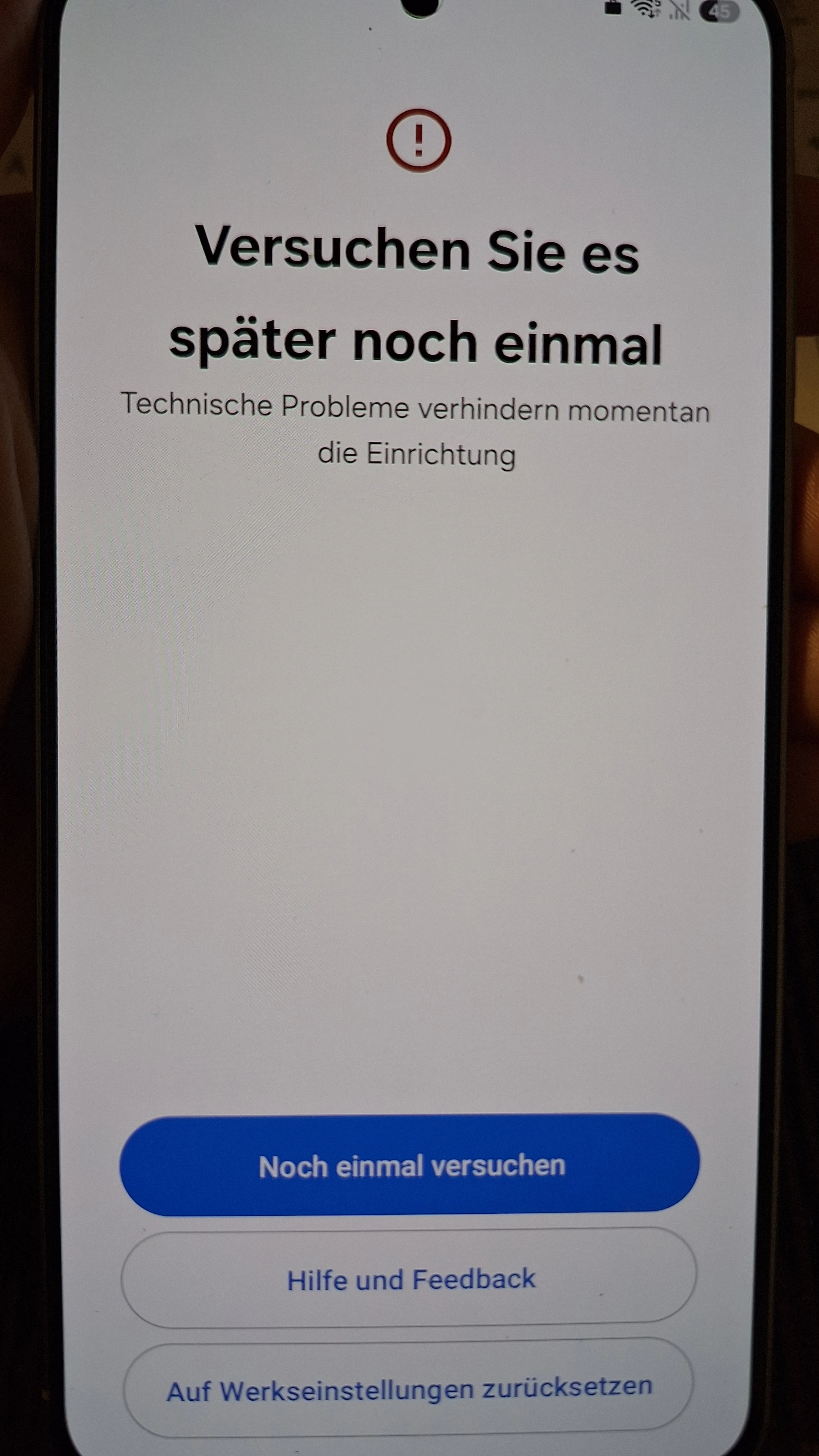
We are facing issues that the COPE OOBE setup is failing on a large number of devices on the step “Updating device” after the user sign in.


Users have to wait about 4-5 minutes on this screen and the result is an error message “Try again later”
You can then either hit “Try again” or “Reset to factory”.


Devices are shipped with Android 17, SMR September 2026.


Any suggestions or other people facing this issue? Any idea of how to grab any protocol files during OOBE?


Alex_Muc
Alex_MucAnswer
Level 3.0: Honeycomb
Nov 11, 2026 1:38 PM UTC

This seems to be a known problem at Samsung right now:

https://docs.samsungknox.com/admin/knox-mobile-enrollment/kbas/kba-1955-unable-to-enroll-a-work-profile-on-company-owned-device-in-microsoft-intune-using-knox-mobile-enrollment/


We also had major problems with KME with a CustomDPC enrollment last week. (“Can’t set up device”) Samsung seems to have been making several changes to the backend recently.


/e:

Regarding logging: This is a really annoying place for logging or troubleshooting.
For Samsung devices, I would let the device run into the error, remove the KME profile, reboot the device, and then complete the setup wizard.

You can then use the phone app with *#9900* to open SysDump, select “Run dumpstate/logcat”, and then “Copy to sdcard”. Then pull the “log”-Folder from the phone.
In the dumpstate log, the KES dump would be a good place to start troubleshooting such issues. (“=== Knox Log Dump [KES] ===”)

2 replies

Alex_Muc
Alex_MucAnswer
Level 3.0: Honeycomb
Nov 11, 2026 1:38 PM UTC

This seems to be a known problem at Samsung right now:

https://docs.samsungknox.com/admin/knox-mobile-enrollment/kbas/kba-1955-unable-to-enroll-a-work-profile-on-company-owned-device-in-microsoft-intune-using-knox-mobile-enrollment/


We also had major problems with KME with a CustomDPC enrollment last week. (“Can’t set up device”) Samsung seems to have been making several changes to the backend recently.


/e:

Regarding logging: This is a really annoying place for logging or troubleshooting.
For Samsung devices, I would let the device run into the error, remove the KME profile, reboot the device, and then complete the setup wizard.

You can then use the phone app with *#9900* to open SysDump, select “Run dumpstate/logcat”, and then “Copy to sdcard”. Then pull the “log”-Folder from the phone.
In the dumpstate log, the KES dump would be a good place to start troubleshooting such issues. (“=== Knox Log Dump [KES] ===”)

Translate • Beta, powered by Gemini
weberda
weberdaAuthor
Level 2.2: Froyo
Nov 11, 2026 1:46 PM UTC

wow, thank you. haven’t found this doc yet.

created a case with high priority for this with samsung.

Translate • Beta, powered by Gemini