InTune Android connection "unexpected error"
Trying to follow this doc. We want to use InTune to control our corporate owned Android devices.
https://learn.microsoft.com/en-us/intune/intune-service/enrollment/connect-intune-android-enterprise
At step 7, it has me click "Launch Google to connect now" and I just get "Unexpected error. Please wait for some time and try again."
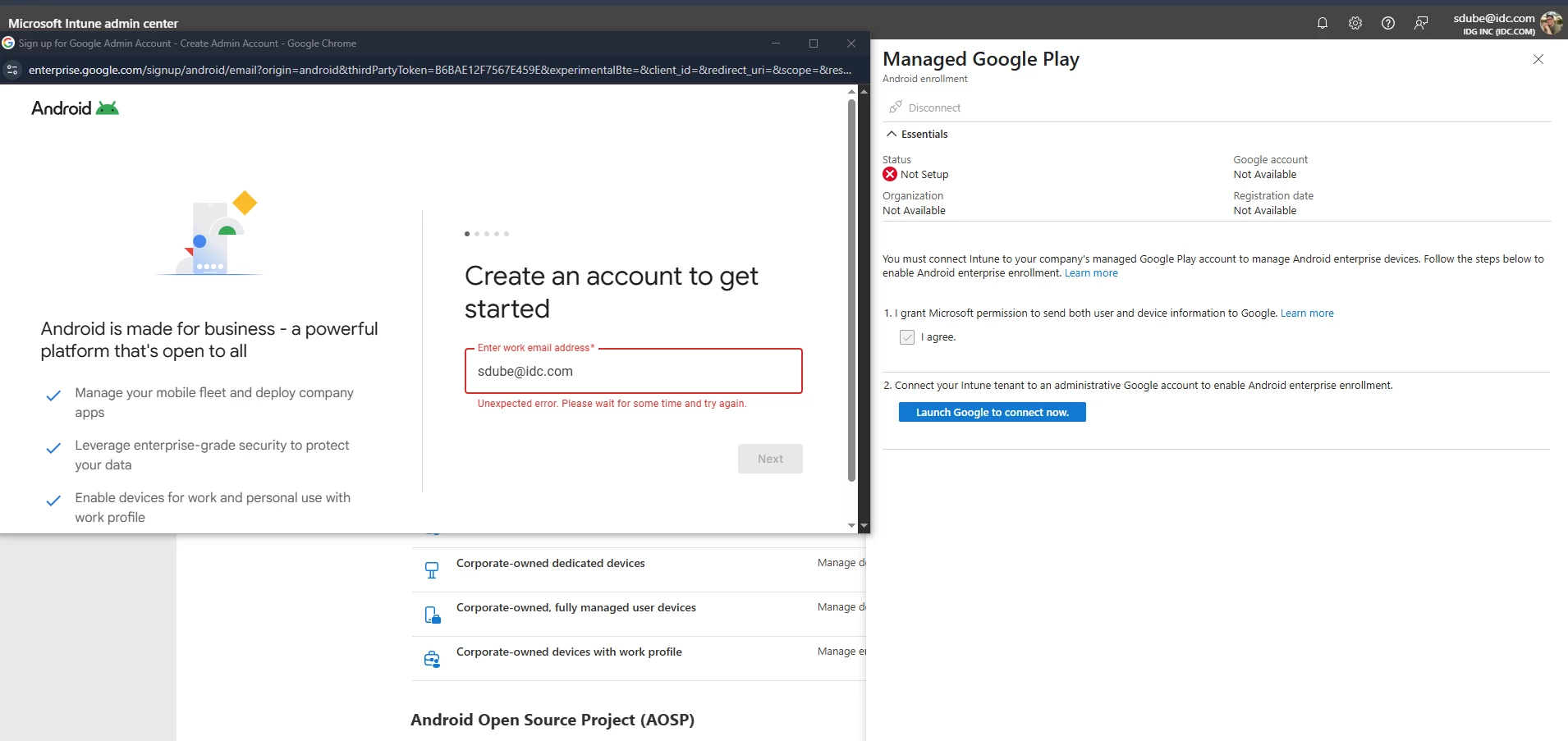
Tried multiple browsers, incognito, multiple accounts, etc. All same results.
We have a licensed Google Workspace tenant with Enterprise Standard licenses. The account has access to all Google apps/services. My account is both an Azure Global Admin and a Google Workspace Super Admin/Owner.
Sat on chat with Workspace/Android Enterprise support trying all the obvious things for 3 hours with no resolution. They finally gave up and just said "call Microsoft" which doesn't help, it's literally an error thrown by enterprise.google.com.
How do I get past this error to configure the connection?
(This post was edited to remove personal information, in compliance with our guidelines)
