Alex_Muc
Level 3.0: Honeycomb
May 12, 2025
Solved

Managed Play Store keeps asking for Google Play services Update

  • May 12, 2025
  • 25 replies
  • 7 views

Hey!


I noticed a little bug today and wanted to ask if anyone else is experiencing this.


With the update to Play Store 46.1.37-31 [0] [PR] 755161904, a push message informs you that Google Play Services must be updated. With a COPE device, this only occurs in the work profile.
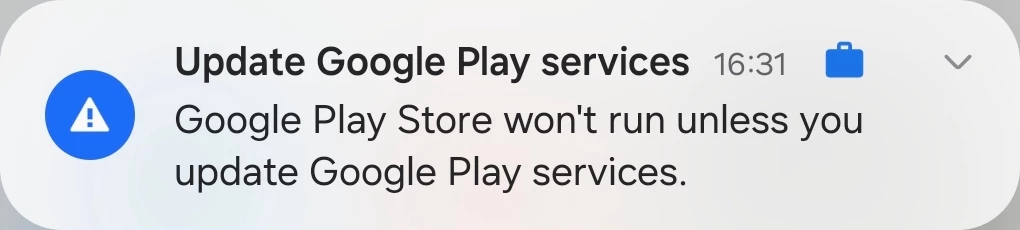
 

Even if Google Play Services is updated to the latest version (25.18.33 (190400-756823100)), the message appears as soon as you open the Managed Play Store.
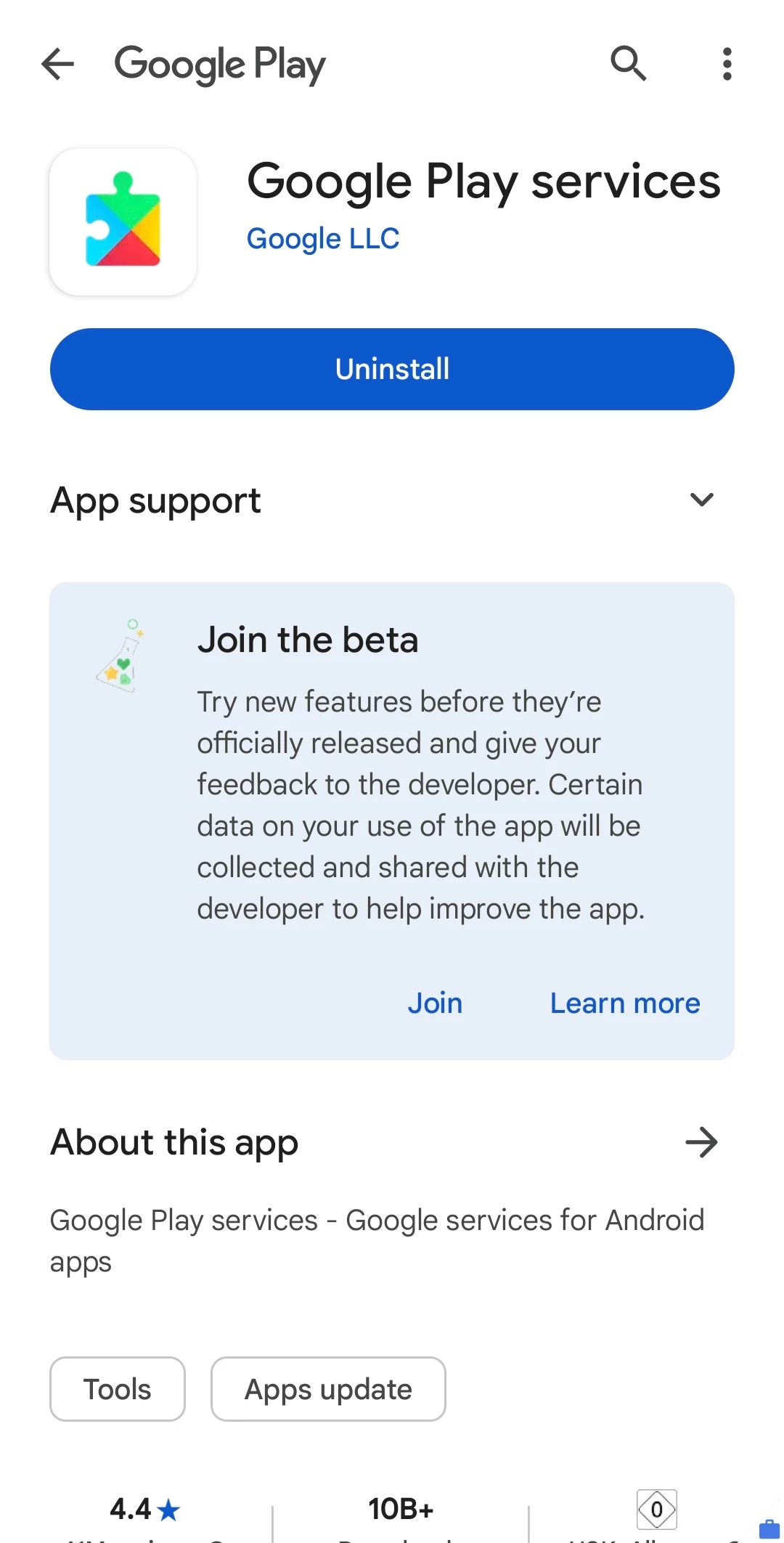
 

@Lizzie Is there anything known here? The Managed Play Store works normally despite the warning in the push message. I would also have logs if required.

Best answer by Lizzie

Thanks so much for all the updates everyone, I really appreciate your followup here. 


Just to say, I can confirm that the fix is rolled out to 100% and so it's good that that marries up with the experience many of you are now seeing. 


If there hasn't been any change on your end, I would recommend trying to manually update the Google Play app. If you are still experiencing issues please can you let me know below. 


Fingers and toes crossed this is all back to normal for you and thank you again for your patience and help to resolve this. 🤩


Thanks,

Lizzie


*I'll mark this as resolved so that this is clearly seen at the top of the discussion - thanks. 

25 replies

Lizzie
Community Manager
May 12, 2025

Thanks @Alex_Muc for highlighting this. Are you finding this is happening on multiple devices? Plus, if you discard the push notification once, does it come back again? 

Welcome to the Community everyone!Have a question or want to start a conversation, click here.
Alex_Muc
Alex_MucAuthor
Level 3.0: Honeycomb
May 12, 2025

@Lizzie 

I have reproduced the behavior with five different Samsung devices with Android 14 and 15 (work profile) in our productive environment.

I have a device in our test environment where the behavior does not occur. On this device, the Play Store has the same version, but Google Play services are on 25.18.32  (190400-755444206)
While we only have one collection in our Prod, there are 3 collections in our UAT.


The push message always appears when the Play Store is opened. You can force it by closing the Play Store task.

Level 1.6: Donut
May 12, 2025

We’re also seeing this on work profile and managed devices Android 12 and 14, several different brands and different Android versions. I also confirmed with @jasonbayton , and he's seeing the same

Level: 4.1: Jelly bean
May 12, 2025

Yep confirmed on several devices on my desk. Highly disruptive. 


@Lizzie@Emilie_B 

Level 4.4: KitKat
May 13, 2025

I can also confirm this (fully managed, Soti Mobicontrol MDM).

Even after i wiped cache & data it reappears.
Then i uninstalled all updates (now on 41.1.19-31.[0] [PR] 626190750) from it and run it again. Now i don't got any update message anymore (even after reboot of the device).


And i don't see this issue on my private unmanaged device.

Level 4.0: Ice cream sandwich
May 13, 2025

Had the same issue on my own phone, but a coworker did not have this message. One on COPE (Samsung S25 Ultra)  and one on FM (Xcover 6 pro).  Enrolled in Knox Manage. 


Got it a few times in a few minutes but haven't seen it since. Is the problem still there for the rest? 

Level 4.4: KitKat
May 13, 2025

Yes it is on our fully managed devices still like @Alex_Muc described before.

Level 4.0: Ice cream sandwich
May 13, 2025

Okay just opened the managed play store and the message popped up immediately. Running the same update as @Alex_Muc mentioned in the opening post. 


Flo
Level 2.0: Eclair
May 13, 2025

Hi,

We also have the issue (for example : Crosscall Stellar X-5 Android 14 WPCOD)

Lizzie
Community Manager
May 13, 2025

Thanks so much everyone for sharing the details here and for highlighting this. I'm escalating this internally, and will keep you posted. 🤞

Welcome to the Community everyone!Have a question or want to start a conversation, click here.
Alex_Muc
Alex_MucAuthor
Level 3.0: Honeycomb
May 13, 2025

@Lizzie 

The problem does not seem to occur with the Google Play Services Public (/GMS) Beta (25.18.61(190400-755565618)).

When exiting the GMS-beta and removing the updates. (to 24.15.18 / 24.18.33) the push message appears again in MGP.

Lizzie
Community Manager
May 13, 2025

Super helpful @Alex_Muc - I've added this to the escalation ticket. 🕵️

Welcome to the Community everyone!Have a question or want to start a conversation, click here.
Kris
Level 1.6: Donut
May 13, 2025

Hi,


We also have this problem (Samsung A35 Android 15 COPE - Intune)

Lizzie
Community Manager
May 13, 2025

Hey team,

@Alex_Muc, @Moombas, @Michel, @Flo, @Kris, @jeremy, @jasonbayton,


Thanks again for highlighting this - just to let you know that the engineering team are now looking into this and are looking to resolves this as quickly as possible, as we can understand this could be impacting your experience quite a bit. 


I'll continue to keep you posted and please do continue to share how you are finding it on your end. 👍


Thanks again. Speak soon. 


Lizzie

Welcome to the Community everyone!Have a question or want to start a conversation, click here.
Level 1.6: Donut
May 13, 2025

Thanks for posting this Alex. I can confirm our Samsung devices in Intune is also seeing this issue. Here are the test devices I've used:

  • S25 Ultra with One UI 7.0 / Android 15
  • S22 Ultra with One UI 7.0 / Android 15
  • XCover7 with One UI 6.1 / Android 14
  • A16 5G with One UI 6.1 / Android 14
  • 2x A15 5G with One UI 6.1 / Android 14


Devices are managed in MS Intune (Android Enterprise Dedicated / Corporate-owned dedicated devices).


Like Alex have said earlier, I can confirm the issue is no longer there if I upgrade the Google Play services to beta 25.18.61(190400-755565618).


Happy to proivde logs etc. if need be, thanks.

Level 1.5: Cupcake
May 13, 2025

Hi,

Same issues here.
All our android devices with mixed versions of One UI 6.1 / Android 14 and One UI 7.0 / Android 15.

Also managed in MS Intune (Personally owned with work profile and Fully managed Work Profile)