New Member
January 21, 2026
Question

Manage Google Chrome Update With intune

  • January 21, 2026
  • 1 reply
  • 0 views


Hello,
I’m reaching out because I’m trying to understand why my Google Chrome browsers are taking so long to update.
I have deployed the ADMX/ADML templates and configured the required policies, but despite this, the update process works poorly.

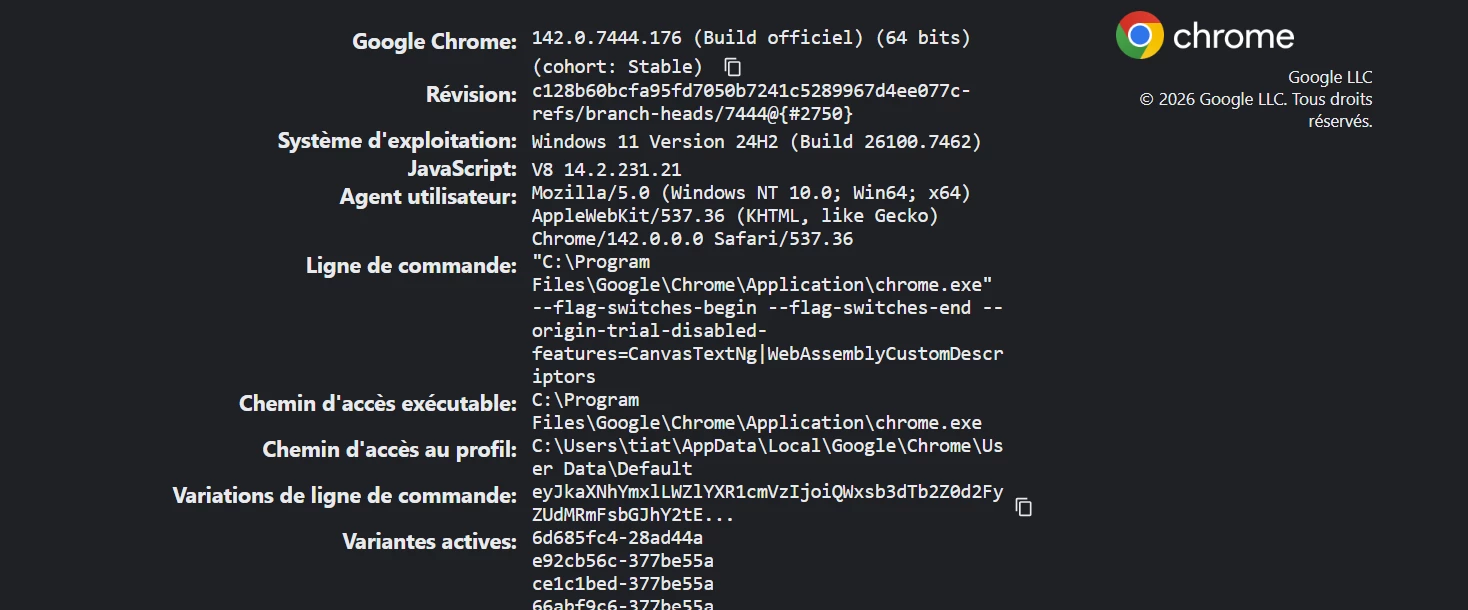
You will find attached some screenshots that may help ?

Thanks


PS : The update engine is always up to date, but the browser itself is not.


1 reply

Lynda
Community Manager
January 28, 2026

Hi @Arone 


Thank you for reaching out and providing details about the issue you're facing with Google Chrome updates. It’s great that you’ve already deployed the ADMX/ADML templates. We can provide some more context on how the update process works and offer a few recommendations that should help.


Google Chrome updates are designed to be largely automatic and seamless, ensuring users always have the latest security fixes, performance improvements, and new features. Here's a breakdown of how they work:


FeatureDescriptionAutomatic Updates & FrequencyChrome typically updates in the background without you needing to do anything. When a new version is available, Chrome downloads it, and the update is applied the next time you close and reopen your browser. This helps maintain security by quickly patching vulnerabilities.Staggered Rollouts & Vulnerability PatchesFor high-severity issues, Google aims to get a fix out to the Stable channel (the version most users have) within seven days of identifying an actively exploited vulnerability. In many cases, it can be even faster.


Recommended policies


While the update engine is always up to date, the browser itself may not be. To ensure a more consistent update experience, we recommend you configure the following policies:


Google uses different "channels" to gradually roll out updates and test new features:


ChannelCadenceCanaryUpdated twice daily, highly unstable.DevUpdated once or twice weekly, showing active development, prone to bugs.BetaA preview of upcoming Stable features, usually 4-6 weeks in advance, more stable than Dev.StableThe most widely used and fully tested channel, updated every 2-3 weeks for minor releases and every 4 weeks for major releases. This is the recommended channel for most users.Extended StableOffers less frequent feature updates (every 8 weeks) but still receives critical security fixes, primarily for organizations preferring a slower cadence.


Finally, just wanted to mention that for ease of use, we recommend using Chrome Enterprise Core (CEC) to seamlessly set policies for Chrome browser across users. Many of our customers have reported it is ultimately more user friendly that intune in that regard, especially as it relies on ADMX as you mentioned.

Relevant videos on Chrome Enterprise Core (CEC):


I hope this helps!

AroneAuthor
New Member
January 28, 2026

Hello, I have already configured the following two policies: RelaunchNotification and RelaunchNotificationPeriod.
The problem is not there, I repeat: the update engine is always up to date, but the browser itself is not.
I deploy Google Chrome Enterprise via the MSI, which is itself deployed through Intune MDM in the SYSTEM context.
Can you tell me why I am facing this issue?