New Member
February 11, 2026
Question

Samsung Smart Switch Not Working After Enrolling Device in Android Management API (Device Owner Mode , new devices not old - samsung A07)

  • February 11, 2026
  • 3 replies
  • 130 views

Hello,

I have built a device management system using Android Management API. Devices are enrolled in Device Owner mode. After enrolling Samsung devices (especially newer models like Samsung A07),


I noticed that Samsung Smart Switch does not work anymore. On older Samsung devices, Smart Switch works even after enrollment. But on newer Samsung devices, Smart Switch does not work once the device is enrolled as Device Owner. I am not using any third-party MDM solutions  only Android Management API.


My questions:


  1. Is Samsung Smart Switch blocked automatically when a device is enrolled in Device Owner mode?
  2.  Is this expected behavior on newer Samsung devices?
  3.  Is there any policy configuration that allows Smart Switch to function while still using Device Owner mode?
  4. Is this a Samsung restriction or an Android Enterprise restriction?

warning screen shot is
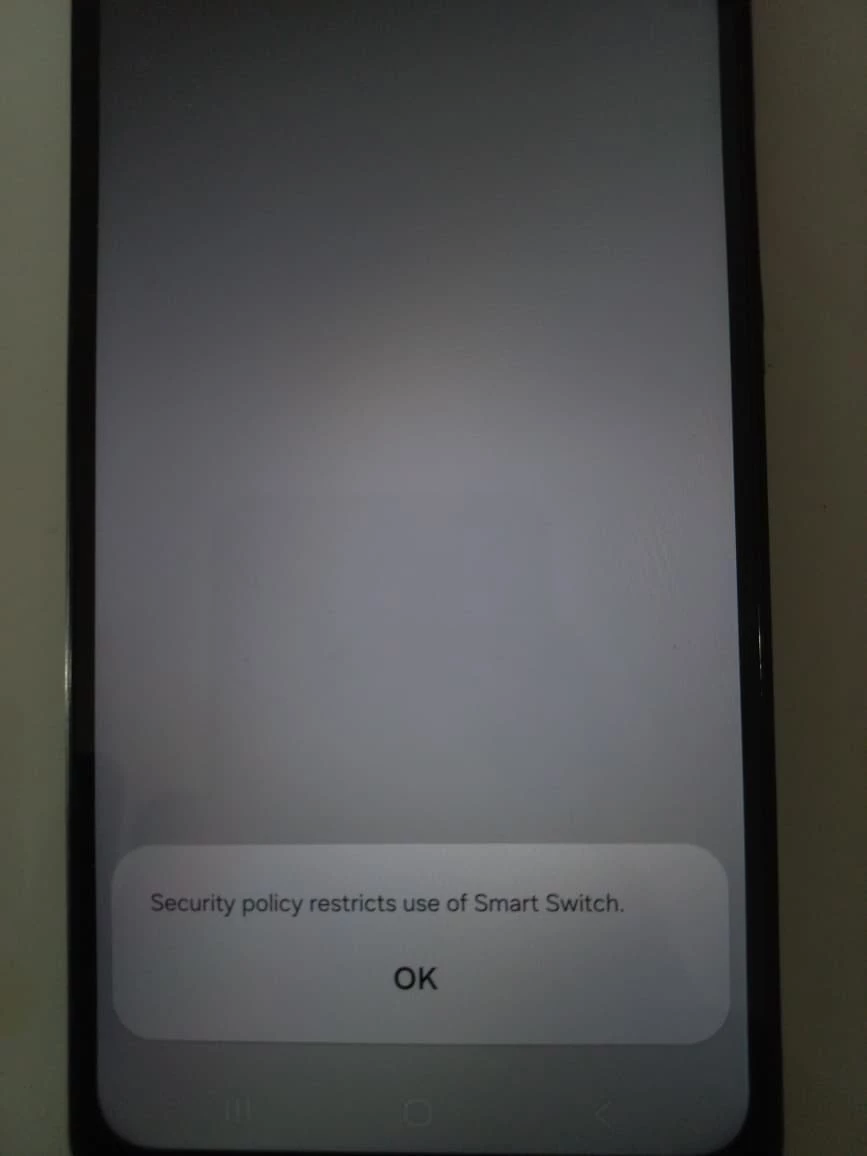
 

 I would appreciate any clarification on this behavior.


 Thank you.

3 replies

jeremy
Level 1.6: Donut
March 6, 2026

SmartSwitch is automatically blocked on managed devices. You would have to deploy the application with your MDM and edit the managed configuration associated to Smart Switch to enable it on managed devices

This is documented here: https://docs.samsungknox.com/admin/knox-platform-for-enterprise/kbas/kba-298-smart-switch-fully-managed/

Alex_Muc
Level 3.0: Honeycomb
March 6, 2026

Wow, I had no idea that Samsung had bowed to pressure a little and implemented an AppConfig for operation in DO mode.

SmartSwitch can be useful if devices are getting pre-staged and you want to quickly configure multiple devices identically. ... but only for a temporary installation, because the app is designed for private devices and causes enormous security problems in a work context.

Moombas
Level 4.4: KitKat
March 6, 2026

We also had a similar discussion not so long ago: https://www.androidenterprise.community/android-enterprise-general-discussions-3/samsung-smart-switch-not-working-after-enrolling-device-in-android-management-api-device-owner-mode-new-samsung-phones-not-old-1667?tid=1667&fid=3


An i personally recommend (if you most likely use cloud service or similar to store the important data) more likely to enroll the new device the normal way and start from scratch than to use smart switch.

I mean for private use it’s fine and very nice but in an enterprise environment i would see a risk in things starting creating issues this way and starting from scratch also provides possibility to clean up data.

jeremy
Level 1.6: Donut
March 6, 2026

Sorry seems like it was a double post and I did not see the original one :)

Michel
Level 4.0: Ice cream sandwich
March 6, 2026

Using Smart Switch is a big security risk, it allows you to transfer data from a managed / secured device to an unmanaged device without anything preventing it. I highly advice against using this for most of my customers. Its easy, but very risky. 


As suggest by ​@Moombas , starting fresh should be the way to go. Make sure that devices can sync a cloud backup for the apps they need. 


You could look into OEMconfig support for the solution you build, you can then embed Samsung Knox Service Plugin / Platform for enterprise to allow smart switch. 


Good luck!