Forum Discussion

Steve's avatar
Steve
Level 1.6: Donut
2 months ago
Solved

Unable to upload bulk CSV file to ZeroTouch

Hi Team,


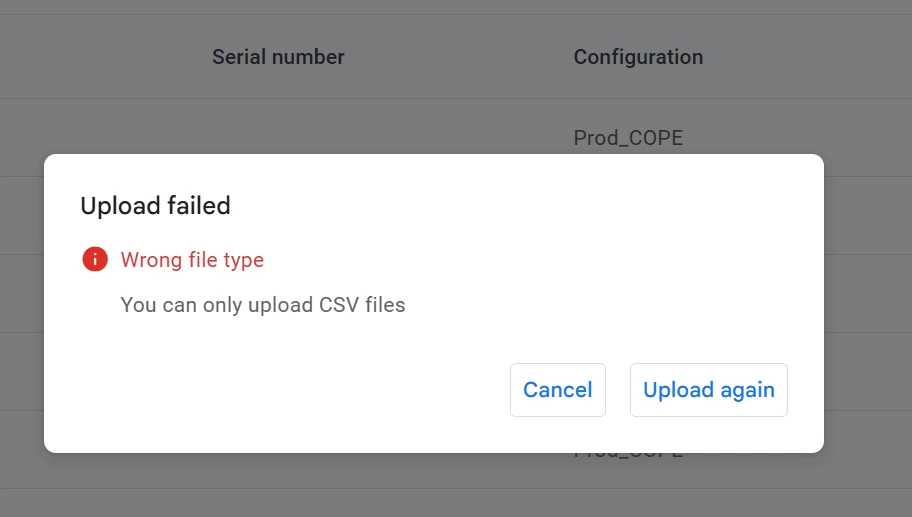
Is there currently an issue uploading a bulk .csv file to ZeroTouch?

It's giving me an error. See below.
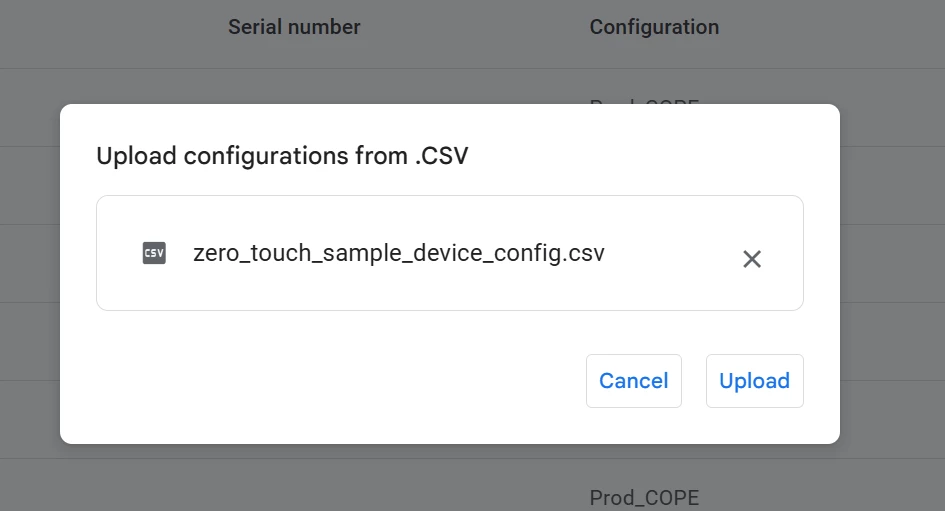


Steps below:

I downloaded the sample .csv file then updated it with my data, then uploading it again to the portal as is without changing the name or file extension as seeing above, yet its giving me an error.

This was working not long ago, just wondering if there is currently an issue. Thanks


  • Steve's avatar
    2 months ago

    Thanks Emilie_B​ Moombas​ Michel​ 
    I have figured out what the issue was, I wanted to do bulk deregister devices and I had the last field title in the csv file set to "userid" rather than "owner".
    Funny it was throwing an error saying Wrong file type.

11 Replies

  • Steve's avatar
    Steve
    Level 1.6: Donut
    2 months ago

    Thanks Emilie_B​ Moombas​ Michel​ 
    I have figured out what the issue was, I wanted to do bulk deregister devices and I had the last field title in the csv file set to "userid" rather than "owner".
    Funny it was throwing an error saying Wrong file type.

    • Moombas's avatar
      Moombas
      Level 4.4: KitKat
      2 months ago

      Yeah, could have told you instantly if you would have mentioned that in your intital post or provided a sample here. (Please do so next time for faster help)


      But glad it's solved.

    • Emilie_B's avatar
      Emilie_B
      Google Community Manager
      2 months ago

      Thank you for the update Steve​ and glad to read the issue has been resolved 🙂


      And thank you to Moombas​  and Michel​ for your help - you're super stars! 

  • Michel's avatar
    Michel
    Level 4.0: Ice Cream Sandwich
    2 months ago

    In 99% of the cases it has to do with the way you create the CSV. As Moombas​ also mentioned. Copy and paste your CSV text into a basic text editor and save it again as a CSV. This way you don't have anything messing with your CSV. 


    I do it this way and haven't seen issues since. 

  • Moombas's avatar
    Moombas
    Level 4.4: KitKat
    2 months ago

    You need to ensure the field names (headline) are correct and you set all the , in the correct way and amount. Have had same issue some weeks ago because of that.

    Example which works fine:

    "modemtype","modemid","serialnumber","manufacturer","model","profiletype","profileid"
    "IMEI","1234567890123456","","LENOVO","","ZERO_TOUCH","012345678"

    Don't care about the empty columns as i generate this by a script and there i can have devices with SNR and without IMEI which require different columns which can be left empty if not needed.


    And i also think i remember that the file must be named with .csv at the end, not .txt or so, even if the format inside of it is correct.

    • Steve's avatar
      Steve
      Level 1.6: Donut
      2 months ago

      Thanks Moombas, the issue is with the file extension not being accepted even though it is a .csv file. The file content is fine, see below an e.g of my file content.
      I have used the same field before with no issues.


      • Moombas's avatar
        Moombas
        Level 4.4: KitKat
        2 months ago

        Strongly Recommendation: Don't use Excel for csv files except you take care of every field seriously and very carefully!

        Especially the thing you see in column 2 can cause issues, depending on the Excel version, it cuts the last number of the IMEI and replaces it with a 0 (1234567890123456 -> 1234567890123450) causing all IMEIs being wrong (this field and the modemid2 should be defined as a text field).

        Also ensure it's in the correct format as shown above in my post or documentation and correct encoding (I guess UTF-8) and the correct delimiters (,) need to be used and so on.


        I recommend the use of Notepad++ (or similar alternatives) for viewing and fast edit and an external small program to generate such a file based on a "data" file (like a delivery note).

    • Moombas's avatar
      Moombas
      Level 4.4: KitKat
      2 months ago

      And just for verification, it works still fine on my side:


  • Emilie_B's avatar
    Emilie_B
    Google Community Manager
    2 months ago

    Hello Steve​


    I've escalated this to our internal team to check there is no issue - we're not aware of anything broken or malfunctioning at the moment. 


    In the meantime, I'm sure some of our members will be able to help you out 🙂


    Have you been in touch with your EMM already? 

    • Steve's avatar
      Steve
      Level 1.6: Donut
      2 months ago

      Thanks Emilie, please keep me posted if any update. I just tried again and the issue still the same for me.

      This is not related to EMM, its something within ZTE Portal. Can you try to upload yourself and see if you have the same issue please ?

      • Emilie_B's avatar
        Emilie_B
        Google Community Manager
        2 months ago

        Thank you for the update Steve​ - I'm waiting to hear back from the team and will let you know what they've said as soon as possible!