event
11 Topics[Event Recap] – Launch Your Legacy Apps into the Modern Era
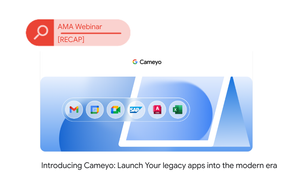
Yesterday, members of the ChromeOS Customer Community rallied to hear about one of our most exciting recent launches: Cameyo by Google. The session featured Cameyo subject matter expert and Customer Engineer Jordan Pusey, confirming that Cameyo is now officially in General Availability (GA). This virtual application delivery product is designed to virtualize those essential Windows applications and present them seamlessly within a browser, supporting your journey toward a web-first strategy. Cameyo’s Four Pillars: Simple, Secure, Cost-Effective, and Flexible Four key features that set Cameyo apart in the virtualization world: Simplicity: For End Users: Applications can be easily consumed from a web browser, as a Progressive Web App (PWA), or directly from a ChromeOS device. For IT Admins: Applications can be rapidly deployed, often being a matter of a simple install and quick publishing. Security: Cameyo is built on a zero-trust foundation, verifying connections before brokering them to your infrastructure. It operates securely without requiring a VPN. Cost-Effectiveness: It helps reduce the overall cost and effort of supporting legacy applications within a Chrome or browser environment. This approach contributes to infrastructure modernization, allowing for the adoption of new elements like ChromeOS. Flexibility: Cameyo supports various hosting options, including Google Cloud Platform (GCP), other cloud providers, or even on-premise data centers. It offers flexible authentication, integrating with multiple SSO providers. Because it’s browser-compatible, it supports any endpoint with an HTML5 browser. Key Technical Details Deployment Methods: Admins can deploy applications to end-users in three ways: through the tiled Cameyo portal view, as a Progressive Web App (PWA) via the Google Admin console (allowing for force install and pinning to the taskbar), or through a direct link. Data Saving: Data from applications can be saved to integrated services like Google Drive or OneDrive. IT administrators can enable or disable these saving functions. Infrastructure Management: For cloud hosting (GCP and Azure), Cameyo uses elastic clusters—a "set and forget" feature that automatically grows and shrinks the server array to handle loading capacity and optimize cost. User Profiles: Cameyo uses temporary user profiles for a stateless session but offers solutions for persistence, such as local data persistence coupled with session sync for application state information. The session concluded with an engaging Q&A, covering topics ranging from availability to licensing: Licensing and Pricing: Cameyo is offered on a named user license. Pricing is flexible based on volume and terms (e.g., 12 or 36 months). Bundling offers are available, particularly with Chrome Enterprise Premium and ChromeOS, to make the price more competitive. Product Evolution: Since the Google acquisition, initial changes were largely backend improvements focused on security review and migration to GCP. Future rolling releases are expected to bring new features, including deeper integration with the Google Admin and GCP consoles. Patch Management: For applications, admins must log into the persistence server, update the application, and then redeploy the cluster. Windows updates are automatic in GCP, but the admin's responsibility for self-hosted deployments. Peripherals: Local printing is supported using a Cameyo virtual printer driver. While Web USB enables common peripherals like keyboards and mice, support for encrypted technology (such as passes and badges) is a known area for future development. What's Next? Check out the ChromeOS Customer Community events page for further dedicated sessions on Cameyo in the coming weeks and months! And please post any questions or comments on Cameyo in our general discussion board. Also check out the Cameyo Help Center.90Views0likes0Comments[Event Recap] Getting Started with Chrome Enterprise Upgrade
This month, we hosted our first, dedicated Chrome Enterprise Upgrade onboarding webinar led by Emiliano from the ChromeOS team to help new IT admins. The session focused on essential, step-by-step actions within the Google Admin Console to quickly set up, manage, and secure their Chromebook fleet. The workshop covered the critical foundational steps for IT teams: Intro to the Admin Console We covered off some of the first tasks to be completed and got familiar with the management interface. Domain Verification We walked through this critical requirement to unlock advanced identity and management features. Organizational Units (OUs) Learn to create OUs for devices and users, which is the key to applying unique policies based on location, role, or use case. User & Device Enrollment Best practises for adding new devices and users to OUs. App Deployment & Management Admins learned how to centrally manage applications. Policy Configuration The platform separates policies into two mutually exclusive areas: Device Settings and User & Browser Settings. We discussed the difference between these and their practical uses. Contacting Support Support Finally then we covered off the various channels to get support including this very community! Missed the Workshop? No problem; we are planning another onboarding webinar in November this year. You can check it out and sign up now! Let us know in the comments if you have any tips for first-time ChromeOS admins.69Views1like0Comments[Event Recap] - Secure your business continuity with Google
On Wed 1st October we held an essential session on Secure your business continuity with Google focusing on Google Lifeboat - a combination of existing Google products that can help organizations maintain operational resilience and secure communication during a cyber breach. Cyber incidents like ransomware attacks and phishing are increasing in complexity and cost. Our speakers, Dean Paterek and Matt Stevens, highlighted how Google Lifeboat and its component products provide a robust, pre-planned strategy to defend against these threats and swiftly recover when they occur. The Four Core Pillars of Google Lifeboat The platform is not a one-size-fits-all product but a configurable solution built around four core components: Mandiant Incident Response Retainer What it is: A proactive agreement that provides an SLA (Service Level Agreement) for rapid incident response from Mandiant's global team of experts. Key Benefit: It provides pre-paid funds that can be used for security posture improvements, including tabletop exercises to train key stakeholders and test your organization’s response to a breach scenario. Mandiant also offers consulting for incident response, compromise assessment, and strategic security improvement. Google Workspace What it is: A hardened, secure environment for critical communication and collaboration. Key Benefit: In a crisis where your primary collaboration tools may be compromised, Google Workspace provides a secure, separate environment for internal and third-party communication, ensuring business continuity and effective crisis management. Chrome Enterprise Premium (CEP) What it is: A secure, zero-trust method for accessing corporate applications and resources through the Chrome browser. Key Benefit: CEP enables secure access from any device (managed or unmanaged) by enforcing granular policy controls. This includes preventing data loss through features like blocking downloads, uploads, printing, and screenshots directly within the browser, and feeding security telemetry into your SIEM for improved threat detection. ChromeOS What it is: Google's secure-by-design operating system. Key Benefit: ChromeOS devices are highly secure out-of-the-box and are easy to manage and deploy quickly, making them ideal for rapid provisioning to employees in a recovery scenario—even across dispersed locations. The session highlighted the speed of deployment for uncompromised devices as a critical factor in recovering from a major incident. Flexibility and the Wider Google Stack A key takeaway was that Google Lifeboat is designed to be flexible. While Google Workspace is promoted for its separate identity management in a crisis, the platform can accommodate a "bring your own collaboration suite" approach, allowing organizations to use Microsoft 365 on ChromeOS with appropriate security policies in place (e.g., disabling local storage). The session also touched on other integrated Google solutions, such as Cameyo (a virtual application delivery product) for streaming applications in a sandboxed environment from an infected system. 🙋 Got Questions? Let Us Know! If you missed the session and have questions about any aspect, please comment below! And let us know: Would you like to see more events like this focused on security and operational resilience in the ChromeOS environment? Your feedback helps us shape future community content!56Views0likes0Comments[Event Recap] Ask me anything: The new community platform
Today, in this month's Ask me anything webinar, we provided an in-depth overview of the new community platform for IT admins and professionals who manage Chrome OS devices. The platform is designed to be a global resource for the Chrome OS community. The main goal is to enhance customer onboarding, connection, and support by providing a central hub for peer-to-peer knowledge sharing and official resources. During a live demo, we highlighted key features and sections of the new platform. These include dedicated tabs for Community Info, Discussions, and Resources. The heartbeat of the platform however will be the General Discussion Board, which is intended for users to ask questions, share insights, and connect with peers. A "Start a Discussion" button was even added directly on the homepage to simplify the process of posting, based on user feedback. You can even take a look at the Android Enterprise General Dicussion Board to give you an idea of the wealth and breadth of posts that can work in this forum. We emphasized that user input is crucial for the platform's success. We want the community to be shaped by its members and have a dedicated channel for collecting feedback. We also encouraged attendees to help grow the community by sharing it with their networks, which will help ensure the platform remains a valuable asset for everyone. Key takeaways and asks: Register and participate in the community to share your insights and ask questions. Provide feedback on the platform's features and content to help shape its future. Suggest topics for discussion, surface any curiosities or feature explanations. Share the community with your professional network to help it grow and thrive. There will be another 'Ask me anything' session scheduled in the coming weeks for the topics that mean most to our community - watch this space!65Views0likes0Comments
ChromeOS User Adoption Session - September 11th
Original Post Date: 04-09-2024 We're hosting a Community session all about User Adoption. with the ChromeOS Customer Success Team. During this session we'll go through resources and tools that you could use to increase adoption in your organisations to help you drive successful ChromeOS adoption. During this session, we'll cover: Key resources and tools to support your adoption efforts Best practices for driving user engagement and satisfaction How one customer has implemented these strategies in their organisation. If you have any questions you can submit them here: https://forms.gle/YqBt6THtmWyrbX8r854Views0likes0CommentsChrome Summit EMEA 2024
Original Post Date: 15-11-2024 Hi everyone, Last week, we hosted the Chrome Summit 2024 - EMEA in Dublin, bringing together our incredible customer and partner ecosystem. The event was an opportunity to explore the product roadmap, hear inspiring stories from our customers, gain the latest business updates, and connect with Google product and go-to-market leaders. We had 54 customers representing 30 organisations! We had an exciting and jam-packed agenda aimed at engaging and inspiring everyone with the latest and greatest from the world of ChromeOS and Chrome Enterprise! Here are some of the highlights: 🎤 Main Plenary: We kicked things off with incredible keynotes from Bryan Lee(VP, Chrome|OS & Education Commercial Sales), Andrew Hewitt (Forrester), Max Christoff(Senior Director, Engineering), and Robert DeVito(Managing Director, Chrome Customer & Partner Sales Engineering). We also had a fantastic customer spotlight panel led by Mike Wyatt, featuring insights from Delfingen, Five Guys, and Veolia. 🤝 Partner Track: Sessions that showcased the full-stack story and the amazing opportunities around Chrome Enterprise and ChromeOS. 💻 ChromeOS Customer Track: We dove deep into product content and demos on Chromebook Plus, Security, Cameyo, M365 integrations, and ChromeOS Flex—plenty to get excited about! Chrome Enterprise Customer Track: More deep dives into topics like Management, Mobile & Data Protection, and Security & Integrations, highlighting the power of Chrome Enterprise. We also celebrated our customers success in 7 award categories. Shout out to and ! From the ChromeOS team. Thank you 🇮🇪🇮🇪50Views0likes0Comments
Our next community event will be in autumn, but where?
Original Post Date: 13-06-2023 ... before deciding on a venue we want to hear your opinion. Please give us your opinion here: https://forms.gle/9M7s1CFoWd2o1NZn7 Do you want to go to Munich during Oktoberfest and visit our Eng office? Do you want to go to the lovely city of Amsterdam? Or to a warmer place in Madrid? Do you want to meet again in romantic Paris? Please give us your opinion here: https://forms.gle/9M7s1CFoWd2o1NZn763Views0likes3CommentsCAB - Munich - October- Recap + Photos
Original Post Date: 16-10-2023 Thank you to everyone who was able to attend the CAB event in Munich! We got to meet with various Google PMs to review the product roadmap, provide feedback, share customers stories, meet product and GTM leadership, and enjoy a special Oktoberfest-themed event experience we put together in Munich 🍻 🥨49Views0likes3Comments