productivity
2 TopicsManage Chrome New Tab Page (NTP) shortcuts with enterprise policy
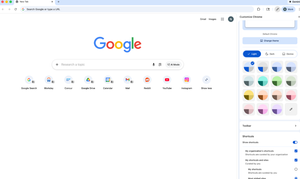
Hello everybody, We know how important it is for users to quickly access the tools and resources they rely on every day. That’s why I wanted to highlight a recent update that many admins have been asking for. Administrators can now set shortcuts on Chrome’s New Tab Page (NTP) via policy. Using the NTPShortcuts policy, you can curate and prioritise up to 10 organisation-defined shortcuts, which appear alongside any shortcuts users have already set themselves and whose visibility users can still control. This makes it easier to surface key internal tools or web apps, guide users toward essential resources, and create a more consistent, helpful starting point when Chrome is opened — without removing user choice. If you’re curious about the technical details or want to explore how the policy works, you can find more information here. I’d be interested to hear from you: How are you thinking about using managed NTP shortcuts in your organisation? Are there specific internal tools or resources you’d prioritise? Does this help address any challenges you’ve had with onboarding or discoverability? Let us know your thoughts 💭60Views1like0CommentsPDF solutions on ChromeOS
Hi all, In talks with a customer recently about cost-effective, Chromebook-compatible, web-based PDF solutions and they mentioned www.foxit.com Just wondered if any other customers had experience with this solution and could share their experience? Thanks!17Views1like0Comments