printing
3 Topics
Chromebook Print - Advanced Finishing Options?
Our organization uses PaperCut MF and PaperCut Mobility Print as our Print to MFP solution (with a virtual hold / release queue) for all of our end users. While a small number of Staff still use a Windows PC, a vast majority of Teachers and Students have been migrated over to managed Chromebooks as their daily driver device. While Mobility Print does well to support simple print jobs from a Chromebook, our users are frustrated with their inability to select / adjust more advanced finishing Settings, such as staple and hole punch. As I understand it, the lack of MFP-specific (non-generic) print driver support on Chrome OS compared to Windows or Mac is to blame for the lack of additional print / finishing functionality, and there isn't currently much of anything our organization can do to make the Chromebook print experience better for our users at this time. With that being said, as part of the IT Team for our organization, I wanted to reach out here to Google Support for any recommended workarounds or alternative solutions to this current problem that might allow us to provide our users with these additional finishing options when priting on Chromebooks (via PaperCut Mobility Print). Or, if there's really no fix available at this time, is there any possibilty that Chromebooks / Chrome OS (or maybe Aluminium OS eventually) might work towards being able to support more hardware-specific print drivers in the future? Please advise what our potential potential present-day options are for resolving this matter, if any, and also, please keep the community posted if Chromebooks begin supporting better print drivers in the future. Thank you, and looking forward to any / all feedback!126Views0likes1CommentIntroducing Custom PPD Files on ChromeOS 🖨️
We are pleased to announce a significant update that expands support for various printer types through the introduction of Custom PPD Files in the Google Admin Console. This update provides IT Administrators with greater flexibility in managing their printer fleets on ChromeOS. What's New? IT Admins can now utilize a crucial third option when setting up printers: using a custom, remotely hosted PostScript Printer Description (PPD) file. Until now, you could only set up a printer using either driverless configuration or by specifying the manufacturer and model. This often created a gap for specialized or niche printers. With Custom PPD support, we’re bridging that gap by allowing you to upload a file that precisely describes the printer's capabilities. What’s a PPD? A PostScript Printer Description (PPD) file is a text file created by a printer manufacturer that contains all the essential information about a specific PostScript printer's capabilities and features. This includes crucial details like supported paper sizes, the number of paper trays, duplexing (two-sided printing), and other unique options. Essentially, the PPD file acts as a driver for PostScript printers, allowing ChromeOS to understand how to communicate with the device and unlock its full range of functions. Key Benefits for Your Fleet Expanded Compatibility: Easily onboard specialized printers that were previously difficult or impossible to configure using the standard manufacturer/model options. Maximum Options: Ensure your printer fleet is set up with the widest possible range of options, as the PPD file enables all the printer's capabilities (e.g., specific trays, custom paper sizes, and advanced finishing options). Detailed guidance for IT administrators on how to implement and use Custom PPD files is available in the updated Help Center documentation: Add a printer - Chrome Enterprise and Education Help.208Views1like0CommentsA deep dive into Chrome Enterprise Recommended
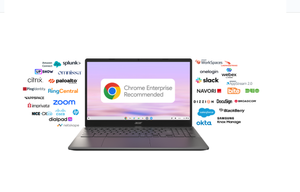
In today's dynamic work environment, simplifying cloud operations and enhancing user experience are paramount. That's where the Chrome Enterprise Recommended program comes into play, serving as a vital resource for identifying validated partner and third-party solutions that are optimized for ChromeOS devices. This program is designed to give you confidence in your technology stack. When a solution is Chrome Enterprise Recommended, it means it has been rigorously validated by Google for performance and compatibility. Many of these solutions offer seamless integrations and connectors that plug directly into your existing IT tools, making deployment and management a breeze. Let's explore some of the key areas where Chrome Enterprise Recommended solutions are making a significant impact: Fortifying Your Defenses: Security and Trust Security is a top priority for every IT admin. The Chrome Enterprise Recommended program features robust security solutions designed to protect your organization. Partners like Cisco Duo for access security, CrowdStrike Falcon for security event correlation, Okta for identity and access management, Palo Alto Networks Cortex XDR for enhanced threat hunting, and Ping Identity for zero-trust access controls are all part of this program, offering you a comprehensive suite of tools to build a resilient security posture. Streamlining Printing: Print Management Managing printing across a distributed workforce can be a challenge. Chrome Enterprise Recommended offers solutions like Papercut, Pharos Chrome Print, Vasion Print (formerly PrinterLogic SaaS), and Printix cloud print management. These tools are designed to simplify secure printing, reduce costs, and provide a hassle-free experience for your users. Improving output: Productivity and Collaboration The program also highlights solutions that empower your teams to work more efficiently. From visual communication with Canva to relationship management with SalesforceCRM and secure agreement signing with DocuSign eSignature, these tools help enhance productivity and foster seamless collaboration within your organization. Seamless interactivity: Communications Chrome Enterprise Recommended provides powerful web-based solutions like Zoom and Webex Meetings, designed to keep your employees in sync and highly productive. With these tools, your team can enjoy seamless communication from anywhere, whether it's through voice, video, or text chat. Beyond these highlights, the Chrome Enterprise Recommended program also encompasses solutions for: Contact Centers: Optimizing customer interactions. Virtualisation: Delivering flexible and secure access to applications. Kiosk and Signage: Managing dedicated devices for specific purposes. Healthcare: Meeting the unique needs of healthcare environments. By leveraging Chrome Enterprise Recommended solutions, you can simplify your IT operations, enhance security, and provide your users with an optimized and seamless cloud work experience. Learn more and stay connected! For more detailed information about the Chrome Enterprise Recommended program and its partners, visit the official website: https://chromeos.google/intl/en_uk/resources/recommended/. Furthermore you can see compatible peripherals outlined here: https://support.google.com/chrome/a/table/14169095?hl=en279Views1like0Comments