ChromeOS Customer Community
Recently active
Hi everyone, Thank you to everyone who joined our most recent webinar, Cameyo & Chrome Enterprise Premium Integration. We had a fantastic turnout and received a lot of excellent questions during the session! To ensure you have all the info you need, we've compiled this Q&A recap, organizing the questions into categories so that you can easily find the topics that matter most to you.Since this series of webinars have come to an end, we will be publishing the Q&As from February and December webinars soon as well, so keep your eyes peeled 👁️ 👁️ Also, if you have any further questions related to the webinar, please feel free to drop them in the comments below. 💻 Technical & AdministrationInfrastructure and DeploymentWho is responsible for securing the Windows Server (AV, backups, etc.)? Google and Cameyo provide the delivery platform, but the underlying Windows Server security remains a customer responsibility. However, Cameyo is designed with a "security-first" archite
Hi everyone, We all know how good a warm (or even next-day cold slice for breakfast, anyone?) pizza can be. And if you don’t… well, our sister community has very strong opinions on the subject 🍕But beyond creative recipes, pizza can also be a surprisingly good example of how technology supports fast-paced, real-world operations.A while back, Domino’s shared how they’ve been using ChromeOS across thousands of stores to support everything from ordering and kitchen workflows to store operations — relying on fast boot times, simple device management and consistent experiences at scale.Their setup has enabled lightweight, plug-and-play rollouts and real-time experiences across the business, helping reduce complexity for IT while supporting frontline staff.It’s a great example of ChromeOS being used well beyond the “traditional office” setup, so I wanted to open this up to the community: Have you deployed ChromeOS in operational or customer-facing scenarios like this? What kinds of workf
Hi everyone, If you happened to have missed the popular and informative Cameyo webinars series that we recently ran, fear not! You won’t be left behind as now you can catch up on-demand 🎉 Yes, you heard that right, and you can check them right here (with their original event page linked as well for further context): Introducing Cameyo Launch your legacy apps into the modern EraVirtual Application Delivery (VAD): How Cameyo provides a modern, streamlined alternative to traditional VDI. Progressive Web Apps (PWAs): We explored how you can move beyond the constraints of legacy apps by securely streaming them directly to ChromeOS devices, transforming them into secure, productive PWAs. Cameyo: Security & Infrastructure Deep DivePort Shield Technology: Utilizing just-in-time port opening to effectively "vanish" from the public internet. Secure Cloud Tunneling: The mechanics of data transfer without direct network exposure. Temporary User Profiles: Achieving true session isolation
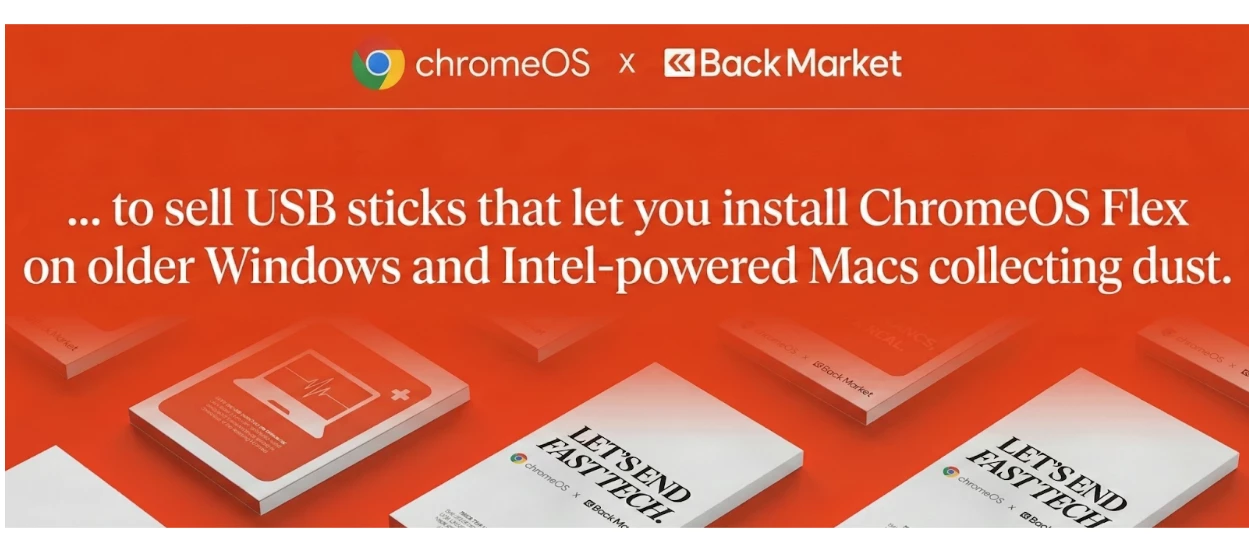
Hi everyone, A couple of days ago we shared the news about our collaboration with Back Market to help reduce global e-waste using ChromeOS Flex. That ties in with the broader conversation around device lifecycles in enterprise IT. We often see organizations having a strict 3-to-5-year hardware refresh cycle. However, with the rising importance of corporate sustainability goals - and the realization that perfectly good hardware is often discarded just because the legacy OS has become sluggish or unsupported (especially security-wise) - many teams are beginning to try a different approach to it. In that spirit, it’d be great to hear your perspectives on how your organization approaches this today and what are the biggest challenges or hesitations you face when trying to extend the life of your fleet? Every fleet has different compliance and performance needs so interested to hear your thoughts and experiences in the comments 💬
We have configured the chrome.users.AutomatedPasswordChangeSettings policy to enable automated password change and allow importing the AI model required for this feature. However, the "Change password automatically" button/option is not appearing in the Password Checkup flow. Only the standard "Change password" (manual redirect) button is visible.We have configured the chrome.users.AutomatedPasswordChangeSettings policy to enable automated password change and allow importing the AI model required for this feature. However, the "Change password automatically" button/option is not appearing in the Password Checkup flow. Only the standard "Change password" (manual redirect) button is visible. Observed Behavior:1.The compromised password entry is correctly flagged under "Compromised passwords"2.Only the "Change password" button is shown (manual redirect to the site)3.The "Change password automatically" option is completely absent from the UI4.No automated password change flow is triggered
Hi everyone, ChromeOS often sits alongside other Google products in organisations — whether that’s Google Workspace, Chrome Enterprise, Cloud services, as well as security tools — but how those pieces work together can look very different from one place to another. Some teams lean into a broader Google ecosystem and see benefits around simplicity, security and manageability, whilst others take a more mixed approach - combining ChromeOS with tools from different vendors, depending on their needs. It’d be really interesting to hear your perspectives on the following:Which Google products (if any) are you using alongside ChromeOS these days? Do you notice clear synergies between them in day-to-day IT management or user experience? Any perspective on where do things work well together — and where do you feel things could be improved? Looking forward to hearing your thoughts!
Hello,I’m reaching out because I’m trying to understand why my Google Chrome browsers are taking so long to update.I have deployed the ADMX/ADML templates and configured the required policies, but despite this, the update process works poorly.You will find attached some screenshots that may help ?Thanks PS : The update engine is always up to date, but the browser itself is not.
We currently have around 100 Chromebooks that we use for exams. I have now been asked to make it possible for participants to change the keyboard layout. Most use the German keyboard, but a few want to write with an English or French layout. What do I need to set in the management console so that participants can change the layout on their devices?
Hello Team,While testing the wallpaper management functionality using the Chrome Policy API, we observed that the wallpaper does not get applied on managed ChromeOS devices, even though the API calls return a successful response.When we upload the wallpaper image using the uploadPolicyFile endpoint, it successfully returns a valid downloadUri.and wallpaper gets applied on device. However, when we attempt to apply this uploaded image as a wallpaper using the Policy API, the request completes successfully (200 OK), but the wallpaper does not apply on the chromebook device.We’d appreciate your help confirming the following points:Are there any additional parameters, permissions, or policy fields required for either of the following?chrome.users.Wallpaperchrome.devices.managedguest.WallpaperAre there any known propagation delays, caching behaviors, or policy refresh constraints that could affect wallpaper deployment on managed devices?
Hey everyone, The wait is over - welcome to our brand-new community platform! 🚀 We are incredibly excited to open the doors to this new space, which has been designed to make your experience smoother, clearer, and more connected. A shared space for greater collaboration One of the most exciting changes is that you are now part of a unified space with the Android Enterprise, ChromeOS, Cameyo and Chrome Enterprise product communities. This means you can now: Discover shared discussions: Access cross-product insights and expertise all in one place. Personalize your view: Take advantage of the new dark mode option for a more comfortable browsing experience. Explore and share your thoughts We encourage you to take some time to explore the new boards and features. We’d love to hear what you think - let us know your initial impressions in the comments below! What’s next? This is just the beginning. We have more content coming your way soon to help you navigate this transition, highli
Hi everyone, I’m experiencing an issue on ChromeOS where, after signing in, the session occasionally resets or shows a blank screen before the desktop fully loads. In some cases, the device appears to authenticate successfully, but the expected environment and apps do not initialize correctly. This behavior is inconsistent and seems unrelated to network stability. Basic troubleshooting steps such as restarting the device, checking for system updates, and signing out/in again have already been attempted without resolving the issue. Has anyone encountered similar ChromeOS login or session-loading problems?Any insights on logs to review or settings that might affect session initialization would be greatly appreciated.
I work at a school where we need to enterprise enroll the devices. We have an issue that correlates to how we initiate the enterprise enrollment. If we use the shortcut keys "ctrl alt E" to initiate the enrollment, wi-fi connection is lost as soon as the user hits <enter> after the password for the account information. Yet if we choose the enrollment button at the bottom of the screen, there are no issues. In general, knowing what causes our issue would be good to have in our mental toolbox, but the issue also prevents us from using a script which acts similar to Go-Box or Centipede.
We are trying ChromeOS management via EMM where the existing domain account we have works fine i.e we are able to enrol and device sync is also happeneing on EMM side but when I am trying the same with another customer account though the account is showing as enrolled in the Google console, it's not syncing to EMM. There is no error also on backend. Looks like the api to fetch the device list response is empty. We have partner access setting enabled in the customer account still facing same. Is there any other settings on the console we need to check? Note: Customer account has the purchased the Trial Chrome upgrade.
Hey everyone, Following up on our recent announcement about our move to a brand-new platform, we want to share some important dates regarding the transition. To ensure all our existing content moves over safely, the wider community will enter read-only mode from February 21st through March 5th. What this means for you: General Discussion remains open: While most boards will be read-only, we are keeping the General Discussion board open throughout this window so you can still reach out to us if you need help or have questions. Migration details: Please note that any new messages posted or responses received in the General Discussion board during this transition window (Feb 21 – March 5) will not be officially migrated to the new platform. Go-Live: We will be fully live in our new home starting March 5th! We appreciate your patience while we perform this "digital move." We’re doing this to make sure the new space is ready to provide you with a much smoother and more connected e
Hey everyone, We’ve got some exciting news to share: our community is moving to a brand-new space designed to make your experience smoother, clearer, and more connected than ever. Here’s what you can look forward to: Easily readable threads - follow conversations effortlessly, jump back in without losing context, and spend less time scrolling. Common boards with Android Enterprise and the soon to launch Chrome Enterprise community - discover shared discussions, insights, and expertise all in one place. A dark mode option - easier on the eyes (especially for those late-day or early-morning check-ins). And more improvements to come, all focused on making collaboration and knowledge-sharing simpler. We will share more details soon as there will be some read-only time while we make the transition. As always, if you have any questions or concerns, please let us know in the replies. We can’t wait to welcome you into the new space! Chat soon, The Community Tea
Hi all, As more teams look at modernising their environments, one question comes up again and again: who in your organisation is actually doing most of their work in the browser already? Understanding that can make a big difference when it comes to planning ChromeOS pilots, right-sizing hardware, or deciding where a phased approach makes the most sense. One tool available for that is the ChromeOS Readiness Tool, which helps analyse device usage, browser and extension patterns and application dependencies to surface users who may already be strong candidates for a cloud-first setup. I’m curious to hear whether any of you have used the ChromeOS Readiness Tool (or another tool) to assess how “cloud-based” your users really are? It’d be also interesting to hear about your approach to users who are almost cloud-ready, but still rely on one or two legacy applications. If helpful, there’s a community post that dives deeper into how the ChromeOS Readiness Tool works and how teams are using it
Hi everyone, With more and more work happening directly in the browser, it’s becoming a bigger part of how organisations think about security, access, and user experience. Recent industry research points to this shift quite clearly: Gartner predicts that 25% of organisations will adopt a secure enterprise browser by 2028 as part of their endpoint and remote access strategy. Multiple security reports highlight that most breaches now involve a web or browser-based vector, often tied to unmanaged devices, identities, or access paths. At the same time, work is increasingly distributed — with contractors, hybrid workers, and non-traditional endpoints becoming the norm — which puts even more pressure on browser-level controls. That said, there’s no single right approach and I know teams are at very different stages, so I’m curious to hear how this looks in practice for you: Is browser management something your organisation actively focuses on today, or is it still largely handled elsewher
Hey everyone, In a recent discussion, we talked about how teams are using automatic enrollment to deploy and scale ChromeOS fleets more easily — whether that’s zero-touch for new devices or Flex for existing hardware. That got me thinking about another decision many admins are navigating right now: how they’re thinking about fleet strategy as they plan for 2026. Some organisations prefer a highly standardised fleet, sticking to one vendor or model to keep things predictable — from user experience and support, to lifecycle planning. Others lean towards a multi-vendor approach, mixing devices (and sometimes ChromeOS Flex) to stay flexible on procurement, optimise costs, or extend the life of existing hardware. Both approaches can work well on ChromeOS, but the trade-offs are something to take into consideration. I’d be interested to hear from the community: Do you lean more towards a standardised fleet, a multi-vendor strategy, or a mix of both? What factors te
Hi everyone, AI tools are quickly becoming part of everyday workflows — and with Gemini now integrated into ChromeOS, many IT teams are having to make decisions sooner rather than later. For some organisations, enabling AI features is about boosting productivity and helping users work smarter. For others, questions around data governance, security, user readiness, and change management mean a more cautious approach makes sense. Google has been framing this shift around the idea of the browser becoming an intelligent, secure control point for work — where AI assistance lives closer to the user, but within managed boundaries. On ChromeOS, that shows up through Gemini being embedded into the OS experience, helping with things like summarising content, drafting text, or getting contextual assistance, without stepping outside enterprise controls. I’m curious how people are thinking about this in practice: What’s your current stance on Gemini or AI tools f
Hello, we have observed a regression in location tracking for third party applications after updating ChromeOS on HP Chromebook G1m 11 inch. Device details are ChromeOS version 144.0.7559.108 with previous working version 131.x on the stable channel. After upgrading from version 131 to 144.0.7559.108, third party applications are no longer able to detect or receive location data while Google Maps continues to report the correct location. This behavior was working as expected prior to the OS update, which indicates a possible regression or policy change introduced in ChromeOS 144 affecting third party application access to location services. Thanks Vishal
Our product is for AI security and one of the main challenges we have is how do we make sure the extension will always run even in Incogntio mode.I'm talking about the Chrome browser.There is a flag that seems to be not supported MandatoryExtensionsForIncognitoNavigation while Edge do support this. This is very critical to us and I assume all enterprises that would like to keep Incognito mode but still keep security.If this is no an option can we at least have a formal way to check from command line if an extension is allowed in Incognito mode so we can disable Incognito for these users if our ext isn't allowed?
Hey all, We introduced Cameyo by Google in the community as a way to help organisations bridge the gap between legacy applications and a more modern, web-first environment on ChromeOS.For many teams, legacy or Windows-based apps are still critical — whether it’s a small number of specialised tools or applications that are deeply embedded in day-to-day workflows. Finding ways to support those apps securely, without adding complexity or friction for users, is often a big part of the puzzle. I’d love to open this up to the community: What would “success” look like for you when it comes to running these apps on ChromeOS in your environment?We’ve already seen members sharing thoughtful questions and praise following recent Cameyo events. To keep that conversation going, we have a series of upcoming webinars that explore Cameyo from different angles — from an initial overview, to a deeper look at security and infrastructure, and finally how it integrates with Chrome Enterprise Premium.These
Hello everybody, We know how important it is for users to quickly access the tools and resources they rely on every day. That’s why I wanted to highlight a recent update that many admins have been asking for. Administrators can now set shortcuts on Chrome’s New Tab Page (NTP) via policy. Using the NTPShortcuts policy, you can curate and prioritise up to 10 organisation-defined shortcuts, which appear alongside any shortcuts users have already set themselves and whose visibility users can still control. This makes it easier to surface key internal tools or web apps, guide users toward essential resources, and create a more consistent, helpful starting point when Chrome is opened — without removing user choice. If you’re curious about the technical details or want to explore how the policy works, you can find more information here. I’d be interested to hear from you: How are you thinking about using managed NTP shortcuts in your organisation? Are there specific internal tools or resour
Hi All,I'm trying to remove completly the option of AI mode in Google chrome.I was able to use these settings. AIModeSettings=1 GenAiDefaultSettings=2 How ever it doesn't remove the AI mode from the Google.com search bar that is inside the page. Any formal way to remove this option?
Have purchased the Trial Chrome upgrade on our existing workspace account. Our backend api failing with below error:Request call: POST https://chromedevicemanagement.googleapis.com/v1/enterprises//devices//devicePolicyerror response:{ "code" : 400, "errors" : [ { "domain" : "global", "message" : "Device does not have CDM API enabled. Enable CDM API for the corresponding OU in Google Admin Console.", "reason" : "failedPrecondition" } ], "message" : "Device does not have CDM API enabled. Enable CDM API for the corresponding OU in Google Admin Console.", "status" : "FAILED_PRECONDITION"}Can you confirm what this error means?As same API works for our paid chrome account, is it an restriction on trial accounts from your end? or we are missing something here?Note: Same client Id and scope is used in Domain-wide delegation setting in admin console.
Already have an account? Login
Enter your E-mail address. We'll send you an e-mail with instructions to reset your password.