  • 57 Product updates
[Product Update] The Future of Endpoint Management is Conversational

[Product Update] The Future of Endpoint Management is Conversational

Hello,   We are now soft-launching support for the Model Context Protocol (MCP) within the Android Management API (AMAPI). While this is a “behind-the-scenes” infrastructure update, it is the critical first step toward a new way of managing devices. By exposing AMAPI via MCP, we are providing the standardised building blocks that will allow EMM providers to eventually build high-quality, conversational AI assistants.The Engine Under the Hood: Why MCP MattersThink of MCP as a universal translator.. It allows AI agents (like the ones powering smart chatbots) to securely “read” and understand the technical data from your fleet - like device policies, battery stats, and security logs. By standardising how AI interacts with Android device data, we’re making it faster and easier for EMMs to evolve their dashboards, toward a conversational, intent-based model. The Shift: From “Point-and-Click” to “Just Ask”What does this look like in practice? Imagine it’s 4:55 PM on a Friday, you get an urgent request to identify how many devices in your fleet need a critical security update before the weekend.Traditionally, this means logging into your console, navigating sub-menus, filtering, exporting a CSV, and manually cross-referencing a report. It works, but it takes time you don’t have. With our new MCP-enabled infrastructure, you’ll be able to ask:"Show me all Zebra devices with a security patch older than 90 days."And just like that, the answer is there. No filters, no CSV exports(!) - just the insight you need, instantly.   Mock example of interaction: Proactive Management for Every AdminThis shift empowers admins of all skill levels to investigate issues faster and automate complex tasks without needing to be an expert in every corner of the EMM console. The goal is simple: move away from static dashboards and complex menus toward a conversational, intent-based model.Imagine having an intelligent assistant that understands your fleet data as well as you do. Instead of hunting for buttons, you can have a dialogue with your management console to: Diagnose issues instantly: "Why did the latest app installation fail on Mark’s tablet?" Proactively maintain hardware: "Find all devices with degrading battery health that need replacement next month." Spot security risks: "Show me devices that failed a strong integrity check in the last 24 hours."   What’s Next?We want to hear your thoughts as we see this shift. Are there any particular use cases you think you would like to use this for? What acronym do you think will stick for this next phase of device management?As we roll out these capabilities to our partners, you can expect to see your management tools becoming smarter, more conversational, and more proactive. Keep an eye on your EMM updates: Look for new "AI Assistant" or "Natural Language Search" features in your roadmap. Ask your vendor: If you want to manage your fleet by simply asking questions, tell your EMM provider you’re ready for AI-powered management supported by Android's MCP integration. The days of digging through dashboards are numbered. The conversation is just getting started!

Related products:Android Enterprise
[Product Update] RCS Archival is now available on managed Android devices

[Product Update] RCS Archival is now available on managed Android devices

Rich Communication Services (RCS) is a significant upgrade that benefits businesses with enhanced security through end-to-end encryption and boosted employee productivity with features like read receipts, typing indicators, high-resolution file sharing without size limits, and seamless group chat management.    However, RCS encryption can present a challenge for regulatory compliance. To ensure companies can fully utilise these security and productivity benefits of Google Messages while meeting crucial record-keeping requirements, we are rolling out Android RCS Archival.    Feature benefits   This new capability streamlines message auditing by integrating directly with Google Messages, enabling third-party archival apps to capture all communications so that auditing is:   Comprehensive: The archival app is notified on all message events, including when a message is sent, received, edited or deleted. This provides a complete audit trail that is also backward compatible with SMS and MMS. Reliable: Unlike previous methods, this is a built-in, Android-supported and maintained archival mechanism. Controlled: IT admins maintain full control over deployment and can easily enable or disable this feature, with employees receiving clear notification when archival is active.    Scope and implementation   Android RCS Archival is available on fully managed Android devices using Google Messages as the default messaging application.  For a full breakdown of the benefits of RCS archival, check out our keyword blog. For implementation details and configuring the policy, consult our Help Center article.

Related products:Android Enterprise
Beyond the endpoint: The unified Google enterprise stack can simplify your fleet today

Beyond the endpoint: The unified Google enterprise stack can simplify your fleet today

We're excited to see the ongoing evolution of your ChromeOS deployments. Our latest enterprise vision isn't just about faster devices or better software; it’s about delivering a truly unified and intelligent Google stack, fit for enterprise, that simplifies management and powers the modern workforce.   The key message is clear: Google AI is fundamentally changing the way work gets done, and we’re ensuring that transformation is secure and seamlessly available across every touchpoint.   A look at the unified platform   Our new vision ties together our core enterprise products to eliminate complexity and deliver unparalleled value:   The AI-powered workspace (ChromeOS, Chrome, & Gemini): Gemini is now embedded directly into the Chrome browser and operating system (especially on Chromebook Plus devices), offering employees intelligent assistance right where they work. Crucially, this is delivered and managed through your existing Google Workspace accounts, giving IT the necessary controls over how your data interacts with AI. The application bridge (Cameyo by Google): We understand that a unified OS requires total application compatibility. The general availability of Cameyo by Google closes the final gap. It allows you to deliver every application; legacy or modern, side-by-side, entirely within the Google ecosystem, eliminating the need for expensive, complex third-party VDI environments. The Security & Operations Hub (Chrome Enterprise Premium & SecOps): Comprehensive data protection is non-negotiable. That's why we've baked robust DLP directly into Chrome Enterprise Premium and provided a one-click integration with Google SecOps. This gives you unprecedented visibility and control over web activity and data movement across your entire fleet, including when employees leverage AI.   We're dedicated to helping you realize a simpler, more secure, and AI-powered enterprise. Share your strategies, thoughts and questions below!   For all the details on the new capabilities and our connected enterprise vision, please read the full announcement: Bringing connected and AI-powered work experiences across our platforms and devices

Related products:ChromeOS
Cameyo by Google: The modern path to unlocking all your enterprise apps

Cameyo by Google: The modern path to unlocking all your enterprise apps

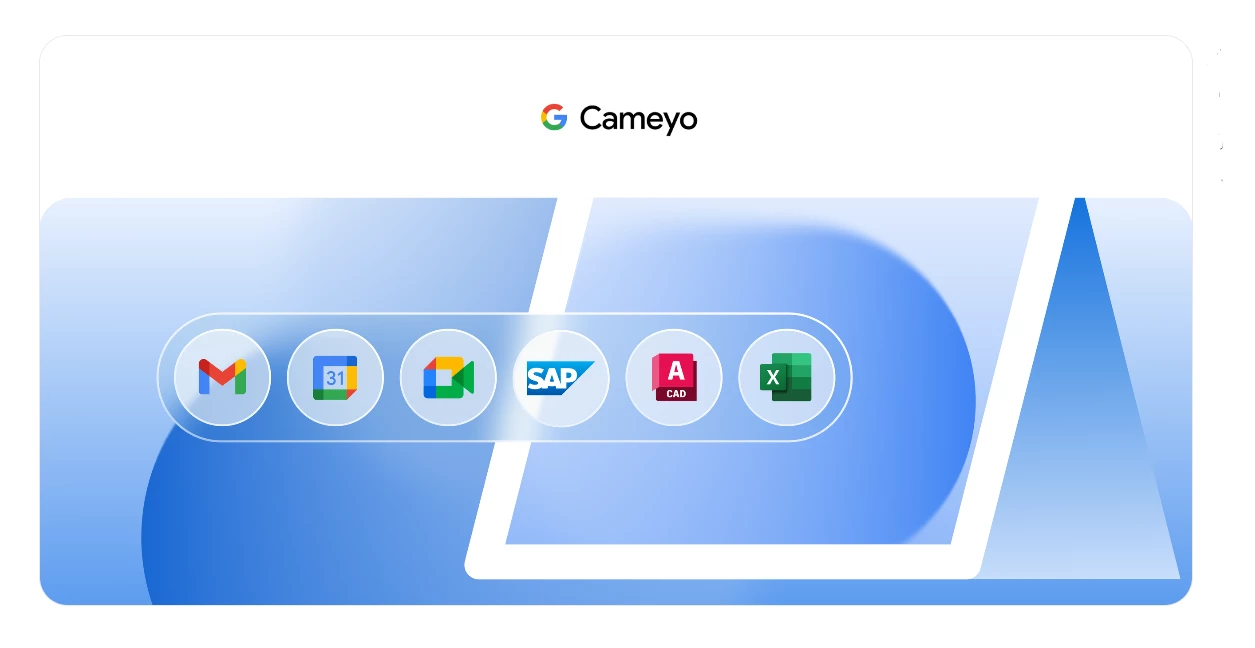
The future of end-user computing (EUC) is undeniably web-based. Yet, as IT leaders, we know the reality: roughly 50% of your business-critical applications remain legacy client-based apps. This gap between strategy and reality has long been the primary blocker for fully embracing the security and simplicity of a web-first OS like ChromeOS.   We are thrilled to announce that Cameyo by Google is reaching General Availability on November 17th, bringing a best-in-class Virtual App Delivery (VAD) solution directly into the Google enterprise portfolio to finally bridge this gap.   What is Cameyo by Google?  Cameyo is a modern alternative to traditional Virtual Desktop Infrastructure (VDI). It is purposefully designed to solve the legacy app gap without the complexity and resource overhead of streaming an entire virtual desktop.   Virtual App Delivery (VAD) vs. VDI Instead of streaming a full, resource-heavy operating system, Cameyo's Virtual App Delivery (VAD) technology delivers only the applications your users need, securely to any device.   Seamless user experience: Legacy Windows or Linux apps can be streamed right in the browser or delivered as Progressive Web Apps (PWAs). This gives the user the feel of a native application in its own window, running side-by-side with modern web apps. The user gets a consistent experience without the context-switching of managing a separate virtual desktop. Simplified IT management: The complexity is eliminated. As Phil Paterson, Head of Cloud & Infrastructure at PTSG, noted, "The beauty of Cameyo is its simplicity. It lets users access applications on any device with security built in... no VPNs or firewall configurations needed." Issues solved in a corporate environment For IT Admins managing corporate environments, Cameyo by Google is a critical unlock mechanism that delivers significant benefits across security, complexity, and modernization.   1. Eliminating the ChromeOS "app gap" For years, the handful of remaining client-based applications (like specialized ERP clients, the desktop version of Excel with complex macros, or certain Windows-based design programs) has been the main obstacle to migrating to ChromeOS.   Full ChromeOS migration: Cameyo eliminates this blocker, enabling you to confidently migrate your entire fleet to ChromeOS including converting existing PCs using ChromeOS Flex while maintaining seamless access to all your Windows apps. Unmatched security: You can fully leverage ChromeOS, the only operating system with zero reported ransomware attacks, ever. 2. Unifying security with Chrome Enterprise Premium Legacy client apps traditionally run outside the secure browser perimeter, creating a significant security blind spot. The combination of Cameyo and Chrome Enterprise Premium provides a unique, unified solution:   A single secure context: Cameyo publishes your legacy client apps directly within the managed Chrome Enterprise browser. Comprehensive DLP: This unifies the digital workspace, allowing Chrome Enterprise Premium's advanced security and granular Data Loss Prevention (DLP) controls like preventing copy/paste or printing to govern the data within those legacy applications, providing a comprehensive security posture across all your apps. 3. Bridging to AI-powered productivity IT leaders are prioritizing enabling end users to take advantage of AI. With this solution, your legacy apps get a modern boost:   AI in legacy apps: Thanks to Gemini in Chrome, the combination of Cameyo and Chrome Enterprise layers the power of AI on top of all your legacy applications, instantly modernizing workflows. 4. Simplicity and accelerated deployment Compared to traditional virtualization technologies that can take months to deploy, Cameyo offers rapid time-to-value:   Fast Deployment: IT can publish their first apps to users within hours and be fully deployed in days. Embedded Zero Trust: The solution is built with a Zero Trust security model, providing ultra-secure app delivery with reduced complexity and overhead. Next steps: Explore your flexible path to modernization The age of tolerating complex, costly virtualization solutions is over. Cameyo by Google is built in the cloud to enable your web-based future of work at a pace that works for your business.   Ready to see how Cameyo by Google can simplify your corporate EUC strategy?   Sign up to our WebinarScheduled Wednesday 3rd DecemberLearn moreCheck out the Google blog postExploreVisit cameyo.google to dive deeper into the product details.  

Related products:Cameyo

Limitless Control: Join the ChromeOS Device Enrollment Limits TT

We are excited to announce an opportunity to join a new Trusted Tester program for a feature coming to ChromeOS that will help administrators manage device licensing more effectively: Device Enrollment Limits.   Further to our discussion post on this recently launched trusted tester, we also wanted to share some more information on this feature and how it works.   What is the "Device Enrollment Limits" feature and what problem does it solve? It's a new functionality in the Google Admin Console that allows administrators to set specific enrollment limits for each Organizational Unit (OU). It's designed to give administrators greater control over ChromeOS license consumption across their organization, ensuring fair access, optimizing license allocation, and preventing overconsumption.   Where can administrators find and manage the "Device Enrollment Limits" feature in the Google Admin Console? You'll find it by navigating to Devices > Chrome > Reports. The feature is nested under Device enrollment limits on that page.   How do administrators set an enrollment limit for a specific Organizational Unit (OU)? The basic steps are: Navigate to Devices > Chrome > Reports > Device enrollment limits. Click the specific OU you want to configure. In the dialog, turn on the toggle for the desired license type (Chrome Enterprise/Education Upgrade or Kiosk & Signage Upgrade). Enter a numerical value for the available enrollment slots in the "Device enrollments remaining" field. Click "Save". (Setting the limit to 0 prevents that OU from enrolling devices.)     What types of licenses can be managed with this feature, and are there any exceptions? You can set limits for perpetual and annual Chrome Enterprise/Education Upgrade (CEU) and Kiosk & Signage Upgrade (KSU) licenses. Yes, bundled or packaged licenses cannot be adjusted using this feature. When an OU has both perpetual and termed licenses, perpetual licenses will be utilized first before tapping into termed ones.   How can I quickly see which OUs have reached their limit?  On the "Device enrollment limits" page, use the "Add a filter" button and select "Device enrollment limits reached". You can also choose filters to show only OUs with "0 remaining device enrollments for CEU" or "0 remaining device enrollments for KSU".     What happens when an OU reaches its set limit?  New devices will be unable to enroll in that specific OU. The Admin Console will show "0" remaining slots, and users attempting enrollment on the Chromebook will encounter an error. This prevents overconsumption   Will the "Device Enrollment Limits" be manageable through the Chrome Policy API? No, management and configuration of these limits will be exclusively through the Google Admin Console user interface.   What are the minimum requirements to participate in this pre-General Availability (GA) pilot program?  To be a trusted tester, your organization must: Have a managed domain Have devices and licenses that are managed by the Google Admin Console. Ideal candidates are those who are also expected to provide good and consistent feedback within a short timeframe.   How to Apply If you are an administrator and would like to be included in this Trusted Tester program to try out Device Enrollment Limits and provide valuable feedback, please simply post a comment below to express your interest!   We will reach out to you directly with the next steps.  

Related products:ChromeOS
[Product Update] New Management API Features: Restrict default apps and set role-based app privileges

[Product Update] New Management API Features: Restrict default apps and set role-based app privileges

To optimize IT operations and strengthen your digital defences, we are rolling out two powerful enhancements to the Android Management API (AMAPI). These features are designed to give IT admins scalable control, ensure consistency, and keep critical work apps running without interruption across your fleet.   Feature 1: Restrict default apps for consistency and policy enforcement   Addressing device consistency and reducing user risk, the new restrict default apps feature allows IT admins to set a specific, approved application for essential device functions and prevent users from making unauthorized changes.    Why is this useful?   By enforcing the use of approved applications, companies can ensure that common tasks such as browsing, calling, or messaging remain compliant and consistent across all enrolled devices. Once configured, this policy prevents users from changing default application settings, ensuring adherence to corporate policies across all managed devices.    How can it be applied?  This feature is broadly supported across Android Enterprise management modes:   Fully Managed Devices: Policies apply across the entire device. Company-Owned with Android Work Profile (COPE): Policies apply to the Work Profile and extend to the Personal Profile for certain pre-installed system apps. For COPE devices, setting defaults for dialer and SMS helps apply your security policy uniformly across both profiles, mitigating potential security exposures.  Personally-Owned with Android Work Profile (BYOD): Enforcement is strictly limited to the managed Work Profile. Defaults cannot be enforced on the Personal Profile.   Supported default app types   Depending on your management mode and Android version, you can now set and protect the default apps for the following core functions: Browser Dialler SMS Home launcher Assistant Call redirection Call screening Wallet Find the full compatibility matrix for supported default app types across Android versions and management modes here.    Feature 2: Role-based app privileges for critical app persistence   This high-priority feature tackles the core challenge of ensuring mission-critical applications remain operational. The role-based app privileges feature gives a special status to vital apps- such as Mobile Threat Defence (MTD) or system health tools - so they cannot be restricted by either the user or other defined behaviors such as the device’s battery management features.   Why is this useful?   By assigning a predefined role to an app, it is shielded from system limits or user interference. This ensures the app’s continuous operation, maintaining your security posture and ensuring data integrity.   Predefined roles and app protection   The following table shows the available roles and the protections: Predefined role Focus Key protection granted Mobile Threat Defense (MTD) & EDR Security and monitoring Protected from power-saving shutdowns. Users cannot stop or tamper with the app. System Health Monitoring Device performance and diagnostics Protected from power-saving shutdowns. Users cannot stop or tamper with the app. Kiosk Dedicated, single-purpose use Users cannot stop or tamper with the app. Companion App Continuous background operation Protected from power-saving shutdowns. Users cannot stop or tamper with the app.   Ready to learn more?   To find out exactly how to configure and deploy these new capabilities, including detailed platform-specific requirements and policy structures, please refer to the updated documentation in the Android Enterprise Help Centre.   View the Full Device Management and Work Profile Help Center articles for details on which default app types are supported in each mode ↗️ Visit our Help Center for more  details on the role-based app privileges feature ↗️   In the meantime, share your thoughts in the comments below. Do any of these new features solve existing pain points for your fleet management? 

Related products:Android Enterprise
Android Enterprise coming to Android XR

Android 16 STIG is now live!

Hey friends,   We are pleased to announce the release of Google’s Security Technical Implementation Guide (STIG) for Android 16.Developed in partnership with the Defense Information Systems Agency (DISA), this guide provides a robust, expert-defined security baseline for organizations that require the highest level of security. It is an essential resource for government, defense, and security-conscious customers like FSI and Healthcare, who handle sensitive data and operate in compliance-driven environments.What is a STIG?A STIG is a detailed security checklist designed to “harden” an operating system.In short, it’s a technical manual that provides prescriptive, step-by-step guidance on how to adjust default settings, disable unnecessary functions, and configure a system to protect against  common vulnerabilities. By following a STIG, you proactively close the doors that cyber attackers often use to exploit systems.Who can benefit from the STIG?While STIG compliance is mandatory for DoD (Department of Defense) and federal agencies, its guidance represents the gold standard for security that any organisation can use to improve its security posture.Specifically, the Android 16 STIG provides official configurations for devices deployed in Corporate-owned, business-only (COBO), and Corporate-Owned, Personally-Enabled (COPE) management modes.The key value for your businessAdopting the Android 16 STIG goes beyond meeting a mandate, enabling several key business benefits. Achieve the highest security posture: The guide closes configuration weaknesses and minimizes your system’s attack surface, dramatically improving your defence against threats and enhancing system resilience. Ensure mandatory compliance: For federal and DoD-connected systems, STIG compliance is a non-negotiable step to meet the Risk Management Frameworks (RMF) and gain Authority to Operate (ATO). Unlock a standardized and efficient management framework: It provides a single, expert-defined security baseline across all your devices, which simplifies system auditing, prioritizes critical fixes (using the CAT I, II, III severity levels) and streamlines auditing and reporting. Ready to strengthen your security?Get everything your team needs to harden your Android devices, meet compliance mandates, and build a more resilient mobile fleet directly from the DISA repository.➡️ Download the Google Android 16 STIG hereFor those interested in federal device certification, our latest episode of The Secure Element delves into the approval process for Android devices in compliance-focused sectors.

Related products:Android Enterprise

Your guide to smarter ChromeOS administration

The pace of innovation in Chrome Enterprise and ChromeOS continues to accelerate. Earlier this year, we launched a wave of powerful AI-driven features designed to fundamentally change how you manage your fleet and support your end-users.   We’ve summarized the key developments below, focusing on the practical, day-to-day applications for your administrative work.    Part 1: Empowering IT: AI in the Admin Console   Updates focus heavily on simplifying the most time-consuming aspects of device management using Google AI and Gemini.   New Feature Practical Day-to-Day Application 1. Chrome Admin Assistance (Gemini Chatbot) Instant, conversational support and task execution. Instead of navigating complex menus, you can simply ask the chatbot in natural language to perform an action. For example, "What is the status of device serial number X?" or "Initiate a remote reboot for device Y." This significantly cuts down on routine, manual administrative tasks. SIgn up as a trusted tester to avail. 2. Natural Language Processing (NLP) Search Find policies and devices instantly without precise keywords. No more guessing policy names or remembering exact search syntax. You can now use plain English for complex queries like: "Show me all devices enrolled last month" or "Find the policy for blocking USB storage." This makes fleet audits and configuration checks much faster. 3. Intelligent Recommendations (Related Settings) Ensure comprehensive and optimized configurations. When you’re viewing the details of one policy (e.g., microphone control settings), the Admin Console now surfaces other logically related policies (like audio output settings). This prevents overlooked settings and ensures a more complete and secure setup.   Part 2: Powering end-users (and reducing your tickets)   While your focus is on the fleet, these end-user-facing AI enhancements are vital because they impact user productivity and, ultimately, your support load.   Gemini integration in Google Workspace: If your organisation does have Workspace, users now have powerful AI assistants in Gmail (summarizing threads, composing faster), Docs, Sheets, and Slides. As an Admin, you can easily pin Gemini to the Chromebook shelf, ensuring simple, centralized access for all employees. AI built into ChromeOS: Users gain productivity tools that work across any application, not just Google's. Features like Help me read and Help me write assist with comprehension and content creation in third-party or web applications. Furthermore, AI-enhanced video call controls and Live Translate directly on the device improve meeting quality and cross-lingual collaboration, leading to less friction and fewer support requests for connectivity/tool issues.   Part 3: The Right Hardware   To unlock these most advanced AI experiences, organizations should look to Chromebook Plus devices, which meet a higher standard for performance and memory. When planning your next refresh cycle, ensure the hardware can support the full stack of new AI capabilities to maximize user benefit.   Ready for the Deep Dive?   Be sure to read the full post: The IT Admin's Guide to Google AI.

Related products:ChromeOS

Cisco XDR is now Chrome Enterprise Recommended

We’re excited to announce our newest Chrome Enterprise Recommended solution, Cisco XDR!   Cisco XDR integration with ChromeOS streamlines threat detection and response on Chromebooks by unifying Cisco's advanced security capabilities within a seamless, cloud-native integration. The Google Chromebooks module allows Cisco XDR to automatically retrieve the details and properties of enrolled ChromeOS devices, providing important context about devices included in security detections. This lightweight solution empowers organizations with real-time visibility, automated response actions, and continuous protection across endpoints.    Why this partnership is important for customers:    Cisco XDR can automatically take action on a threat detected on a Chrome device, such as isolating the user or device, which dramatically reduces the time to respond to an incident and minimizes potential damage. The partnership simplifies the adoption of a Zero Trust security model by providing a validated way to secure users and devices from the browser. This allows customers to easily apply granular access controls, ensuring that only trusted users and healthy devices can access corporate resources. This also allows triage and response decisions to be made from a perspective that includes the nature, purpose, and use case of the affected device.   Explore the new capabilities offered by this partnership!   Check them out on our CER directory Visit their website to learn more about their solution and our partnership! Google Chromebooks for Google Chromebooks to learn more about this partnership

Related products:ChromeOS

Introducing Custom PPD Files on ChromeOS 🖨️

We are pleased to announce a significant update that expands support for various printer types through the introduction of Custom PPD Files in the Google Admin Console. This update provides IT Administrators with greater flexibility in managing their printer fleets on ChromeOS.   What's New?   IT Admins can now utilize a crucial third option when setting up printers: using a custom, remotely hosted PostScript Printer Description (PPD) file. Until now, you could only set up a printer using either driverless configuration or by specifying the manufacturer and model. This often created a gap for specialized or niche printers. With Custom PPD support, we’re bridging that gap by allowing you to upload a file that precisely describes the printer's capabilities.   What’s a PPD?   A PostScript Printer Description (PPD) file is a text file created by a printer manufacturer that contains all the essential information about a specific PostScript printer's capabilities and features. This includes crucial details like supported paper sizes, the number of paper trays, duplexing (two-sided printing), and other unique options.   Essentially, the PPD file acts as a driver for PostScript printers, allowing ChromeOS to understand how to communicate with the device and unlock its full range of functions.   Key Benefits for Your Fleet   Expanded Compatibility: Easily onboard specialized printers that were previously difficult or impossible to configure using the standard manufacturer/model options. Maximum Options: Ensure your printer fleet is set up with the widest possible range of options, as the PPD file enables all the printer's capabilities (e.g., specific trays, custom paper sizes, and advanced finishing options). Detailed guidance for IT administrators on how to implement and use Custom PPD files is available in the updated Help Center documentation: Add a printer - Chrome Enterprise and Education Help.

Related products:ChromeOS

The ROI of ChromeOS: A Forrester Study

We're excited to share the results of a new study on the economic impact of ChromeOS, which highlights the significant value it can bring to your organization. The Forrester Consulting study, commissioned by Google, provides a detailed look at the financial and operational benefits of adopting ChromeOS in a business environment. You can read the official blog post about the study here.   Why This Study Matters The study, based on in-depth interviews with four ChromeOS customers and five Google employees, offers a real-world look at how ChromeOS helps organizations cut costs and boost efficiency. For a composite organization of 10,000 employees using 3,000 Chromebooks, the findings were significant. The full report can be found here and is also available in French, German, and Japanese below.   Key Findings and Results The study found that the composite organization realized a $6.8 million in savings over a three-year period, resulting in a 208% return on investment (ROI). These impressive results were driven by significant benefits across four key areas:   Increased end-user productivity: Employees are more efficient with a fast, simple, and secure OS. Lowered device and licensing costs: ChromeOS devices and management are more cost-effective. Strengthened security posture: Built-in security features reduce the risk of cyber threats. Reduced IT support needs: The simple and manageable nature of ChromeOS minimizes the need for IT support. The report in other languages:   German Japanese French   Learn More: Webinar To dive deeper into these findings, we invite you to review an on demand webinar that took place on 18th September 2025. This session walks through the report’s findings, discusses the key benefits of ChromeOS, and explains how you can leverage the ChromeOS Readiness Assessment to identify users ready to transition. 

Related products:ChromeOS

Google Play update: new layer of security coming in 2026

Hello everyone,To enhance security on Android devices, Google has announced that developers of Android applications, including those distributed outside of the Google Play Store, will be required to complete developer verification in order for their apps to be installed on Android devices. This new policy is designed to combat the spread of malware and financial fraud by increasing developer accountability. Rollout starts in September 2026 for Brazil, Indonesia, Singapore, and Thailand. This requirement will be expanded globally in 2027 and beyond.We understand that enterprise organizations often use off-Play methods of distribution methods for private applications. As such:   Applications installed on fully managed devices (DO) or within Work Profiles (BYOD and COPE) can continue to be installed, without developer verification, until September 2027. After this point, developer verification will be required for the app to be installed. Applications installed by EMM Device Policy Controllers (DPCs) will be exempt from requiring developer verification indefinitely.  (For example, apps installed via Workspace ONE Intelligent Hub, Intune Company Portal, SOTI MobiControl, etc.) Private applications installed with Managed Google Play will be exempt from developer verification indefinitely. We would welcome your feedback on other application distribution methods used by your company and how this recent announcement will impact you.   The Android Enterprise Team   *Article updated 4 Sept 2025, by CM - minor text removal for clarity

Related products:Android Enterprise

[Announcement] Launching Android Enterprise Insiders & Registration

Hey everyone,We're pleased to announce a brand new initiative built exclusively for you, the members of the Android Enterprise Customer Community: Android Enterprise Insiders!What is the Android Enterprise Insiders Program?In short, it’s your opportunity to get hands on with Android Enterprise features before they are generally available or when they are hot off the press.As an Insider, you will: Get hands on with new functionality. Share your feedback to help us identify improvements to the feature or documentation. Collaborate with your peers, exploring the new features of Android device management.   Why Are We Launching This Program?You are the experts on the front lines, managing mobility for your organizations every single day. Your insights and real world experience are invaluable. We want to build a stronger partnership with you and create a direct channel for your feedback on specific features.The Android Enterprise Insiders program is our way of moving beyond traditional feedback collection. It’s a dedicated board within the Customer Community designed to give you early access to new features and a seat at the table as we refine them. Together, we can ensure that the future of Android Enterprise is powerful, practical, and perfectly suited to your needs.What Can You Expect?In early September we’ll be launching a dedicated space right here in the community for our Insiders. Here’s a high-level look at how it will work:Access to Insiders: Once you are an Insider you will have access to a dedicated Insiders discussion area, which will act as your home for the programme and you can meet other members there.Apply for Initiatives: When a new feature is ready for testing, we’ll post about the opportunity. You can then express interest to participate in that specific initiative.Get Hands On: Approved applicants will be granted access to a private project area. There, you'll find everything you need to get started, including onboarding guides and testing instructions. Please note: Depending on the feature, an NDA may be required.Share Your Voice: You can create posts to share feedback and report issues. We may also host office hours and other online sessions to discuss the features in more detail.Who Is This For?We're looking for any IT admin who manages an Android Enterprise deployment. While the overall program is open to everyone, specific testing opportunities may have certain requirements (e.g. using a particular EMM partner, a specific device type, or enrolment method).This is why keeping your community profile up-to-date is important! It will help us match you with the Insider opportunities that are most relevant to your deployment and interests.Ready to Become an Insider? Here’s how to get started Update your community profile! Critically, we need your Android Enterprise Org ID. This is the most important step to ensure we can invite you to relevant programs down the line. Like or comment on this post. This way we’ll know you're interested in participating. We hope this sounds like an exciting initiative and thank you for being a part of this community, we look forward to further collaborating with you! The Android Enterprise Team

Related products:Android Enterprise

Empowering Your IT Strategy with the ChromeOS Readiness Tool

In today's fast-paced digital landscape, making informed decisions about your IT infrastructure is crucial. One year since its original launch, we're excited to spotlight a powerful asset that is helping organizations around the globe: the ChromeOS Readiness Tool. This solution, developed by Codimite, is designed to give you the critical insights needed to streamline your transition to ChromeOS, optimize your fleet, and modernize your IT environment.   What is the ChromeOS Readiness Tool?   Initially conceived to identify ideal users for ChromeOS pilots, the tool has evolved into a comprehensive compatibility assessment platform. It goes beyond simple device readiness, providing a complete picture of your organization's IT landscape.   Key features and benefits for IT Admins include:   Detailed readiness reports: Get a comprehensive view of your device readiness, including system compatibility and detailed reports that highlight potential areas for action. Browser insights: Understand your organization's browser and extension usage to make data-driven decisions and identify opportunities for optimization. Strategic planning: The tool helps with application usage analysis and hardware inventory, assisting in cost optimization by pinpointing unused software and paving the way for a more efficient IT strategy. Secure and transparent: Data collection is fully controlled by the administrator, and all stored data is secured with strong encryption, ensuring your peace of mind. A Year of Unprecedented Growth   In just one year, the ChromeOS Readiness Tool has seen tremendous success, a testament to its value and effectiveness.  Over 71 unique organizations have deployed the ChromeOS Readiness Tool within their organization New features, such as a partner/pro dashboard notification system and peripheral device data reports, have been built to support customer-specific requests. What's Next?   The momentum is building, and the Codimite team is working on new features to deliver even more value: Japanese Language Support: To meet the growing interest in the JAPAC region. MacOS Support: Expanding compatibility to help customers with mixed Windows and Mac environments. Gemini Suggestions: Providing actionable next steps for "Attention Needed" applications. Resources to Get Started   Ready to see how the ChromeOS Readiness Tool can transform your IT operations? Schedule a Demo: Fill out this form from Codimite’s site. Learn More: Visit the Resource Center to browse their documentation and videos. We are excited to see how this tool will continue to evolve and empower IT professionals worldwide. Here’s to another year of growth and innovation!

Related products:ChromeOS

Desk Sync for ChromeOS: A deep dive for IT Admins

  ChromeOS is rolling out a new feature called Desk Sync, designed to make device transitions seamless for users and streamline workflows for your organization. This is a shorter version of the full blog post, focusing on what you need to know.   What is ChromeOS Desk Sync?   Desk Sync is a new feature that automatically transfers a user's entire workspace - including open windows, tabs, and applications - to a new ChromeOS device. It also authenticates them into their web services, eliminating the need for a manual setup. The goal is to let employees pick up their work right where they left off, even when they switch devices.   What's the practical application for my organization?   This feature is particularly beneficial for frontline workers who frequently switch devices during their shifts. By removing the time and effort required to log in and set up a workspace, it improves operational efficiency and reduces downtime. For example, in a retail environment, it can enable a quick and smooth hand-off between employees at shift change. In healthcare, it allows professionals to move between locations without delay, maintaining a focus on patient care.   How is this different from existing features?   Unlike previous methods that might have required manual steps, Desk Sync is automated and comprehensive. It's designed to provide a truly seamless transition, ensuring the user's full workspace, including app states and web authentication, is maintained.   For more detailed information, including use cases in different industries, you can read the full blog post here.   And you can view our help center page to begin your configuration.   If you use this feature, let us know in the comments below or respond within the discussion board.

Related products:ChromeOS

A deep dive into Chrome Enterprise Recommended

In today's dynamic work environment, simplifying cloud operations and enhancing user experience are paramount. That's where the Chrome Enterprise Recommended program comes into play, serving as a vital resource for identifying validated partner and third-party solutions that are optimized for ChromeOS devices.   This program is designed to give you confidence in your technology stack. When a solution is Chrome Enterprise Recommended, it means it has been rigorously validated by Google for performance and compatibility. Many of these solutions offer seamless integrations and connectors that plug directly into your existing IT tools, making deployment and management a breeze.   Let's explore some of the key areas where Chrome Enterprise Recommended solutions are making a significant impact:   Fortifying Your Defenses: Security and Trust  Security is a top priority for every IT admin. The Chrome Enterprise Recommended program features robust security solutions designed to protect your organization. Partners like Cisco Duo for access security, CrowdStrike Falcon for security event correlation, Okta for identity and access management, Palo Alto Networks Cortex XDR for enhanced threat hunting, and Ping Identity for zero-trust access controls are all part of this program, offering you a comprehensive suite of tools to build a resilient security posture.   Streamlining Printing: Print Management  Managing printing across a distributed workforce can be a challenge. Chrome Enterprise Recommended offers solutions like Papercut, Pharos Chrome Print, Vasion Print (formerly PrinterLogic SaaS), and Printix cloud print management. These tools are designed to simplify secure printing, reduce costs, and provide a hassle-free experience for your users.   Improving output: Productivity and Collaboration  The program also highlights solutions that empower your teams to work more efficiently. From visual communication with Canva to relationship management with SalesforceCRM and secure agreement signing with DocuSign eSignature, these tools help enhance productivity and foster seamless collaboration within your organization.   Seamless interactivity: Communications  Chrome Enterprise Recommended provides powerful web-based solutions like Zoom and Webex Meetings, designed to keep your employees in sync and highly productive. With these tools, your team can enjoy seamless communication from anywhere, whether it's through voice, video, or text chat.   Beyond these highlights, the Chrome Enterprise Recommended program also encompasses solutions for:   Contact Centers: Optimizing customer interactions. Virtualisation: Delivering flexible and secure access to applications. Kiosk and Signage: Managing dedicated devices for specific purposes. Healthcare: Meeting the unique needs of healthcare environments.   By leveraging Chrome Enterprise Recommended solutions, you can simplify your IT operations, enhance security, and provide your users with an optimized and seamless cloud work experience.   Learn more and stay connected! For more detailed information about the Chrome Enterprise Recommended program and its partners, visit the official website: https://chromeos.google/intl/en_uk/resources/recommended/.   Furthermore you can see compatible peripherals outlined here: https://support.google.com/chrome/a/table/14169095?hl=en

Related products:ChromeOS

Optimize your fleet management with ChromeOS Flex: Remote deployment

For IT Admins, the evolving capabilities of ChromeOS Flex offer a powerful way to modernize device fleets, enhance security, and simplify deployment. This update to Flex Remote Deployment enables efficient transformation of existing PCs and Macs into secure, cloud-first ChromeOS devices, regardless of location.   Revitalize Your Hardware, Streamline Operations ChromeOS Flex extends the life of your current hardware, reducing e-waste and lowering total cost of ownership. Devices boot quickly and maintain speed, ensuring consistent productivity. The updated Flex Remote Deployment simplifies large-scale deployments, allowing automatic conversion of managed PCs to ChromeOS Flex without complex IT requirements. Deploy across your fleet via USB or network, with cloud profiles syncing settings instantly.   Key management benefits include:   Centralized Control: Manage all ChromeOS Flex devices alongside native ChromeOS devices via the Google Admin console. Remote Policy Configuration: Use Chrome Enterprise Upgrade for remote updates and policy configuration, ensuring consistent security. Mass Deployment: Integrate with tools like Microsoft SCCM or Windows Deployment Services for efficient rollouts.   Enhanced Security and User Experience ChromeOS Flex boasts proactive security with sandboxing and blocked executables, minimizing the need for traditional antivirus. IT controls prevent data loss, and automatic background updates keep devices secure and current. Employees benefit from a fast, clutter-free experience with quick access to VDI and web apps.   Get Started Today ChromeOS Flex is a no-cost download, offering an accessible path to a cloud-first OS. While it provides most ChromeOS benefits, certain hardware-specific features (like Google security chips and Android app support) are exclusive to native ChromeOS devices. Full management capabilities for ChromeOS Flex require Chrome Enterprise Upgrade or Chrome Education Upgrade.   To learn more about ChromeOS Flex and its deployment options, including the newly launched remote deployment feature, you can explore the ChromeOS Flex engagement page or review the ChromeOS Flex one-pager.   Furthermore, check out the official Google Blog Post.

Related products:ChromeOS

Chrome Sign Builder: Deprecation

Further to the Help Center post, we wanted to bring up an important update regarding Chrome Sign Builder. As part of the ongoing evolution of ChromeOS and the phasing out of Chrome apps in kiosk mode, Chrome Sign Builder will soon be deprecated.   What's Happening?   Chrome Sign Builder, a Chrome app used to schedule and display content on managed ChromeOS kiosk devices, is reaching its end of support. This change is aligned with the broader initiative to transition from Chrome apps to more robust and modern web-based solutions.   Key Dates to Remember   The Chrome Sign Builder app will be removed from the Chrome Web Store at the end of ChromeOS M150. This means it will no longer be available for download or continued use beyond this point.   Your Alternatives for Digital Signage   We understand that digital signage is a crucial part of many organizational setups. To ensure a smooth transition, we recommend the following alternative solutions:   Option 1: Partner with Comeen - Consider leveraging Comeen, a Chrome Enterprise Recommended Partner. Comeen offers a direct replacement with their web-based digital signage application, designed to meet your needs and integrate seamlessly with ChromeOS. Option 2: Manually Deploy a Web App - For those who prefer to manage solutions in-house, you can manually deploy a web app through the Google Admin console. This involves adding the URL of your chosen digital signage web application and, optionally, configuring it to auto-launch on your kiosk devices.   Action Required: Deleting Chrome Sign Builder   To ensure a clean transition and remove the deprecated app from your managed devices, please follow these steps:   Navigate to the Google Admin console. Go to the Apps & extensions page. If Chrome Sign Builder is configured in your organization, you will see a notification banner. Proceed with deleting Chrome Sign Builder from your devices. Please note that deleting the app will also remove any associated user data upon the device's restart.   We encourage you to begin planning your transition to an alternative solution well in advance of the M150 deprecation to avoid any disruption to your digital signage operations.

Related products:ChromeOS

Shine brighter with ChromeOS Admin Professional Certification!

We wanted to talk about a fantastic way to elevate your expertise and recognition within our community and beyond: the ChromeOS Admin Professional Certification!   What is the ChromeOS Admin Professional Certification? This certification validates an IT professional's ability to configure, deploy, maintain, troubleshoot, secure, and manage ChromeOS environments using the Google Admin console.    A huge shout-out to our certified community members! A massive congratulations to all our community members who have already earned this impressive credential! We are incredibly grateful to have you as part of our community. Your expertise significantly enriches our discussions and provides invaluable insights. For those of you who've earned this, you'll soon see a special badge showcased on your community profile. This badge will instantly highlight your verified expertise, lending even more credibility to your questions and responses.   How Can You Get Certified Too? Ready to join the ranks of certified ChromeOS professionals? Here's how: Understand the Exam: The exam assesses your knowledge of Google Admin console actions, ChromeOS policies, identity management, and core ChromeOS tenets. It's a 2-hour, multiple-choice test. Gain Experience: While no formal prerequisites exist, we recommend at least 12 months of hands-on experience with the Google Admin console. There are some great online resources to check out also and validate your competency. Prepare with Resources: Explore official ChromeOS certification resources and consider courses like "Introduction to ChromeOS Administration" on Google Cloud Skills Boost. Extensive practice within the Google Admin console is crucial. Register for the Exam: Visit the official ChromeOS certification website to register and schedule your exam.  Becoming certified is a fantastic way to validate your skills, boost your career, and become an even more impactful contributor to our community. Check out the certification website and exam guide.

Related products:ChromeOS