Android Enterprise Customer Community
Recently active
I created a custom dpc and was testing it . In order to validate the frp i did a factory reset on my device from the boot menu . I got a lock at the top asking for the device owner's mail id . It entered it.But it kept on saying " please sign in with on of the owner's account for this device"I mean how can it be wrong it is hard coded in my dpc code. I am really annoyed would really appreciate some help . P.S. -> The phone was mint stock didnt had any mail id set, before installing the dpc.
I am currently developing an EMM using the official AMAPI. For the requirement of "eSIM silently (without user interaction) downloaded to the device and successfully activated", it is required to directly call the interface to download EISM without using an activation code. However, the activation code field in the AddEsimParams field of the AMAPI interface is a mandatory item. How can I implement this feature
I'm hoping a Google person can help check the status of our quota request, as we've submitted the Android Enterprise Response Form twice with no response.We are Childsafe, a UK-based company developing Simple MDM — a commercial EMM solution for small businesses that manage company-owned Android phones and tablets. Our GCP project ID is simplemdm-production.Our project has the default Safety Quota of 0 devices, so we are completely unable to enrol any devices for testing or deployment. We submitted the quota request form twice:- First submission: 7 April 2026- Second submission: 1 May 2026Both submissions included a full business justification, DUNS number, company website, and supporting documentation. We selected "Apply for initial quota on new AM API project code."We have received no response — no approval, no rejection, no request for further information.Could anyone confirm whether these submissions were received, or advise on how to get them reviewed?
I have built my parental control and safeguarding app and it is now tamper proof which means children cannot uninstall or bypass it. I have overlayed an educational AI chat bot, provided controls for doom scrolling, provided controls to monitor apps for key words and phrases to immediatly inform parents if their child is having inappropriate discussions. This is along with the usual screen time, app controls and location tracking. Imagine my fustration when I applied for more that 500 amapi devices to be told that Google does not see parental controls as a valid business case for amapi. Why is Google not allowing its technology to be used to address one of the most pressing issues in the world? I am at a loss as to why when Google has provoided this technology to all major corporations that it is saying it cannot be used by parents? I have built an MDM explictly for parents and Google is saying it cannot be used. Does anybody have any idea as to why Google refuses amapi to be us
I’m building a parental control app that relies on Device Owner mode. This worked fine on older devices (e.g. Samsung Galaxy S8 running Android 8/9), but it fails on a Pixel 10 Pro running Android 16.Process:I factory reset the Pixel.At the welcome screen, I scan a QR provisioning code.The QR downloads my signed APK, installs it, and should activate it as the Device Owner.Problem:On Android 16, the app is installed but Device Owner is not activated.In Settings > Device Admin, my app is listed, but the toggle is off.My MyDeviceAdminReceiver never fires — I see no provisioning broadcast (PROVISIONING_COMPLETE or PROVISIONING_SUCCESSFUL) and no debug logs.Here is my provisioning json as a starter - juyst in case I am doing something stupid!!{ "android.app.extra.PROVISIONING_MODE": "device_owner", "android.app.extra.PROVISIONING_DEVICE_ADMIN_COMPONENT_NAME": "com.xxxx.yyyy/.MyDeviceAdminReceiver", "android.app.extra.PROVISIONING_DEVICE_ADMIN_PACKAGE_DOWNLOAD_LOCATION": "https://test.app
Our very own @jasonbayton has an article on this topic that is a few years old, but has recently been updated.https://bayton.org/android/gpsu-system-updateJason is often ahead of the pack when it comes to understanding what new versions of Android bring, and I am incredibly thankful for the research he does and the education he provides to the community. In this case, an article he wrote several years ago is only just hitting my doorstep now. This is largely driven by the fact that new versions of Android, thankfully, do not propagate immediately into the production world of dedicated enterprise use. We are only really starting to see Android 14 show up in any material way now.With that, we are now being exposed to the fact that even more components and modules have been included in the Mainline system through Google Play System Updates. One of these modules appears to be the cert store containing the system certs. Recently, we encountered a major production outage caused by a root ce
First, do Android support using Fido2 keys on Android?Yes, it does support both using bluetooth, NFC and USB authentication.For reference: https://developers.google.com/identity/fido/android/native-apps But does it mean that it is straight forward to use it in a enterprise environment without hiccups?No, the support lacks many features that both Windows and iOS has supported for long time. If I buy a modern Fido2 with OTP support, will it work straight out of the box for using the USB?No, you need to disable the OTP support first. Here is how you can do that from yubikey manager, this works for Yubikey.Other vendors might have something similar. But for Fido2 keys without OTP support, it should work out of the box for USB-C, like Google titan. Why this happens, dont know.Can we use NFC for Entra ID authentication like we can on Windows and iOS?No. Android does not currently support CTAP2 for NFC, only for USB-C input. CTAP1 (FIDO U2F) supports certificate based authenti
Hello, We are a large corporate and mostly use Samsung phones as Android devices. Enrolment is being done via ZT portal to a default profile which is Corporate Owned Work Profile provided via Microsoft Intune. We are noticing an increased amount of cases where users set up their phones (no QR code, no text token) with default configuration added using DPC extras and within first few hours they would reset to a factory default state without any notice. This has become a real issue as it is affecting more and more people. Devices enrolled without ZT do not suffer from this issue, even though they are using the exact same enrolment profile. I saw many posts like this here and elsewhere on the internet, but no actual solution. What is the problem here and is it being actively looked by Google?
We are device owner app. We use DevicePolicyManager.addUserRestriction with UserManager.DISALLOW_MODIFY_ACCOUNTS and DevicePolicyManager.setAccountManagementDisabled(..., true) for all account types listed by AccountManager. In the settings the user can't add or delete accounts, or sign in to new account gmail. But the user can sign in i.e. in OneDrive, and when he does, the account appears in the settings. Is this alright by design? Or is there some other ways to block adding accounts to the system by other apps?
Hi there to the community.I am setting up data sharing across the personal Google Calendar app, and the work profile Google Calendar app. Currently, I am testing the solution with the Test DPC app, just to understand behaviour and settings of the split environment.I connected Google Calendar apps, so I can view events from the personal calendar in the work profile app, together with work events.However I can't get the opposite, so work events are not visible from the personal app, despite apps connection. Of course, this is very confusing.How can I fix the issue?Thanks a lot.
Hi, I have 2 configurations in my zero touch portal and our vendors have been adding devices. For some reason, the configuration I have set as default is not applying and I don't see anywhere else to make changes. Any help would be appreciated. Thanks! JT
Hi!We manage Samsung devices as Android Enterprise Fully Managed via Microsoft Intune. Camera and microphone permissions are granted through App Configuration (Permission state = Grant). At install time everything works fine.After a while — no user action, no reinstall, no policy change — the affected app loses access. Settings shows the permission as Denied and locked by admin. Intune still reports it as Grant. So far we've hit this with 3CX and now Microsoft Teams. Pattern seems to be apps with persistent background camera/mic usage.Workaround that works: re-pushing the App Configuration with any change (a dummy value increment is enough) restores the runtime state. Holds until it breaks again.What I can't figure out: it only happens on some devices, not all. Same model, same firmware, same app versions. No clean correlation with security patch level, One UI version, or enrollment date so far.My questions:Has anyone else seen this on Samsung Fully Managed under Android 16? Any idea w
Hello, I’m totally lost about what I have to do. I was managing apps via Microsoft Intune, and it was working flawlessly - Accepted softwares were available at will, some were forced, and leftover was denied. Now, based on used profile, I got different output, none of them being adequate :Enterprise managed device correctly configurate a “work-xxx...” profile, enforce the few mandatory softwares, but whatever else is accessible (being games, crypto tools, or any other type of random chinese pdf viewer) Work / personal hybrid which complexify even more getting 2 versions of Play Store, one being associated to a “work-xxx...” profile (see first point), the second being associated to a personal account.Is there no possibility anymore to restrict softwares from the Play Store, such as whitelisting software (eg. everything is off by default, and you accept few - and make even fewer mandatory ?)What should I do about my 400+ app whitelist ? Is it useless now ?
Hello,We are partners of your android enterprise portal. As it was complicated to enroll to your program, we have asked to be only We toke the first step only but we need to have access to zero touch resellers. have you any idea how we could have access to the zero touch reseller portal? Many thanks
I wanted to share some feedback regarding the upcoming policy change where Google plans to stop allowing personal, non-corporate Google / Gmail accounts for Android Enterprise and Managed Google Play configurations.While Android Enterprise is built for corporate deployment, there is a dedicated community of individual "prosumer" users who rely on basic MDM features for advanced personal restrictions and digital wellbeing.Specifically, I use Manage Engine MDM on my personal Android phone to enforce strict productivity boundaries. For me and others, Managed Google Play is a way to distribute apps to the device such as app blockers or accountability software applications that prevent access to inappropriate content. Because an app distributed this way cannot be uninstalled from the device itself, it serves as a tamper-proof tool for personal device management that standard consumer Digital Wellbeing apps cannot duplicate. Managed Google Play can also be used to block specific applications
Hello everyone, We’ve had some great responses to surveys over the last couple of months, a big thank you to those of you who took the time to give feedback. Regarding the recent app & OS pinning surveys we will be providing a summary of your responses on those shortly. Next up, we have a bit of a change of gear, towards USSD codes. Our product team is currently reviewing the usage and importance of enterprises configuring call-forwarding on managed devices by issuing USSD (Unstructured Supplementary Service Data) codes in the background. To better understand the impact of potential changes in this area, we’d like to kickstart this off with a brief survey to gauge current usage and specific business requirements. What are USSD codes?USSD codes are often used to trigger specific network-level actions, such as enabling or disabling call-forwarding settings on a device. Some enterprise solutions utilise this functionality to remotely configure these settings for managed devices. Th
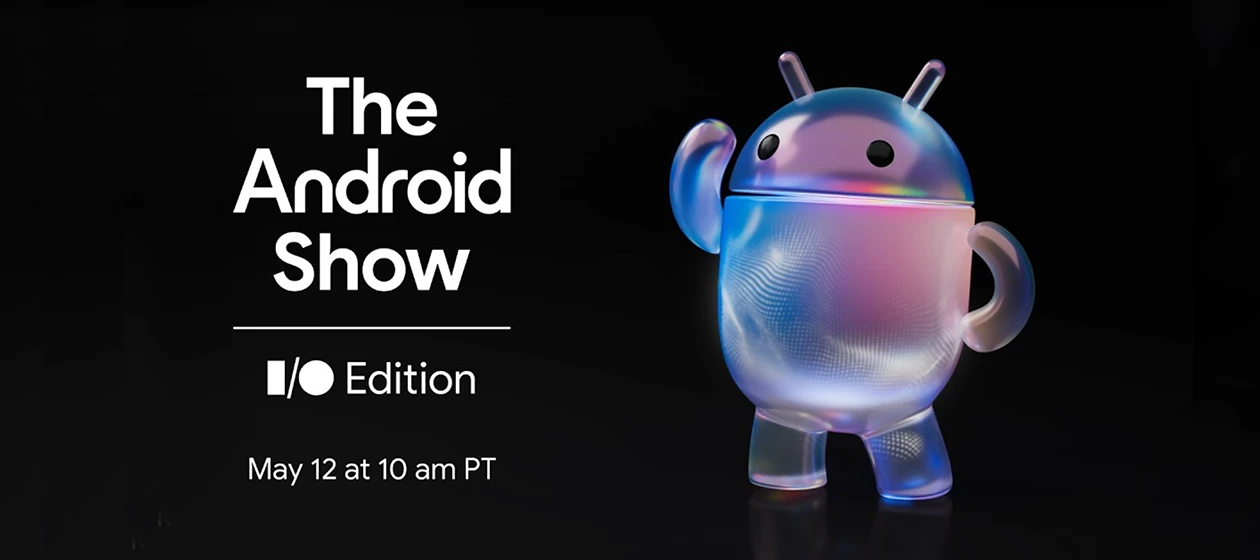
Hi everyone, Quick one from me today, but an exciting one! Next Monday, May 12th at 10am PT (1pm ET / 6pm BST), Google is airing The Android Show: I/O Edition.This is a dedicated Android event running just ahead of Google I/O. And if last year is anything to go by, it's going to be worth making time for! At the 2025 edition, the show pulled back the curtain on some genuinely big stuff. Material 3 Expressive, a full visual refresh for the platform, got its first proper reveal there. Gemini Live's live camera and screen sharing made its debut. There were updates across watches, tablets, TVs and cars too. Google I/O followed up with things like: Advanced Protection for high-risk users Private Compute Core for Business keeping sensitive data on-device Digital corporate ID badges via Google Wallet Five years of mandatory security updates baked into Android 16. The I/O season tends to surface the features that matter most to how you actually work, featuring new security updates, manage
Hi everyone,I'm looking for a way to silently install a local APK (not distributed via managed Google Play) on devices managed through Google EMM (Android Enterprise), without any user interaction.On my devices, the Device Owner is Google's own DPC (CloudDPC). I can install apps via AMAPI, but it requires a signature.Is there any way to install apps without the signature requirement — for example, through my own app instead of going through AMAPI / managed Google Play?In other words: with CloudDPC as the Device Owner, can a third-party app perform a silent install on its own, bypassing the AMAPI signature check?Thanks!
Hi!We are currently having big issues with, what seems to be "MARsPolicyManager" on sour Samsung devices.In the dumplogs it says that the Intune app (com.microsoft.intune) is disabled (enabled=4)Pressing "Enable" in Google Play doesnt do anything, and no commands sent from Intune seem to help.The Intune app is in the battery optimization list in KSPThe most critical symptom is that deployed certificates are not updated in the WiFi profile causing the device to loose conection when the current cert expires.com.microsoft.intune is set to enabled=4 by auto_disabler. The state is permanent for the lifetime of the install: MARsPolicyManager: cancelDisablePolicy failed. package: com.microsoft.intuneThe issue is quite like Disabled apps | CommunityAny clues?Br//Niklas
OverviewWe are a Microsoft-certified and Google-certified partner providing enterprise mobility management support. We are reporting a reproducible Android Enterprise enrollment failure on Xiaomi Redmi 12C (HyperOS 1.0.16.0.UCVMIXM) that affects both Zero-touch enrollment and QR code-based fully managed provisioning with Microsoft Intune.This issue was first observed on MIUI 14 and has persisted through the subsequent HyperOS 1 upgrade without any improvement. We are therefore treating this as a device-specific issue on certain Xiaomi models, rather than a problem introduced by HyperOS specifically.We have already reported this issue to both Microsoft and Xiaomi. Despite more than six months having passed, neither party has made meaningful progress toward a resolution. Both Microsoft Intune and the Redmi 12C remain listed in the AER directory as compatible, and enterprise customers continue to purchase and deploy this combination based on that listing. We are therefore bringing this is
I have raised a support case by following feature request “Clarification Regarding Deprecated Feature 4.7 in EMM Technical Requirements 2025DescriptionDear Team,While reviewing the EMM Technical Requirements 2025 document, I noticed that Feature 4.7 is listed as a required item. However, it is also marked as “(DEPRECATED)” beside the feature description.Could you please clarify whether this feature still needs to be implemented for compliance, or if it is no longer mandatory due to its deprecated status?Your guidance on this matter would be highly appreciated.”but partner support team finished my case and said Private Community Question. What is the reason behind?
We use Microsoft Intune to manage devices. For the devices which have upgraded to Android 15, the end users can no longer select Microsoft Authenticator as their default application for auto filling passwords. I cannot find any settings in Intune to allow it. All devices are fully managed corporate owned devices. The devices are all Google Pixel 8 or 8a devices. Is this a bug in 15 or am I missing something?
Hello,We have set up at our MDM solution(Microsoft Intune) a Corporate-owned dedicated profile and configured it to use only specific Mobile APN. We want to allow access from this APN to Google Enterprise Destinations Hosts. I found the below article, Android Enterprise Network Requirements - Android Enterprise Help.However the Network Team which manages this APN, requires IPs instead of host names(FQDN). Then, I read the end of the article which says “If you need to allow traffic based on IP, you should allow your firewall to accept outgoing connections to all addresses contained in the IP blocks listed in Google's ASN of 15169 listed here.”I have 2 questions: Are all these IPs(some not Google as per description) needed; Do the ports remain the same, TCP 443, TCP,UDP 5228-5230 What about time.google.com which requires UDP 123;I understand that these IPs are not static and may be changed. Thank you.
Hey guyswe have around 1500 Samsung devices and manage them with Intune. Previously we didn’t had a license for E-Fota but we bought it and want to configure it for all devices.Also we have Managed Homescreen configured for having the Kiosk Mode. Everything is working when we reset a device and install it new. E-Fota gets installed and registered, but for the already configured devices we are not able to register E-Fota automatically. We already placed E-Fota on the Kiosk Screen, but that doesn’t help. When i click on it the device get’s registered in 10 Seconds without accepting something.Does any of you have a good advice what we could do to have the devices registered automatically? Many thank for your helpBest regards,Marc
Hi, we have a few Zebra devices registered for zero-touch and plan to use zero-touch for all regular mobile devices. the registration and all existing accounts linked to it was created by team members that are unfortunately no longer with us.i do have access to one account with administrator permissions but the account with the "owner" permission was not handed over and credentials are basically lost. which steps are necessary to recover ownership?
Already have an account? Login
No account yet? Create an account
Enter your E-mail address. We'll send you an e-mail with instructions to reset your password.


![[Survey] Enterprise Usage of USSD Codes for Call-Forwarding](https://uploads-us-west-2.insided.com/google-en/attachment/6df15eab-2e9e-4ecf-9153-9b5470164286_thumb.gif "[Survey] Enterprise Usage of USSD Codes for Call-Forwarding")