Android Enterprise Customer Community
Recently active
IT administrators can set different policy responses based on the device's Security Risk value, including blocking configuration, clearing company data, and allowing continued registration. The EMM service will enforce this policy response based on the results of each integrity check, and the default option does not allow registration to continue. I don't know how to implement the above requirement. My EMM uses AMAPI, and I couldn't find the corresponding fields that can be implemented in the policy
my company is a ZT reseller in France , but does not appear in the French country list . how can i correct this ?
Hi, As an organisation we are pretty new to ZT. We had good success when testing two devices. We enroll them through ZT and manage through Intune. This worked on our test device (Lenovo Tab K11). I set up a Token separate from the default created on the ZT -> Intune Link. We recently bought 120 Lenovo K11 tablets to set up using the same profile, however we used a new reseller. They added these to our portal. I assigned the token this morning. Then, when I connected the devices to the internet. No profile was present, it continued with the non Dedicated device set up. I did see a message about potentially waiting 48 hours for the profile to apply. Is this accurate? I waited at least 4 hours and no success. Do you have any advice or steps to trouble shoot? We have checked the DPC extras Token is correct and used alternate networks to avoid issues with filtering/firewall. We have run SW upgrades on the tablets and Factory reset and re tried. I trie
HelloWe have started using Datalogic Mobile Computers and I recieved a couple of devices that was running Android 13.I then updated them to Android 15 using Datalogics image and Espresso extension. All good, device is happy.We updated the Scan2Deploy agent on the device to latest version.We then did a Factory reset and wanted to enroll the devices into Intune.I created a simple profile in Scan2Deploy with Wi-Fi setup and enrollment. Scanned the QR at the end but then the device runs through few steps and end up on a screen saying “Getting ready for work setup”. Nothing else. Just stuck there.After an hour I reset the device and created a new profile with my phones Hotspot as Wi-Fi to bypass any possible firewall in our company. But the reaction was the same. I could see that the device got 86.77mb of date on the Hot-spot connection and then stuck at “Getting ready..” again. I tried leaving it for the night but it never moved on.The strange thing, is that the exact same enrollment profi
Dear Sir/ Madam,My name is Dominic Ho from “China Mobile Hong Kong Ltd”, we are one of the Samsung Mobile reseller. We have awarded a tender from Hong Kong Police Force recently. and We have deployed the device to HKPF around 1 weeks ago. we then try to perform the “Zero Touch” registration, however, due to the staff has resigned from Our company, We then mistakely input the wrong password many times, and find out the Google Account (**CM - updated to remove personal information) seems now under the “Account Disable” Status.A.) Appreciate to learn how to re-activate the Google Account (**CM - updated to remove personal information) B.) May be we also need to create another “Backup Account” for preventing this situation happened again.
What is a Managed Google Domain? In Android Enterprise land, a Managed Google Domain refers to using a Google-managed organisation (like Cloud Identity or Google Workspace) to create and manage the connection to an EMM (the bind), it sits in contrast with Managed Google Play accounts, which uses a “personal” Gmail account to manage enterprise devices and apps. In practical terms, it means Android management is tied to an organisation’s work domain (e.g. @company.com), managed through the Google Admin console, rather than being tied to a single @gmail.com account. This approach unifies Android management with other Google services (Workspace, Chrome, etc.) under one organisational account, and is not only the default approach for all newly-binding organisations, but recommended by Google as an upgrade for all existing managed Google Play accounts enterprises due to the benefits it provides to IT admins and employees. Historically, organisa
Hi @CoreyC, @Lizzie, @Emilie_B,as you may remember we still wait for a solution to a reported Wifi Settings issue (in 2024).Our EMM has creaed a Google Case Number also long time ago: 403486364It seem not going forward but we really would like to push for this going further (as i tried now for long time via PM’s etc.). Can you tell me something on this? For anyone else if interested, the issue is:We lock the Wi-Fi settings via Soti Mobicontrol Feature Control profile but keep the possibility for the user to turn it on/off:As soon as it takes place, the Wi-Fi settings are locked (as expected) but the status bar also disables the possibility to turn Wi-Fi on/off: Because of this the user isn’t able to turn Wifi on/off anymore even we allowed it through the profile and it was working before and started (if i remember correctly) with Android 14 and stays still with Android 15 and 16.We want the user again to not do changes on Wifi but being able to turn it on/off if needed.
we are migrating away from intune and we have brought in Jamf for our apple devices but desperately need our application approved for our Android enterprise development. we need to be able to configure app using per app vpn access for our BYOD and also for our corporate devices. Can someone let me know how long this usually takes? or a means of contacting android about this?
Hello everyone,I’m new to Intune and I have a small question. I am deploying Android tablets in COBO mode (Corporate-Owned, Fully Managed) and I would like the user to be required to set a PIN code during deployment.Which enrollment token should I use? And what configuration or compliance settings do you usually apply to make the PIN mandatory?Thank you in advance for your help! 😊
Hello all,I'm trying to deploy a Dedicated device profile in Microsoft Intune, I created the configuration profiles and the compliance policy with some settings, in specific about PIN creation and complexity, but during the setup users are not asked to enter any PIN, and at the end the device result non-compliant until the PIN is set and is fulfilling the rules I set.Is there by any chance a way to force the PIN creation request during the enrollment phase as happens for user-associated devices? Thanks in advance/Lucius
Hi everyone,I’m experiencing an issue during Android Zero-Touch enrollment with Microsoft Intune. The process begins normally and progresses through all the expected steps:1. Getting your phone ready2. Checking info3. “This device belongs to your organisation”4. Setup your phone5. Setting up your device6. “This device isn’t private”7. Google services8. Updating device9. Welcome to Chrome10. Microsoft sign-in pageThe problem occurs AFTER I successfully sign in with my work account.Instead of continuing with Android Enterprise (intune) setup, the device opens this URL: **portal.manager.microsoft.com**This page shows “Page not found.”Immediately after that, the device shows: **“Can’t set up device. To finish setup, sign in to your work account.”**At this point the enrollment cannot continue.The device is assigned to a Zero-Touch configuration with the DPC: `com.google.android.apps.work.clouddpc`We also have a JSON configuration supplied from the I
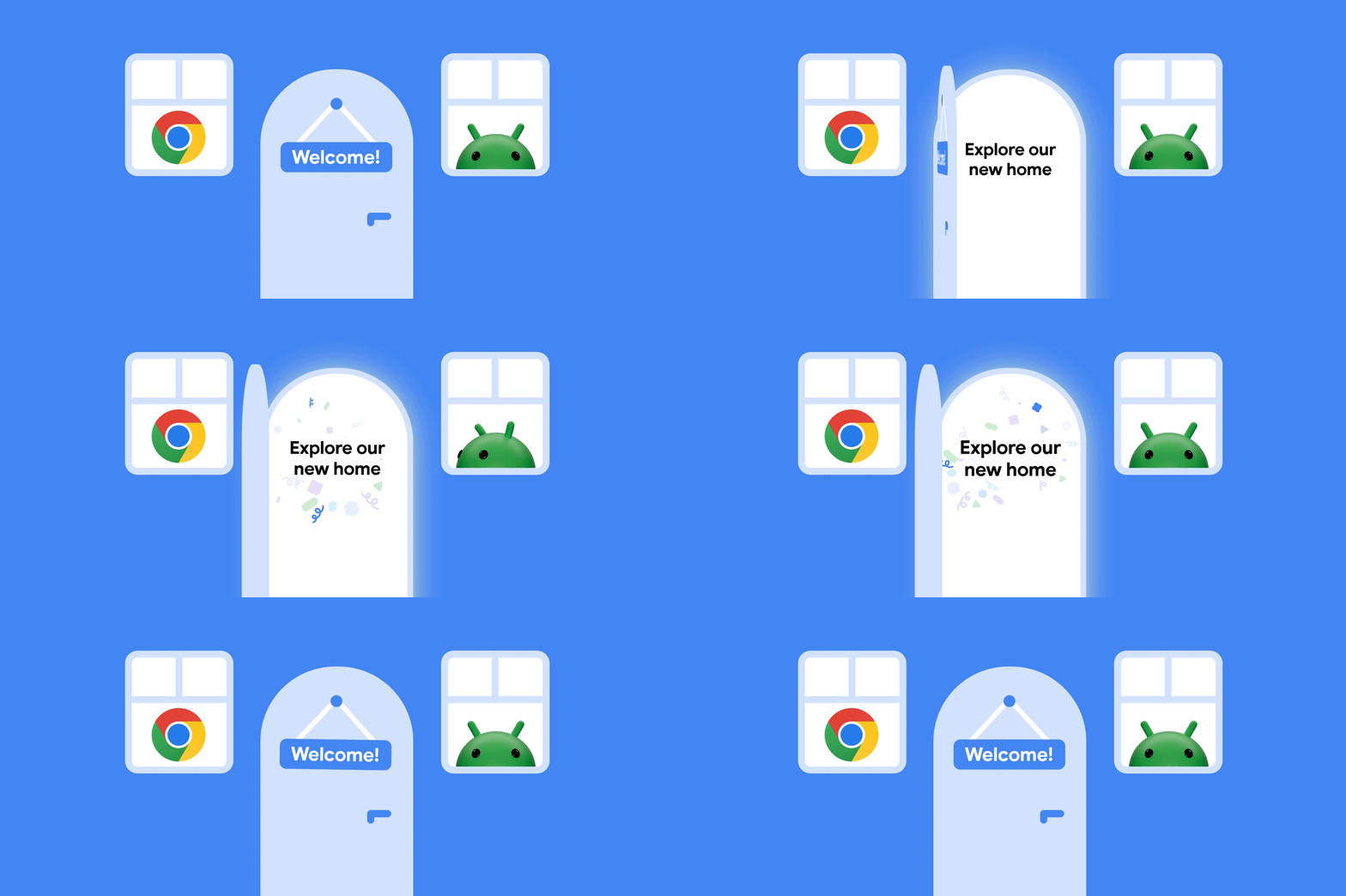
Hey everyone, The wait is over! A warm welcome to our new community home! 🚀 We are pleased to open the doors, and we hope this will make your community experience smoother, clearer, and more connected. A shared space for greater collaboration. One of the most exciting changes is that you are now part of a unified space with the Android Enterprise, ChromeOS, Cameyo and Chrome Enterprise product communities. (Equally, if you are just interested in Android Enterprise, you can feel right at home in the AE areas too). Here are a few things to highlight:Discover shared discussions: Access cross-product insights and expertise all in one place. Dark mode: Take advantage of the new dark mode option for a more comfortable browsing experience. Improved search: the search results page now includes Android Enterprise (as well as Chrome) Help Center articles. Updated Resources area: making it easier to find relevant content and material With any big updates there will be things that need f
Hello,On our Ivanti Neurons MDM, we use this API to retrieve IMEIs:getImei() in TelephonyManager is equivalent to:getImei(getDefaultSim());So when the only sim is inserted in the second slot:getImei() is the same as getImei(1) causing duplication in the report.Ref:https://android.googlesource.com/platform/frameworks/base/+/b6587ea/telephony/java/android/telephony/TelephonyManager.java#843 The API used to retrieve IMEIs seems to target getImei(getDefaultSim()), which causes problems with eSIMs that use IMEI2.It therefore retrieves IMEI2 as the default IMEI, which can cause problems with registration consoles such as ZTE, where only IMEI1 is entered.Is there a way to correct this to avoid IMEI swapping? Regards.
Hi, we are using MS Intune and Google Zero Touch Portal, and a large number of Zebra scanners.We created several profiles in ZTP with DPC extras (JSON) to link the devices to the corresponding Intune enrollment profiles.However, when the scanners are set up and connected to wifi, they will not identify as company devices, but continue setup in "private" mode.I assume there is a problem in our JSON config, but I could not find it. I already checked some other discussions in this forum, but could not yet find a solution. Apologies, if this problem should already be resolved, then I am happy if you point me in the right direction. :) Thanks very much and best regardsTobias
Hi everyone, I’m from ManageEngine MDM, and we’ve observed that Picture-in-Picture (PiP) mode does not work when a device is in Lock Task (Kiosk) mode. In our deployments, the device is configured as Device Owner, and we use DevicePolicyManager#setLockTaskPackages() to enable kiosk mode. However, when an app attempts to enter PiP using enterPictureInPictureMode(), it does not function while Lock Task mode is active. We are receiving multiple customer requests for this capability, particularly for use cases such as:Video conferencing apps running in PiP while a primary kiosk app remains in the foregroundMonitoring/streaming apps that require PiP overlay within a controlled kiosk environmentEnterprise-dedicated devices that require limited multitaskingWe would appreciate clarification on the following:Is PiP intentionally restricted in Lock Task mode by design?Is there any supported approach to enable PiP while maintaining kiosk restrictions?Are there any planned API enhan
I am the IT admin/owner of our Android Zero Touch instance, and I am trying to log into the portal to view and interact with devices associated with our organization. Our zero touch instance is linked with our Intune tenant, and is working correctly. I keep getting the error that my sign in was rejected because it doesn't meet my organization's 2 step verification policy and to contact my IT admin for more information. I am that IT admin, and I can't login. My login information is correct, I have our account ID, and I'm just trying to get in touch with someone to help with the login. I can't even login to support portal to get help, so I had to use my personal Google account to post this.
After correctly completing the configuration of my MDM with the ZTE account, getting this error while registering the device:"Cant finish setup. Zero touch enrollment isn't available. Check your internet connection and try again." Things already cross verified:The internet connection is stable. The EMM setup contains the correct signin url and the zte account contains the correct extra enrollment token in configuration. The device is assigned the correct configuration. The service account allowlisting google form is also approved. The signin url api never got hit during the enrollment of the device and just got this error message.
Hello, I have built a device management system using Android Management API. Devices are enrolled in Device Owner mode. After enrolling Samsung devices (especially newer models like Samsung A07), I noticed that Samsung Smart Switch does not work anymore. On older Samsung devices, Smart Switch works even after enrollment. But on newer Samsung devices, Smart Switch does not work once the device is enrolled as Device Owner. I am not using any third-party MDM solutions only Android Management API. My questions:Is Samsung Smart Switch blocked automatically when a device is enrolled in Device Owner mode?Is this expected behavior on newer Samsung devices?Is there any policy configuration that allows Smart Switch to function while still using Device Owner mode?Is this a Samsung restriction or an Android Enterprise restriction? I would appreciate any clarification on this behavior.Thank you.
We got all our new company Samsung phones added into Samsung Knox. None of the distributors we work with are Android Zero Touch partners; we've asked them to join and they probably won't any time soon. I read that there's been some effort to unify Samsung Knox and Android Zero Touch, although in many cases it still seems like EMMs have better support for Android Zero Touch whereas Samsung would prefer you use their in-house EMM. We would like to try using the Android Zero Touch enrollment as well. Unlike Samsung, it seems like I can't even register my own customer account. So my questions: is there any possible way to get just a Zero Touch customer account set up, with no devices added, when none of the resellers I actually bought a device from are Android partners? Also, is there some way I could get some of our Knox enrolled devices to use Zero Touch?
We are a company specializing in providing financial services to low-income clients in buying all type of phones. Recently came across this app on Google Device Lock Controller and we understood this would help us a lot. I searched for how to apply to be a financial partner to be able to integrate it within our systems but maybe I am missing something. Can anyone suggest how I should conntact google for this service?
Based on the SecurityRisk value of the device, different policy responses are set. What interface should my EMM call, or which field in the policy should I use? Currently, my EMM is using AMAPI. I am confused about how to operate in response to this requirement
Hello,We use WorkspaceONE UEM as our MDM. We sometimes use provisioning profiles to deploy commands to devices run-intents, but I'm not an expert on this subject by any means. I am curious if it is possible to use our MDM to deploy an API command to disable Factory Reset Protection. The command information is here: https://developer.android.com/reference/android/app/admin/FactoryResetProtectionPolicy I realize what a specific question this is. If I can provide more information, please let me know. Thanks in advance!
Dear Team, Greetings,I would like to better understand the management capabilities available for Samsung Android devices, with Intune . Specifically, I am looking for clarity on whether these devices can be fully managed through Intune instead of relying on the Samsung Knox management tool, including support for application deployment, patch distribution, firmware updates, and other administrative functions.Any slides reference would be good for my internal discussion ?.
Good Morning Everyone 🕵️ Deep within the digital infrastructure, a high-stakes mission is being prepped. Five mobility experts have been deployed to solve a massive puzzle: migrating tens of thousands of smartphones to Microsoft Intune. The Goal: Ensure a fluid, secure, and uninterrupted transition for thousands of users. The Battlefront: A complex landscape filled with legacy policies, mixed configurations, and strict deadlines. It’s a race against the clock where one wrong move could start a domino effect. From scripts to security protocols—nothing is left to chance. Failure is not an option. Following Broadcom’s acquisition of VMware in 2023, the Workspace ONE product is now owned by Omnissa. Broadcom’s commercial strategy, which has influenced its spin-off companies, had become highly aggressive toward all customers. Consequently, we have decided to migrate the management of our Android and iOS tertiary fleet to Microsoft Intune.. &
Hello, Recently our COPE profile in ZT is not functioning.The device will go through the enrollment, it gets registered correctly in our tenant (Entra/Intune) and we can get to the home screen just fine. However, after some time the device will receive the following notification:“Your organization has set up this device to be managed by your organization. If this is an error, contact your device’s provider. All data on the device will be deleted. Your device will automatically reset in 2 hour.” The config in ZT and the one in Intune match (token is correct and the DPC extras are fine). This profile was working up until 2 weeks ago.We’re stumped. We recreated a different COPE profiles with the required DPC extras as per Microsoft’s documentation, tried removing compliance policies and device configurations to make it a plain profile. No luck, still receives the reset notification.Phones tested: Samsung A15, Samsung A16 all running the latest Android 16OS with the latest s
Already have an account? Login
No account yet? Create an account
Enter your E-mail address. We'll send you an e-mail with instructions to reset your password.