  • 57 Product updates
[Product Update] The Future of Endpoint Management is Conversational

[Product Update] The Future of Endpoint Management is Conversational

Hello,   We are now soft-launching support for the Model Context Protocol (MCP) within the Android Management API (AMAPI). While this is a “behind-the-scenes” infrastructure update, it is the critical first step toward a new way of managing devices. By exposing AMAPI via MCP, we are providing the standardised building blocks that will allow EMM providers to eventually build high-quality, conversational AI assistants.The Engine Under the Hood: Why MCP MattersThink of MCP as a universal translator.. It allows AI agents (like the ones powering smart chatbots) to securely “read” and understand the technical data from your fleet - like device policies, battery stats, and security logs. By standardising how AI interacts with Android device data, we’re making it faster and easier for EMMs to evolve their dashboards, toward a conversational, intent-based model. The Shift: From “Point-and-Click” to “Just Ask”What does this look like in practice? Imagine it’s 4:55 PM on a Friday, you get an urgent request to identify how many devices in your fleet need a critical security update before the weekend.Traditionally, this means logging into your console, navigating sub-menus, filtering, exporting a CSV, and manually cross-referencing a report. It works, but it takes time you don’t have. With our new MCP-enabled infrastructure, you’ll be able to ask:"Show me all Zebra devices with a security patch older than 90 days."And just like that, the answer is there. No filters, no CSV exports(!) - just the insight you need, instantly.   Mock example of interaction: Proactive Management for Every AdminThis shift empowers admins of all skill levels to investigate issues faster and automate complex tasks without needing to be an expert in every corner of the EMM console. The goal is simple: move away from static dashboards and complex menus toward a conversational, intent-based model.Imagine having an intelligent assistant that understands your fleet data as well as you do. Instead of hunting for buttons, you can have a dialogue with your management console to: Diagnose issues instantly: "Why did the latest app installation fail on Mark’s tablet?" Proactively maintain hardware: "Find all devices with degrading battery health that need replacement next month." Spot security risks: "Show me devices that failed a strong integrity check in the last 24 hours."   What’s Next?We want to hear your thoughts as we see this shift. Are there any particular use cases you think you would like to use this for? What acronym do you think will stick for this next phase of device management?As we roll out these capabilities to our partners, you can expect to see your management tools becoming smarter, more conversational, and more proactive. Keep an eye on your EMM updates: Look for new "AI Assistant" or "Natural Language Search" features in your roadmap. Ask your vendor: If you want to manage your fleet by simply asking questions, tell your EMM provider you’re ready for AI-powered management supported by Android's MCP integration. The days of digging through dashboards are numbered. The conversation is just getting started!

Related products:Android Enterprise
[Product Update] RCS Archival is now available on managed Android devices

[Product Update] RCS Archival is now available on managed Android devices

Rich Communication Services (RCS) is a significant upgrade that benefits businesses with enhanced security through end-to-end encryption and boosted employee productivity with features like read receipts, typing indicators, high-resolution file sharing without size limits, and seamless group chat management.    However, RCS encryption can present a challenge for regulatory compliance. To ensure companies can fully utilise these security and productivity benefits of Google Messages while meeting crucial record-keeping requirements, we are rolling out Android RCS Archival.    Feature benefits   This new capability streamlines message auditing by integrating directly with Google Messages, enabling third-party archival apps to capture all communications so that auditing is:   Comprehensive: The archival app is notified on all message events, including when a message is sent, received, edited or deleted. This provides a complete audit trail that is also backward compatible with SMS and MMS. Reliable: Unlike previous methods, this is a built-in, Android-supported and maintained archival mechanism. Controlled: IT admins maintain full control over deployment and can easily enable or disable this feature, with employees receiving clear notification when archival is active.    Scope and implementation   Android RCS Archival is available on fully managed Android devices using Google Messages as the default messaging application.  For a full breakdown of the benefits of RCS archival, check out our keyword blog. For implementation details and configuring the policy, consult our Help Center article.

Related products:Android Enterprise
[Product Update] New Management API Features: Restrict default apps and set role-based app privileges

[Product Update] New Management API Features: Restrict default apps and set role-based app privileges

To optimize IT operations and strengthen your digital defences, we are rolling out two powerful enhancements to the Android Management API (AMAPI). These features are designed to give IT admins scalable control, ensure consistency, and keep critical work apps running without interruption across your fleet.   Feature 1: Restrict default apps for consistency and policy enforcement   Addressing device consistency and reducing user risk, the new restrict default apps feature allows IT admins to set a specific, approved application for essential device functions and prevent users from making unauthorized changes.    Why is this useful?   By enforcing the use of approved applications, companies can ensure that common tasks such as browsing, calling, or messaging remain compliant and consistent across all enrolled devices. Once configured, this policy prevents users from changing default application settings, ensuring adherence to corporate policies across all managed devices.    How can it be applied?  This feature is broadly supported across Android Enterprise management modes:   Fully Managed Devices: Policies apply across the entire device. Company-Owned with Android Work Profile (COPE): Policies apply to the Work Profile and extend to the Personal Profile for certain pre-installed system apps. For COPE devices, setting defaults for dialer and SMS helps apply your security policy uniformly across both profiles, mitigating potential security exposures.  Personally-Owned with Android Work Profile (BYOD): Enforcement is strictly limited to the managed Work Profile. Defaults cannot be enforced on the Personal Profile.   Supported default app types   Depending on your management mode and Android version, you can now set and protect the default apps for the following core functions: Browser Dialler SMS Home launcher Assistant Call redirection Call screening Wallet Find the full compatibility matrix for supported default app types across Android versions and management modes here.    Feature 2: Role-based app privileges for critical app persistence   This high-priority feature tackles the core challenge of ensuring mission-critical applications remain operational. The role-based app privileges feature gives a special status to vital apps- such as Mobile Threat Defence (MTD) or system health tools - so they cannot be restricted by either the user or other defined behaviors such as the device’s battery management features.   Why is this useful?   By assigning a predefined role to an app, it is shielded from system limits or user interference. This ensures the app’s continuous operation, maintaining your security posture and ensuring data integrity.   Predefined roles and app protection   The following table shows the available roles and the protections: Predefined role Focus Key protection granted Mobile Threat Defense (MTD) & EDR Security and monitoring Protected from power-saving shutdowns. Users cannot stop or tamper with the app. System Health Monitoring Device performance and diagnostics Protected from power-saving shutdowns. Users cannot stop or tamper with the app. Kiosk Dedicated, single-purpose use Users cannot stop or tamper with the app. Companion App Continuous background operation Protected from power-saving shutdowns. Users cannot stop or tamper with the app.   Ready to learn more?   To find out exactly how to configure and deploy these new capabilities, including detailed platform-specific requirements and policy structures, please refer to the updated documentation in the Android Enterprise Help Centre.   View the Full Device Management and Work Profile Help Center articles for details on which default app types are supported in each mode ↗️ Visit our Help Center for more  details on the role-based app privileges feature ↗️   In the meantime, share your thoughts in the comments below. Do any of these new features solve existing pain points for your fleet management? 

Related products:Android Enterprise
Android Enterprise coming to Android XR

Android 16 STIG is now live!

Hey friends,   We are pleased to announce the release of Google’s Security Technical Implementation Guide (STIG) for Android 16.Developed in partnership with the Defense Information Systems Agency (DISA), this guide provides a robust, expert-defined security baseline for organizations that require the highest level of security. It is an essential resource for government, defense, and security-conscious customers like FSI and Healthcare, who handle sensitive data and operate in compliance-driven environments.What is a STIG?A STIG is a detailed security checklist designed to “harden” an operating system.In short, it’s a technical manual that provides prescriptive, step-by-step guidance on how to adjust default settings, disable unnecessary functions, and configure a system to protect against  common vulnerabilities. By following a STIG, you proactively close the doors that cyber attackers often use to exploit systems.Who can benefit from the STIG?While STIG compliance is mandatory for DoD (Department of Defense) and federal agencies, its guidance represents the gold standard for security that any organisation can use to improve its security posture.Specifically, the Android 16 STIG provides official configurations for devices deployed in Corporate-owned, business-only (COBO), and Corporate-Owned, Personally-Enabled (COPE) management modes.The key value for your businessAdopting the Android 16 STIG goes beyond meeting a mandate, enabling several key business benefits. Achieve the highest security posture: The guide closes configuration weaknesses and minimizes your system’s attack surface, dramatically improving your defence against threats and enhancing system resilience. Ensure mandatory compliance: For federal and DoD-connected systems, STIG compliance is a non-negotiable step to meet the Risk Management Frameworks (RMF) and gain Authority to Operate (ATO). Unlock a standardized and efficient management framework: It provides a single, expert-defined security baseline across all your devices, which simplifies system auditing, prioritizes critical fixes (using the CAT I, II, III severity levels) and streamlines auditing and reporting. Ready to strengthen your security?Get everything your team needs to harden your Android devices, meet compliance mandates, and build a more resilient mobile fleet directly from the DISA repository.➡️ Download the Google Android 16 STIG hereFor those interested in federal device certification, our latest episode of The Secure Element delves into the approval process for Android devices in compliance-focused sectors.

Related products:Android Enterprise

Google Play update: new layer of security coming in 2026

Hello everyone,To enhance security on Android devices, Google has announced that developers of Android applications, including those distributed outside of the Google Play Store, will be required to complete developer verification in order for their apps to be installed on Android devices. This new policy is designed to combat the spread of malware and financial fraud by increasing developer accountability. Rollout starts in September 2026 for Brazil, Indonesia, Singapore, and Thailand. This requirement will be expanded globally in 2027 and beyond.We understand that enterprise organizations often use off-Play methods of distribution methods for private applications. As such:   Applications installed on fully managed devices (DO) or within Work Profiles (BYOD and COPE) can continue to be installed, without developer verification, until September 2027. After this point, developer verification will be required for the app to be installed. Applications installed by EMM Device Policy Controllers (DPCs) will be exempt from requiring developer verification indefinitely.  (For example, apps installed via Workspace ONE Intelligent Hub, Intune Company Portal, SOTI MobiControl, etc.) Private applications installed with Managed Google Play will be exempt from developer verification indefinitely. We would welcome your feedback on other application distribution methods used by your company and how this recent announcement will impact you.   The Android Enterprise Team   *Article updated 4 Sept 2025, by CM - minor text removal for clarity

Related products:Android Enterprise

[Announcement] Launching Android Enterprise Insiders & Registration

Hey everyone,We're pleased to announce a brand new initiative built exclusively for you, the members of the Android Enterprise Customer Community: Android Enterprise Insiders!What is the Android Enterprise Insiders Program?In short, it’s your opportunity to get hands on with Android Enterprise features before they are generally available or when they are hot off the press.As an Insider, you will: Get hands on with new functionality. Share your feedback to help us identify improvements to the feature or documentation. Collaborate with your peers, exploring the new features of Android device management.   Why Are We Launching This Program?You are the experts on the front lines, managing mobility for your organizations every single day. Your insights and real world experience are invaluable. We want to build a stronger partnership with you and create a direct channel for your feedback on specific features.The Android Enterprise Insiders program is our way of moving beyond traditional feedback collection. It’s a dedicated board within the Customer Community designed to give you early access to new features and a seat at the table as we refine them. Together, we can ensure that the future of Android Enterprise is powerful, practical, and perfectly suited to your needs.What Can You Expect?In early September we’ll be launching a dedicated space right here in the community for our Insiders. Here’s a high-level look at how it will work:Access to Insiders: Once you are an Insider you will have access to a dedicated Insiders discussion area, which will act as your home for the programme and you can meet other members there.Apply for Initiatives: When a new feature is ready for testing, we’ll post about the opportunity. You can then express interest to participate in that specific initiative.Get Hands On: Approved applicants will be granted access to a private project area. There, you'll find everything you need to get started, including onboarding guides and testing instructions. Please note: Depending on the feature, an NDA may be required.Share Your Voice: You can create posts to share feedback and report issues. We may also host office hours and other online sessions to discuss the features in more detail.Who Is This For?We're looking for any IT admin who manages an Android Enterprise deployment. While the overall program is open to everyone, specific testing opportunities may have certain requirements (e.g. using a particular EMM partner, a specific device type, or enrolment method).This is why keeping your community profile up-to-date is important! It will help us match you with the Insider opportunities that are most relevant to your deployment and interests.Ready to Become an Insider? Here’s how to get started Update your community profile! Critically, we need your Android Enterprise Org ID. This is the most important step to ensure we can invite you to relevant programs down the line. Like or comment on this post. This way we’ll know you're interested in participating. We hope this sounds like an exciting initiative and thank you for being a part of this community, we look forward to further collaborating with you! The Android Enterprise Team

Related products:Android Enterprise

[Product Update]: Android Enterprise Feature Drop

Today’s AI-driven, mobile-first world demands a modern platform to power productivity and collaboration, while keeping security at its core to help mitigate new potential threats.  Android is continually evolving to meet new business needs. As organizations increasingly rely on mobile solutions, the demand for robust security, seamless collaboration, and efficient management have never been higher.    We’ve already released many powerful updates this year, with more on the way. Here’s a look at the latest advancements designed to power modern employee experiences and strengthen your digital defenses:   Resilient security and integrated defense Built-in security businesses can trust.   Advanced Protection1: Safeguard teams from targeted cyberattacks with multi-layered defense against online attacks, harmful apps, and data risks. Turn on Google’s most powerful security features with a single tap for continuous protection. APN Overrides via AMAPI: Precisely manage and secure cellular connectivity by defining and enforcing custom network and APN rules on managed devices, ensuring devices only connect to authorized networks.  Identity Check2: Employees can now protect access to sensitive data outside of trusted locations by enabling required biometric authentication to access sensitive resources outside of trusted locations to defend against account takeovers.  Corporate badges in Google Wallet3: Employees can add their corporate ID badge to their Google Wallet for secure, one-tap access to NFC-enabled work buildings.   Advanced Protection UIIdentity Check UI flowCorporate badges in Google Wallet   Modern experiences built for today’s teams Equip your workforce with new productivity and digital wellbeing tools for more efficiency and a better employee experience.   Material 3 Expressive: Elevate the employee experience across managed and unmanaged devices and apps with customizable UI, smoother movements and better feedback. Teams will be able to access the new UI later this year. Notification Auto-Grouping: Minimize distractions and digital fatigue. Notification Auto-Grouping tackles digital clutter by consolidating multiple notifications from one app into a single, cohesive display. Desktop Windowing: Discover desktop-like multitasking on Android tablets. Teams can open and resize multiple app windows side-by-side, empowering employees to multitask efficiently and collaborate without constant screen-switching.  TaskBar Overflow: Access and organize apps more easily on Android tablets. An expandable panel makes it easy to sort through all open apps, even when the main taskbar is full. Teams can also pin critical apps for instant access, saving time and keeping things organized. Custom Keyboard Shortcuts4: Accelerate workflows and improve efficiency on Android tablets with an attached keyboard. Teams can create personalized shortcuts for frequently used apps to tailor their work experience. Gemini in Google Docs5: Unlock AI-powered productivity as you work from your phone. Gemini is built right into Google Docs, so employees can instantly summarize documents, refine content or create a new draft, without switching apps.  PDF in Chrome on Android: Revamp workflows with in-browser viewing of linked PDFs, which now open directly within a new Chrome tab.   Desktop Windowing UI Flow Scalable control with simplified provisioning and governance Optimize IT operations with streamlined deployment and centralized management across your Android fleet.   Efficient device setup6: Streamline device onboarding and boost productivity from day one. An improved setup workflow for managed Android devices enables IT teams to deploy fleets with fewer screens and reduced issues, freeing up resources and giving quicker access to corporate resources to employees. Device EID access for eSIM Management7: Enable eSIM provisioning at scale. Help streamline provisioning and management by pulling EID values from your managed fleet, including BYOD, to enable seamless provisioning of eSIMs on enrolled devices.  5G Slicing via AMAPI8: Solve network congestion with new AMAPI support for 5G slicing. IT teams can route enterprise app traffic through designated network slices, guaranteeing reliable performance for essential workflows on Android devices. Support for Android App Bundle (AAB) files for private apps: Simplify internal app distribution and management. AAB file support for private apps on Google Play helps IT rapidly deploy, update, and manage proprietary tools, streamlining delivery, and optimizing app size. Zero-touch Customer Portal improvements: Customize permissions and gain more transparency across enrolled devices. Detailed Zero-touch audit logs record account activity, for better user support, abuse prevention and compliance. Plus, new capabilities for administrators to define and assign access levels for admin roles are coming soon. Zero-touch Customer Portal Audit Log UI Flow Dive into the Community   Android is constantly evolving with exciting new features and our community is a great resource for staying informed, discussing what’s next, and sharing best practices to best leverage these updates.    In case you missed them, explore some of our recent articles and discussions: Introducing Device Trust from Android Enterprise Zero-touch Enhancement: Audit Logs Android App Bundle Support in Managed Google Play Signup and Device Enrollment: New features and upcoming plans For a deeper dive into the how-to’s, check out our Help Center article.   In the meantime, share your thoughts - what features are you most excited about? Do any of these new features solve any existing pain points? Let us know what you’d like to see next in the comments below!   1 Available on Android 16+. Some features will launch later this year; Some features may be available only on select devices. Some features require individual user activation and cannot be centrally enforced by IT departments.   2 Available on Android 16+ and on select devices. Some features require individual user activation and cannot be centrally enforced by IT departments.   3 Google Wallet is a trademark of Google LLC.   4 This feature requires a keyboard   5 Rolling out to eligible Google Workspace Business Standard, Plus, Enterprise Standard, and Plus customers, as well as those with specific Gemini Education or Enterprise add-ons. It's available on Android phones and tablets running Android 8+ , with no admin controls, and rollout pace may vary.     6 Available on Android 16+. For devices running on Android 15, please reach out to your OEM for availability.   7 For all devices, eSIM management is conducted via the EMM.  Additionally, for BYOD devices, the device’s owner is responsible for using and activating the eSIM, and the user can delete the eSIM at any point.   8 AMAPI support available on Android 16+. Availability varies by carrier.

Related products:Android Enterprise

[Product Update] Introducing Device Trust from Android Enterprise

In today's world, our smartphones and tablets have become essential tools for getting work done, wherever we are. This "mobile-first" reality means that keeping company data secure on these devices is more critical than ever. Traditional security methods, like just having a firewall around the office network, aren't enough anymore.   That's why Android Enterprise supports a Zero Trust security model. Think of it like this: instead of automatically trusting everyone inside the network, Zero Trust assumes nothing and verifies everything before granting access to sensitive information.  With 63% of organizations worldwide having partially or fully implemented a Zero Touch strategy, and 96% of organizations favoring this approach, Zero Trust has become the standard for security across organizations.   Android is making it easier than ever to bring this Zero Trust framework to your mobile workforce with Device Trust from Android Enterprise.*   What exactly is Device Trust from Android Enterprise? Simply put, Device Trust from Android Enterprise helps organizations verify the security status of Android phones and tablets before allowing access to work apps and data. It works across all device ownership models (company-owned or  BYOD), and at any level of device management (enrolled to an EMM or completely unmanaged), acting as a constant security validation for all Android devices used for work.   How does it work? Device Trust from Android Enterprise uses a comprehensive set of over 20 different trust signals to assess a device's security posture. These signals look at things like: The security patch level The security status of the network the device is connected to Whether the OS version is up to date By bundling all these checks together, Device Trust from Android Enterprise provides a reliable way to understand how trustworthy a device is. This makes it simpler for your IT team to manage mobile security while providing a smooth experience for your employees. Plus, it's designed to protect both user and company privacy.   What does this mean?   1. Security you can trust: Protect your data with intelligent and adaptable device security. Device Trust from Android Enterprise works effectively whether company owned and managed by an EMM, employee personal devices are managed by an EMM, using an Android Work Profile, or are unmanaged but utilize a partner security app. Device Trust from Android Enterprise allows businesses to secure the full management spectrum of Android devices used for work. Align with the latest industry standards and best practices around Zero Trust and mobile security, including including ISO/IEC 27001, 27002, 27005, to stay ahead of evolving threats. Ensure ongoing protection with continuous, real-time evaluation and validation of device health at multiple access points. 2. Flexible solutions for diverse use cases: Embrace a security approach that adapts to the diverse ways your employees work. Get direct access to reliable trust signals, empowering you to make informed access decisions and react swiftly to potential risks. Unify and simplify your security management by integrating Android mobile devices into your existing mobile threat defense (MTD), endpoint detection response (EDR), identity provider (IdP), and security information and event management (SIEM) workflows. Leverage our rich ecosystem of security partners, whose solutions integrate seamlessly with Device Trust from Android Enterprise, to create layered protection across different access needs and tailor security to specific use cases. 3. An uninterrupted employee experience: Empower your team to work effectively without unnecessary security hurdles. Enable instant productivity without needing to formally enroll the device - ideal for flexible and casual work arrangements that don’t require full EMM management. Deploy a security solution built with user privacy in mind, utilizing vetted partners and secure data interfaces. Maintain seamless access with continuous, behind-the-scenes security checks that won't disrupt workflows or require constant user interaction.   Who can benefit from Device Trust? Built to be flexible, Device Trust from Android Enterprise benefits businesses of all sizes.    For Large Enterprises: Strengthen your Zero Trust approach with continuous validation of device security, that accommodates varied access requirements, including full-time staff, contractors, and those in casual work scenarios. By seamlessly integrating with your existing security ecosystem (MTD / EDR, IdP, SIEM), you gain comprehensive visibility and can enforce consistent security policies across your diverse fleet of managed and unmanaged Android devices, enhancing your overall security posture at scale. For Small to Medium Businesses (SMBs): Achieve robust, enterprise-grade security without the typical complexity or extensive IT resources. You don't need a full EMM solution to benefit from Device Trust from Android Enterprise. This allows you to cost-effectively protect sensitive business data on employee devices and enable secure remote work, even on personal devices. In a world where mobile devices are our primary work hubs, Device Trust from Android Enterprise offers a robust and reliable way to unify security tools on mobile, and fortify your defenses.   Ready to learn more?  For a more detailed overview, explore our Keyword blog. Don't miss our upcoming digital episode, ‘Android Talks Device Trust,’ where we'll take a deep dive into Device Trust from Android Enterprise and our partner solutions. Register here. Let’s keep the conversation going, we’d love to hear your initial thoughts in the comments below. 👇 How does your organization currently approach securing mobile devices, and where do you see Device Trust potentially fitting in?     *Device Trust from Android Enterprise solutions are built and offered by third-party providers integrating into the Android Management API. Exact features may vary depending on third-party integrations. Access on unmanaged devices requires user consent to use the Android Device Policy app. Device Trust from Android Enterprise is supported on Android 10 and above.  

Related products:Android Enterprise

[PRODUCT UPDATE] Zero-touch enhancement: Audit logs

Hey everyone,   We're pleased to announce a significant enhancement to the zero-touch customer portal, designed to provide greater transparency over your data. Comprehensive audit logs, offering a detailed and accessible record of all actions affecting your customer data will soon be available in the customer portal.   Key Improvements: Comprehensive Logging: Captures actions taken from all possible sources eg: zero-touch  customer and reseller portal, customer and reseller API. Tracks all data related to a zero-touch customer, including: Users Devices Resellers Configurations Terms of Service CSV Files Zero-touch customer accounts Easy Access and Analysis: Access audit logs through a user-friendly interface within the portal. Download logs in CSV format for further analysis and reporting.  Benefits: Accessibility and Analysis: Ensures easy access and analysis of logs. Enhanced Security: Provides a detailed record of all activities impacting customer data, enabling better monitoring. Streamlined Troubleshooting: Quickly identify and resolve data-related issues with detailed activity logs. Increased Transparency: Offers greater visibility into how your customer data is being accessed and managed. Important Note: The audit logs are only available via the zero-touch customer portal. There is no change to the zero-touch reseller portal, Reseller API, and Customer API.   Migration Timeline: This feature will be enabled during the next few weeks.    Only logs after March 2025 are available in the zero-touch customer portal. If you require older audit logs, please contact your reseller who can raise a support ticket.   We hope you find this enhancement useful. To learn more, please refer to this Help Center guide.   It would be fantastic to hear your feedback or any questions below.   Thanks so much.

Related products:Android Enterprise

Supporting every employee: Discover 9 helpful Android accessibility features

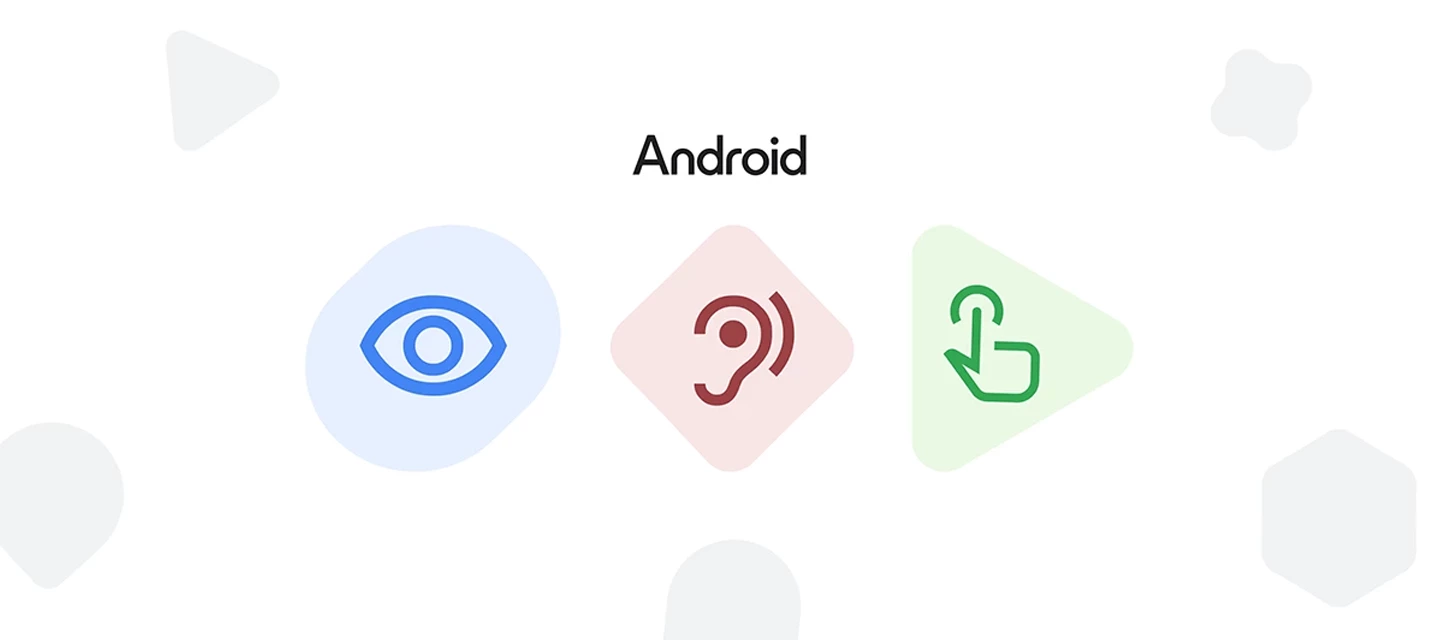
In today's workplace, making work devices accessible is not just good practice, it's essential. Almost half (45%) of employees with disabilities find the accessibility features of their workplace software barely adequate.1 The reality is that inaccessible workplace software creates a significant challenge for many employees, underscoring the gap in providing truly inclusive tools.   Our new Android Enterprise blog post, "9 Android features to support workplace accessibility", explores how Android is addressing the need for better assistive technology with a robust suite of built-in vision, audio, and mobility accessibility tools—designed by and for people with disabilities.   It covers key topics like:   Supporting a range of visual needs with Android's adaptable vision features: From Braille Display support and the AI-powered Lookout app to TalkBack screen reader, Android offers a range of customizable visual tools. Helping teams amplify what matters at work with Android's hearing tools: Android provides audio features that adapt to a range of hearing needs, including Real-time text (RTT), Sound Amplifier, and seamless hearing aid integration (including the new LE audio support). Unlocking personalized control for employees with motor limitations: Support employees by providing tools that help them own their workday with personalized control such as, Gesture Navigation, Camera Switches, and Action Blocks.   This isn't just about meeting accessibility standards – it's about helping teams interact with their work devices more effectively and independently. Read the full blog post here to learn more.   Now, let's open up the conversation! We want to hear from you. What accessibility challenges are you facing in your organization? Do you use any of the features mentioned? How can we, as a community, advocate for better accessibility in the workplace? Are there any other features you’d like to see in the future? Share your thoughts and experiences below!   1 https://www.capterra.com/resources/technology-accessibility/  

Related products:Android Enterprise

[Product Update] Signup and Device Enrollment: New Features and upcoming plans

Hello everyone,   As we kickstart a new year, we are pleased to update you on enhancements we’ve made in the areas of signup and device enrollment and give you an advanced look at some features we’ll be adding in the near future.   Background We’ve heard from many customers that they prefer being able to administer Android management capabilities (e.g signing up for Android Enterprise, logging into the Managed Play store, etc.) using their corporate email address rather than a gmail address. This provides increased security, along with better administrative capabilities including self-service fixes for lost account credentials and changing access when team members change. We’ve also heard that for knowledge worker devices, customers prefer being able to log in to their devices with their work email, and being able to have the convenience of shared experiences across their phone and desktop. (More details can be found in this Android Enterprise blog post)   To improve the experience for both IT admins and end users, we’ve been working on changes in signup and enrollment that emphasize the use of work email accounts, and minimize Managed Google Play accounts except for dedicated devices that don't have logged in users.    Here is an update on our recent announcements as well as our plans for the next few quarters:   1) Improved signup Flow (Launched and rolled out to all EMMs)   In Q2 2024, we announced a new signup flow that encourages all new customer IT admins to sign up with their corporate email rather than a gmail account. We also made it possible to bind multiple EMM instances to a customer’s domain to allow for using multiple EMMs simultaneously in testing and in production.  As of July 2024, all of our EMM partners have adopted this new flow so new customer signups should use managed Google Domains by default.   2) New Android Enterprise enrollment flow    In early Q3 2024 for EMM partners with solutions based on Android Management API, we added the ability to enable “Authenticate using Google” which allows managed Google Accounts with work email addresses to be enrolled for end users. In addition, we added a new enrollment method, which is the ability to trigger enrollment by adding managed Google accounts directly from the Settings>Accounts section in Android OS.   Enabling “Authenticate using Google” requires our EMM partners to make some changes to allow userless dedicated devices to enroll without being prompted to add a work account, but all AMAPI partners should be working to adopt these changes and all EMMs will be enabled by Q1  2025.   For EMM Partners that build custom solutions based on Play EMM API, similar new enrollment capabilities will be available to begin development starting in Q1 2025.   3) Upgrade Managed Google Play Enterprises to Managed Google Domains (Q1 2025)   Next, following up on our new signup flow from earlier in the year, we are making it possible for ALL organizations to upgrade their Managed Google Play accounts enterprises, and have their binding moved to their managed Google domain. This will involve switching out the gmail addresses used by IT admins for currently bound enterprises and replacing them with work email addresses associated with a managed Google domain.   4) Upgrading users to Managed Google accounts (later 2025)   Finally, later in 2025, we’re going to be offering the capability to upgrade end user Managed Google Play accounts installed on devices to managed Google accounts corresponding to user email addresses. Stay tuned for more details in the coming quarters.   We extend our thanks to the AE community for your continued support and collaboration. As we continue to enhance the signup and device enrollment experience, we encourage you to stay tuned for more updates and exciting developments in the coming quarters. Plus, feel free to let us know below if you are interested in hearing more about any of the above.   The Android Enterprise Team

Related products:Android Enterprise

Call for Trusted Testers: Upgrade Managed Google Play Enterprises to Managed Google Domains

Hello everyone,   We're pleased to announce the ability to upgrade Managed Google Play Enterprises (which use Gmail accounts) to Managed Google domains (which use work email addresses) to bring enhanced security. We're looking for customers to provide early feedback on this process where we will perform assisted account upgrades before we make our API-based process available more widely via EMMs in 2025.   Background Customers have told us that administering Managed Google Play Accounts enterprises with a Gmail account doesn't meet their security and governance best practices. Additionally, if access to Gmail accounts is lost, recovery can require the involvement of both the EMM and Google. We're now announcing the ability to upgrade an IT admin Gmail account to a full corporate email address associated with a managed Google domain.   Upgrading an IT admin account from a Gmail account to a managed Google account provides many benefits, including: Admins log in with a corporate email address Allows the same organization to bind multiple EMM instances under their managed Google domain Prevents scenarios where IT admin @gmail.com accounts are accidentally lost or deleted Provides better governance of IT admin accounts and easier ability to change admin accounts when roles change Allows for SSO into IT admin accounts, reducing the number of IT admin passwords (vs using Gmail accounts)   This trusted tester program allows customers who want to take advantage of these benefits to upgrade immediately, before EMM APIs are available.   What We Will Be Testing This change will involve changing the IT admin login account from a Gmail account to a Managed Google domains account corresponding to the IT admin’s corporate email address.    There will be no changes to any users’ individual managed Google Play accounts in use on their Android devices. Upgrading individual user accounts from Managed Google Play accounts to Managed Google Domains accounts will be supported in the future - please stay tuned for additional future announcements in this area.   Customer Requirements Customer must have a Managed Google Domain (e.g., yourcompanyname.com) and must have superadmin privileges on this Managed Google Domain Customers will be asked to provide and verify the following information (more details to be provided at program start): Enterprise ID of Managed Google Play Accounts enterprise Customer ID of the target Managed Google Accounts domain,   Company email address of IT admin after upgrade (which is a domain SuperAdmin) Eligible customers can upgrade Dev and Test accounts first, but we're looking for customers also willing to upgrade the admin accounts for their production instances.    The ideal customers would be organizations of different sizes  whose corporate governance rules require them to move off administration with Gmail accounts as soon as possible. Timing This trusted tester program is targeted to begin in the 2nd half - late November 2024.    Call to Action If you are interested in taking part please reply below and I will be in touch privately with more details.    Thanks so much, Lizzie

Related products:Android Enterprise

Read this year's 2024 Android Security Paper

Hey Friends, this year's new 2024 Android Security paper is now available, take a look!   In today’s modern world, we use mobile devices everywhere – at home, on the go, and at the office.  So, protecting them against cyber threats has never been more important. Mobile devices are attractive targets for bad actors to steal or compromise to gain access to personal and business data.  83% of all phishing sites specifically target mobile devices and render in mobile browsers differently than desktop browsers.     With that in mind, I’m happy to announce the updated Android Security Paper. Here, we detail our latest security measures to help protect your fleet of devices. By combining Zero Trust principles, enhanced privacy features, and advanced security capabilities, Android continues to set the standard for a secure, privacy preserving, and user-friendly mobile platform across use cases.   What's new in Android 15   Android 15 brings more robust anti-theft protection capabilities, Private space to help protect users personal apps, and more dynamic audit logging.  Additionally, we have introduced a simplified eSIM management feature, artificial intelligence management capabilities for IT admins, and a host of privacy preserving features.  Plus, you’ll discover improvements to make customer sign-up and account governance easier and more secure.  Finally, we have hardened the OS by enhancing memory safety to help minimize vulnerabilities.  Enjoy!   2024 Android Security Paper

Related products:Android Enterprise

Stronger management of company-owned devices with Android 15 for business

  15th October, 2024     For company-owned devices, Android 15 empowers you with advanced management capabilities to help you take control, optimize your fleet of devices, and safeguard your business – on your terms.   Explore new tools to navigate the modern workplace with Android 15.   Streamline eSIM management for managed devices     Android 15 streamlines adding, removing and provisioning eSIMs on both company-owned devices and managed BYOD devices. Simple eSIM management* on managed devices makes it easier to onboard and offboard employees. This means IT admins can spend less time setting up eSIM devices, and more time on impactful work.   *For all devices, eSIM management is conducted via the EMM.  Additionally, for BYOD devices, the device’s owner is responsible for using and activating the eSIM, and the user can delete the eSIM at any point.   Secure personal profiles and private spaces on COPE devices   Extend your existing personal app policies to the private space on company-owned devices. IT admins have better control over the device’s security posture with a limited set of privacy preserving security restrictions* for selected apps outside the Work Profile on company-owned devices. An additional set of privacy safe security configurations for core apps will be made available at a later date.   *AMAPI managed devices will have the ability from Android 15 onward. Managed configurations apply only to company-owned, personally enabled (COPE) devices.   Enforce the default apps for personal profile on company-owned devices     IT admins can now enforce the default dialer, messaging app, and browser* in the personal profile when setting up company-owned devices to add an extra layer of security without compromising user experience.    * Available only on company-owned, personally enabled (COPE) devices. IT admins can only make an app the default if it’s already in the user’s personal profile. To ensure OEM defaults for dialer and browser are set, this feature should be configured prior to set up.   Enable seamless searching for your teams with Circle to Search      Forget juggling multiple apps. With new admin controls for Circle to Search* on both fully managed devices and within the Work Profile, IT can confidently empower employees to search directly from their work apps. They can simply circle, scribble, or tap content for more information.    *Circle to Search requires internet connection and compatible apps and surfaces. Results may vary depending on visual matches. For Android Enterprise managed devices, the feature is available on fully managed devices and devices with Android Work Profile. For company-owned, personally enabled (COPE) devices, Circle to Search is subject to the IT admin’s ability to turn off screen capture, which will disable the feature. For employee-owned devices with an Android Work Profile, Circle to Search within the personal profile remains unaffected by IT admin policies. Available on Pixel P8, P8 Pro, P6 series, P7 series, Pixel Fold, Pixel Tablet, Samsung S24 series, S23 series (incl. FE), S22 series, S21 series, Z Flip 3/4/5, Tab S9 series, Tab S8 series.   Extend battery life with screen brightness and timeout controls     Android 15 introduces screen brightness and timeout period controls* for company-owned devices. IT admins can adjust settings to optimize device efficiency for frontline staff, extending battery life to help them power through a shift without any device downtime.   *Available on company-owned, personally enabled (COPE) devices, fully managed devices, and dedicated devices.   Read Enhanced employee and device protection with Android 15 for business next. Learn more in our Help Center FAQ.   Register for the community to access and download these images and an Android 15 slide deck.     How helpful will these new features be to your business? We’d love to hear your thoughts and feedback below!  

Related products:Android Enterprise

Enhanced employee and device protection with Android 15 for business

  15th October, 2024   Flexibility and productivity go hand-in-hand in the era of modern work. But so can security risks.   Designed for the modern workplace, Android 15 introduces new ways to protect company devices and shield sensitive data - for both employees and companies - wherever the working day leads. Here’s how Android 15 can strengthen digital defenses.   Secure stolen devices with Android theft protection     Too often the cost of theft extends beyond hardware. That’s why Android theft protection* focuses on locking down your device should it fall into the wrong hands, helping minimize the impact of stolen devices.   Theft Detection Lock offers automatic protection the moment a device is stolen. It uses machine learning to detect any motion associated with theft, like snatching or driving away, and quickly locks the device to protect device data.   Offline Device Lock is enabled once a device is stolen. If a stolen device is disconnected for a set period of time, the device screen automatically locks to prevent unauthorized access, even when off-grid.   Remote Lock empowers employees to act quickly once their devices are gone. As an extra, immediate precaution when a device is lost or stolen, employees can lock the missing device at android.com/lock using just their phone number.    *Theft Detection Lock, Offline Device Lock, and Remote Lock requires Android 10+ and an internet connection. Android Go devices are not supported. Support may vary based on your device model. The user must be using the phone while it is unlocked. All theft protection features will be available in October.   Offer employees a private space within their personal profile     Personally enabled devices balance convenience and usability, with enhanced controls to protect business data. Now, employees are able to create a private space* for personal profile data - a folder locked with a separate password or biometrics - to store apps containing sensitive information, like banking or healthcare.    Employees can work with peace of mind, knowing that personal apps and activities are hidden and secure when working on the go or when sharing the screen with co-workers.    *Private space on COPE devices are subject to the same security requirements as the personal profile. Admins will be able to block the user from having a Private Space and remove an existing Private Space in COPE.   Review security logs easily with the latest NIAP logging requirements   Android 15 is enhancing device security with new logging capabilities that meet the latest NIAP regulations. Administrative changes are logged and stored in the SecurityLog - and data backup events are migrated from Logcat to the SecurityLog for easier upload and streamlined management. Now IT teams can more easily identify and address potential security threats.      Read Stronger management of company-owned devices with Android 15 next. Learn more about what’s new in our Help Center FAQ.   Register for the community to access and download these images and an Android 15 slide deck.       Enjoyed this introduction? Feel free to drop a kudos and join the discussion below - we’d love to know how these new features might impact your business strategy.  

Related products:Android Enterprise

[Product Update] Introducing the Improved Signup Experience for Android Enterprise

Updated: July 2024 to include link to blog article*   Hello everyone,   We’re excited to announce improvements to our signup process for new Android Enterprise users. With this new signup experience, we've made it easier and more intuitive for businesses to deploy multiple Google products alongside Android Enterprise.    Key benefits include: Simplified IT Admin Experience: IT admins can now sign up using their corporate email address, eliminating the need for Gmail accounts. This streamlined process reduces the risk of lost or deleted accounts and improves the overall management of credentials. Centralized Setup: Setup tasks, such as syncing users and configuring single sign-on (SSO), can now be performed centrally through the Google Admin console. These changes apply to multiple Google product deployments, saving you time and ensuring consistency across your IT environment. Seamless Upgrade Process: If you wish to add additional Google products (e.g Chrome Enterprise Upgrade for Chromebooks, Chrome Browser Cloud Management, Google Workspace) to your existing deployment, you can do so seamlessly without the need for separate registrations. Simply select the products you want to enable in Google Admin Console, and the products will be automatically enabled to your organization’s account. Enhanced flexibility and control: This improved signup experience allows you to bind multiple EMM instances to your customer account. This enables parallel testing of pre-production environments or phased migrations to a new EMM, providing greater flexibility and control over your IT infrastructure.   As we continue our commitment to delivering exceptional customer experiences, this improved signup process is designed to help your organization get the most out of Google’s enterprise products. Stay tuned for further updates from your EMM partner as this enhancement is rolled out for new Android Enterprise customers over the coming months.   *Learn more about this new sign-up flow in this Android Enterprise blog article: How we are making Android Enterprise signup and access to Google services better   Thanks, The Android Enterprise Team

Related products:Android Enterprise

[Product Update] Lock and locate Corporate devices with Lost Mode

Lock lost corporate devices and get real-time location updates to recover them.   Android Enterprise admins, have you discovered Lost Mode? It’s a new management feature designed to safeguard your organisation's data and recover misplaced devices. No more frantic "phone-finding" missions or compromised sensitive information - Lost Mode empowers you to take control in challenging situations.   Lost Mode empowers device management through: Remote lock down: Instantly lock lost or stolen devices. Gone are the days of helplessly hoping lost devices remain untouched; Lost Mode helps prevent unauthorised access beyond incoming and emergency calls, securing your data, and peace of mind. If the need arises, enrolled devices can also be remotely wiped.    Real-time location tracking: Track the location of a lost device in real-time. Whether nestled under a colleague's desk or left in a taxi, Lost Mode can remotely pinpoint a device's whereabouts for hassle-free recovery.    Lock screen message:  Communicate company contact information directly on the lock screen. If found by a passerby, the pre-set company message will tell them where to return it. Or they’ll have the option to ‘Call owner’ on your chosen contact number with a press of a button, making good deeds a breeze.    Audible locator: Turn your device into a beacon. When Lost Mode is activated, the device begins to ring on full volume, guiding you, or a helpful passerby, towards its hidden location. It’s a step up from breadcrumbs or wasting time aimlessly retracing your steps - follow the audible trail and reclaim your missing tech.   How does it work?   IT admins can easily put a device into Lost Mode from their EMM console. Once the missing device is found, and is back in the right hands, employees can simply exit lost mode with their device passcode and resume business as usual. Or, IT Admins can exit Lost Mode from their EMM console.   Beyond immediate recovery, having this security measure in place enables quick action, minimising the risk of data breaches, improving employee peace of mind and eliminating wasted time searching for misplaced devices.    Next steps   Lost Mode is exclusive to EMMs that use Android Management API, and is currently available for both Work Profile on company-owned devices running Android 13 or later, and fully managed devices on Android 11 or later. To check if this feature has been made available in their console, please contact your EMM.   For a step by step on how to enable Lost Mode on company-owned devices, check out this article in the Help Center.   Otherwise it would be great to hear from you, have you or do you plan to  implement Lost Mode into your device strategy? Which feature do you think will be most useful?

Related products:Android Enterprise