Recent discussions

EMM Quota
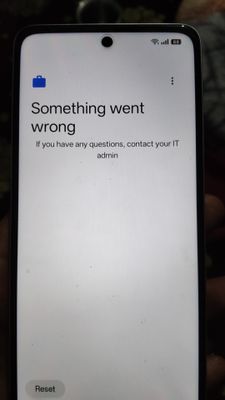
Hi Everyone, I am trying to set up a fully managed device for my organization. I have completed the process of enterprise creation, but as I generate the enrollment QR and begin setup of my Android, I get an error stating "Since your organization reached its usage limits, this device can't be set up". What am I missing as I can't see any graph or option to increase my limit. Furthermore, I have deleted all the devices from my enterprise. My organization needs a scalable solution so that we can manage thousands of device . Please let me know how to proceed forward. Thanks1View0likes0Comments
Forced Auto Install Issues
Since mid-November '25, forced auto install is not functional for our organization. Apps are loaded and installable as work apps but do not progress as an auto install from our policy. Has anyone experienced a similar issue? No policy changes, no SW updates on the MDM client. Functionality just stopped working.THTClient14 hours agoLevel 1.5: Cupcake13Views0likes1Comment
Common identifier between AMAPI & Require for setup app for validation
We are enrolling devices using AMAPI by generating a QR code with an assigned policy either for work profile or fully managed enrollment. During enrollment, the device prompts for a require for setup app, which, after configuration, returns RESULT_OK, marking the setup as complete and finalizing the device enrollment. Before returning RESULT_OK, To identify the enrolling device, the backend gets the device ID and enterprise ID from the Pub/Sub provisioning notification. The device ID (which matches the GSF ID) is then sent by the require for setup app to the backend for validation. This identifier is also used to enforce enrollment limits based on the enterprise license count. The Issue: Up to Android 14, retrieving the GSF ID was possible. However, in Android 15, it now returns null. Question: Is there an alternative identifier that can be used to identify the enrolling device—one that the backend can retrieve and that the setup app can also access during enrollment? Below is the information we receive from Pub/Sub when a device is enrolled: { "name": [*Hidden for privacy reasons] "managementMode": "PROFILE_OWNER", "state": "PROVISIONING", "enrollmentTime": "2025-04-04T06:17:02.751Z", "lastPolicySyncTime": "2025-04-04T06:17:02.817Z", "softwareInfo": { "androidVersion": "15", "androidDevicePolicyVersionCode": 10323580, "androidDevicePolicyVersionName": "128.32.3 (10323580)", "androidBuildNumber": "AP3A.240905.015.A2", "deviceKernelVersion": "5.15.149-android13-8-00010-gc2e0ba41ba85-ab12040008", "bootloaderVersion": "unknown", "androidBuildTime": "2025-03-11T13:26:50Z", "securityPatchLevel": "2025-03-01", "primaryLanguageCode": "en-IN", "deviceBuildSignature": "c9009d01ebf9f5d0302bc71b2fe9aa9a47a432bba17308a3111b75d7b2143456", "systemUpdateInfo": { "updateStatus": "UP_TO_DATE" } }, "hardwareInfo": { "brand": "Redmi", "hardware": "mt6835", "deviceBasebandVersion": "MOLY.NR17.R1.TC8.PR2.SP.V1.P51,MOLY.NR17.R1.TC8.PR2.SP.V1.P51", "manufacturer": "Xiaomi", "serialNumber": [*Hidden for privacy reasons] "model": "23124RN87I", "enterpriseSpecificId": [*Hidden for privacy reasons] }, "policyName": [*Hidden for privacy reasons] "memoryInfo": { "totalRam": "5865836544", "totalInternalStorage": "806965248" }, "userName": [*Hidden for privacy reasons] "enrollmentTokenName": [*Hidden for privacy reasons] "securityPosture": { }, "ownership": "PERSONALLY_OWNED" } *Updated by Community admin - removed due to privacy reasons 4 Aprilshivam1114 hours agoLevel 1.5: Cupcake202Views1like4Comments
[Day 5] Community festival: I Tried Living Like It's 2005 for a Week
I Tried Living Like It's 2005 for a Week (And My Thumbs Still Hurt from T9 Texting) In which I attempted to survive seven days with flip phones, MapQuest printouts, and the soul-crushing realization that the Motorola RAZR was actually considered "cool". Twenty years ago, the Motorola RAZR was the height of mobile sophistication, MySpace let you rank your friends publicly (and cause lifelong trauma in the process), and if you wanted directions to somewhere then you printed them on actual paper and prayed you didn't miss a turn. No Uber, no YouTube music. no Instagram. Just you, your iPod with 5GB of storage, and a whole lot of patience. So naturally, I decided to torture myself by living like it's 2005 for an entire week. No smartphone. No modern conveniences. Just me and the technology available exactly twenty years ago, trying to navigate a world that has since become unrecognizable. What could possibly go wrong? Day 1: The Setup, Or "How I Learned to Stop Worrying and Love the Flip Phone" The first order of business: acquiring my 2005 tech arsenal. After scouring eBay and my old tech drawer, I assembled my kit: Motorola RAZR V3 (silver, because I have some dignity) iPod Nano 2GB (first generation, the one that scratched if you looked at it wrong) Canon PowerShot A520 (4 megapixels of pure photographic mediocrity) Dell Latitude D610 laptop running Windows XP (weighing approximately 47 pounds) A healthy sense of denial about what I'd gotten myself into The RAZR turned out to be simultaneously the best and worst thing about 2005. It was impossibly thin at 13.9mm - which felt like holding a credit card after using modern smartphones. The screen? A luxurious 2.2 inches of 176x220 pixel glory. For context, that's roughly the resolution of a potato. But here's what killed me: 5MB of storage. Not 5GB. Five. Megabytes. I could store maybe three low-res photos and a handful of text messages before the thing started wheezing. The Pixel in my drawer had 256GB. I was going from a spacious mansion to a storage unit. The setup process was actually refreshing in its simplicity. No app store. No cloud sync. No software updates. I charged it fully, and the battery indicator basically laughed at me—this thing would last four days on a single charge because it had approximately four things it could do: call, text, take terrible photos, and play a MIDI ringtone version of "Crazy Train." Day 2: The Great T9 Texting Disaster My morning started with me trying to text my friends that I'd arrived at the coffee shop. Simple message: "I'm here, where are you?" Twenty minutes later, I'd managed to produce: "I'n grrdr, wgrrr arr yoi?" Let me explain T9 predictive text for those blessed enough to have forgotten. You had a numeric keypad where each number corresponded to multiple letters (2=ABC, 3=DEF, etc.). T9 tried to predict which word you meant based on the sequence of numbers. To type "here," I pressed 4-3-7-3. Sometimes T9 guessed correctly. Sometimes it gave me "gerd." Sometimes it offered me "ifsf" and I questioned its commitment to the English language. The real chaos started when I tried to add punctuation. That required pressing 1 multiple times to cycle through options, and God help you if you overshot and had to cycle through ALL THE SYMBOLS AGAIN. My thumbs started cramping after the fifth text message. My friends thought I was having a stroke. One replied: "Are you okay? Should I call someone?" Another person just sent back: "???" And here's the thing that got me - each text cost me 10p because I didn't have a texting plan. By Day 2, I'd already spent £4.50 on text messages. I started making actual phone calls because they were cheaper. Like an animal. Day 3: Navigation Roulette, or "How I Got Lost Going out" I needed to drive a couple of towns over for a meeting. In 2025, I'd just tap the address into Google Maps and go. In 2005, I had to visit MapQuest on my desktop computer the night before, type in the address, print out six pages of turn-by-turn directions, and hope for the best. The printout told me things like "After 11 miles turn right onto Wilson Road" and "Continue for 0.5 miles." Very specific. Very confident. Completely useless the moment I missed turn #6 because a van blocked my view of the street sign. And that's when I discovered the fundamental problem with printed directions: they don't recalculate. Once you're off the route, you're just a confused person holding useless paper while your blood pressure climbs. The paper map was also particularly poor at showing the current congestion of the roads. Anyway I pulled into a petrol station and did something I hadn't done in fifteen years - I asked a stranger for directions. "Oh yeah, Wilson? You're gonna want to go back about two miles, hang a right at the big oak tree—you know, the one that looks kind of dead—then you'll see a small corner shop. No not that corner shop, the other one..." I arrived 47 minutes late to the meeting and was asked why I didn't text that I was running behind. I explained the T9 situation. She looked at me with pity generally reserved for injured animals. Day 4: The iTunes Sync Incident By Day 4, I was desperately bored with the 10 songs I'd initially loaded onto my iPod Nano. I wanted to add more music. This should be simple, right? Wrong. First, I had to find my laptop (all six pounds of it), wait for Windows XP to boot (about three minutes, accompanied by that start-up sound that definitely awoke dormant memories), open iTunes, and connect my iPod via the proprietary 30-pin cable. Then came the sync process. iTunes cheerfully informed me it would take 12 minutes to sync 15 new songs. Twelve minutes for 45MB of data! But wait - there's more! I'd forgotten about the tyranny of DRM-protected music. Half the songs I'd purchased from the iTunes Store in 2005 were locked with FairPlay protection. They would only play on authorized devices. I'd exceeded my authorization limit, so I had to deauthorize my old computer (which no longer exists) to authorize this Windows XP machine. This took another 20 minutes and required me to reset my Apple ID password because I'd long ago changed the security questions from "What's your favourite colour?" to something involving cryptocurrency and existential dread. I finally loaded the new songs. By this point, I'd burned an hour. In 2025, I could've discovered, downloaded, and listened to an entirely new album in YouTube music within two minutes. As I disconnected the iPod, iTunes asked if I wanted to update to iTunes 6.0. I clicked yes. It took 45 minutes and required a restart. I briefly considered violence. Day 5: The Social Media Vacuum This was the day I truly felt the isolation of 2005 technology. Facebook existed, but only for college students with .edu email addresses. I was not welcome. Instagram? Didn't exist. Twitter? Still a year away. TikTok? Might as well have asked for a teleporter. Reddit had just started but I hadn’t heard of it in 2005. This meant there was no passive social media consumption. No scrolling through feeds. No watching Stories. No seeing what everyone was having for lunch. And you know what? The silence was deafening. I found myself with something I hadn't experienced in years: boredom. Actual, crushing, what-do-I-do-with-my-hands boredom. So I did what people did in 2005 - I logged onto AIM (AOL Instant Messenger). Well I would have if the company hadn’t closed it in 2017! :( I did the next best thing and remembered it fondly! Oh, AIM. Sweet, chaotic AIM. I'd forgotten about the beauty of away messages, those little status updates where you'd post song lyrics, inside jokes, or cryptic messages designed to make your crush ask what was wrong. The AIM experience was oddly refreshing. Conversations were deliberate. You knew when someone was actively typing because you could see "ChunkyLover53 is typing..." at the bottom. No read receipts haunting you. No pressure to respond instantly. You were either online or you weren't. Simple. But here's what I'd forgotten: AIM only worked when you were sitting at your computer. No mobile version. No smartphone app. If I left my desk, I was unreachable. The untethered freedom was... actually kind of nice? I walked to get coffee and nobody could bother me. Revolutionary. Day 6: The Great Photo Upload Catastrophe I'd been dutifully taking photos all week with my Canon PowerShot A520—a 4-megapixel beast that required four AA batteries and could store maybe 200 photos on its 256MB SD card. The photos looked fine on the camera's 2-inch screen. Adorable, even. Then I uploaded them to my computer. They were... not good. They were "early 2000s Facebook profile picture" quality. Grainy. Poorly lit. Zero dynamic range. Every indoor shot looked like it was photographed during an eclipse. The 4-megapixel resolution meant any photo looked pixelated the moment you zoomed in even slightly. But the real torture was the upload process. I had to: Remove the SD card from the camera Find the SD card reader Plug it into the laptop's USB 2.0 port Wait for Windows XP to recognize the device (3 minutes) Navigate through folders to find the photos Copy them to my computer (5 minutes for 50 photos) Open each one in the default Windows Photo Viewer Cry softly Then, if I wanted to share them, I had to upload them to Flickr—which in 2005 was THE photo-sharing platform. The upload process took 15 minutes for 20 photos on my DSL connection. No instant sharing. No cloud sync. No automatic backup. Just manual labor and regret. My friend texted me (after I spent 10 minutes composing the message via T9): "Why do these photos look like they were taken with a microwave?" I couldn't even argue. Day 7: The Music Piracy Question I Won't Answer Let's talk about music acquisition in 2005, shall we? Legally, you had three options: Buy CDs for £15-18 each and rip them to your computer Buy individual songs from iTunes for £0.99 each (with DRM) Buy albums from iTunes for £9.99-14.99 (also with DRM) Illegally—and I'm not saying I did this, but statistically speaking, 1.7 million people were doing it daily—you could use LimeWire. LimeWire was the Wild West of file sharing. You searched for a song, downloaded it, and either got: The actual song A virus A different song mislabelled as your song A Bill Clinton speech Dial-up modem sounds All of the above The RIAA (Recording Industry Association of America) was actively suing college students for thousands of dollars. They'd settled about 2,500 cases by 2005, with average settlements around $3,000. People were genuinely terrified. But iTunes Store had sold 500 million songs by July 2005, proving there was a legal market. Of course, those songs were locked with DRM that prevented you from playing them on non-Apple devices, which felt like buying a book that could only be read in one specific chair. For this week, I legally purchased songs from iTunes and ripped CDs I already owned. My music budget for the week: £47.93. In 2025, I pay £12.99/month for YouTube Premium and have access to over 100 million songs. The math just doesn't math! The Final Tally: What I Learned After seven days in 2005, here's what nearly broke me: The Bad: T9 texting made me want to throw my phone into a lake Getting lost with printed directions was not "an adventure," it was torture Photo quality was potato-grade Music syncing was a multi-step nightmare Social isolation was real - no passive connection to friends Every single task required planning and patience The Surprisingly Good: Battery life on my RAZR was amazing (3 days!) Being unreachable while away from my desk was liberating AIM conversations felt more intentional and focused No social media scrolling meant I actually read two books The simplicity was calming - each device did one thing well The Expensive: Text messages: £12.50 Music purchases: £47.93 Petrol from getting lost repeatedly: £13.00 Replacement AA batteries for camera: £8.99 Therapy cost for T9-induced rage: £130.00 Total: £212.42 The Verdict: Would I go back to 2005 technology permanently? Absolutely not. The lack of real-time navigation alone nearly destroyed me, and I'm pretty sure my thumbs have early-onset arthritis from T9 texting. But here's the thing - there was something oddly peaceful about the intentionality of 2005 tech. Every action required thought. Every photo was deliberate. Every text message had to be worth the thumb cramping. You owned your music, your photos lived on your hard drive, and when you left your computer, you were truly disconnected. In 2025, we have infinite convenience and infinite distraction. Everything is instant, effortless, and cloud-synced. But we're also constantly reachable, endlessly scrolling, and tethered to devices that demand our attention 24/7. Maybe the sweet spot isn't 2005 or 2025 - it's somewhere in between. A world where we have modern convenience but 2005-era intentionality. Where we can use Google Maps but also occasionally put the phone down. Where we have YouTube Music but actually curate playlists instead of algorithmic recommendations. Where we're connected but not enslaved. Or maybe I'm just romanticizing the past because I'm getting old. Either way, I'm keeping my smartphone, my unlimited texting plan and Google Maps. My thumbs have suffered enough. Final note: The Motorola RAZR is now in a drawer next to my old iPod, my printed MapQuest directions, and a pile of AA batteries. The Dell laptop running Windows XP is on eBay listed as "vintage computing experience, very heavy, buyer pays shipping!" No flip phones were harmed in the making of this article. But several were definitely cursed at.BenMcc2 days agoLevel 2.2: Froyo68Views5likes2Comments
Enable ADB debugging is grayed out - This setting is managed by your administrator
This issue was documented in 2021 but with no solution. My Chromebook is managed by my company and I am the manager. But Google tries to find the managed option to unlock for this to work in the administration interface for more than 15 days without success. By the way there are thousands of options in the admin interface it could be a clever feature to number them. If you are in front of the same issue please add your comments to this post. I hope that Google support will succeed to solve the issue soon because I developed my first app for Android on my Chromebook with Android Studio and I was able to download it to my phone before these 15 days.108Views1like8Comments
[Day 3] Dedicated to Dedicated: Non-negotiables for EMM/MDM in Rugged Android Deployments
Disclaimer: The following article captures the opinion of Matt Dermody, Senior Director of Enterprise Mobility at Manhattan Associates. The stances contained within are a reflection of Manhattan's specific focus on line-of-business Android devices, built on years of being "Dedicated to Dedicated." Background Manhattan Associates is a B2B software company specifically focused on best-in-class, line-of-business enterprise deployments of enterprise software such as Warehouse Management (WMS), Transportation Management (TMS), and Point-of-Sale (POS). These software deployments command high expectations of uptime and availability, and that ultimately encompasses the complete solution, including the mobile computers that the software runs on. Manhattan is dedicated to ensuring that our end customers have the best possible experience, and that involves ensuring that the dedicated devices running our software are also properly maintained and supported. Google defines a "dedicated device" as a company-owned device that is fully managed and locked down for a specific work purpose, often using a single app or a small set of apps. These devices are restricted from personal use and are used for business functions like point-of-sale systems, inventory scanners, or digital signage. Or in other words, all of the device types that Manhattan sells, deploys, and supports alongside our software solutions. In that sense, I guess it can be said that we are… Dedicated to Dedicated. Managing rugged, line-of-business Android devices is not the same as managing BYOD phones and laptops. These are mission-critical endpoints running specialized apps in warehouses, stores, yards, and DCs—downtime costs money and local IT is increasingly rare. Your EMM/MDM must control versions, files, firmware, and field support with precision. Anything less adds risk and operational drag. Situation Imagine having to explain to a CIO that a business-critical mobile app has automatically upgraded to a new version that breaks functionality, and there is no easy rollback available. Here is a preview of how that might look. That situation is all too common but can be prevented with the right EMM/MDM strategies. The mere thought of that possible situation keeps the Manhattan team up at night. We have spent years developing strategies to add predictability and stability into enterprise device deployments to prevent bad situations from ever happening. Philosophies & Strategies Here is a preview of some of the core philosophies surrounding Manhattan’s tailored approach to managing mission-critical device deployments. Some of these might be controversial, but these are the strategies that work for us. 1. App Distribution and Version Discipline Rigorous version control of enterprise apps—stage, canary, bulk rollout, and rollback—is a must. Rugged ops cannot afford “surprise” app updates or version creep. If you can’t downgrade quickly, you don’t control your risk surface. An EMM/MDM should offer direct installation of private APKs on fully managed devices. Auto-upgrades to the “latest only” through Managed Google Play can lead to instability and version drift. Look for a console that can deploy specific app builds to specific groups on your schedule. If your tool can’t install an APK directly onto devices, it’s the wrong tool for rugged. Period. You must target different versions/configs by environment—Stage, QA, Prod—often per site group. That includes app versions, config files, etc. 2. File Management for App and Scanner Configuration LoB apps often externalize key settings via JSON and similar external config files. For example, Zebra DataWedge uses .db files placed in a specific auto-import directory to control mission-critical scanner settings. Your EMM must place, update, and replace these files on demand and at scale—ideally without anyone touching a device. Emergency changes (host cutover, DNS rename, scanner tweak) should be a file push away, not an onsite scramble. 3. Remote Control and Log Retrieval Treat full-fidelity Remote Control as table stakes. Support must see what the user sees, drive the screen, and pull logs and files in one session. Anything “view only” or bolt-on only erodes speed to resolution. Relying on reports from the floor or grainy pictures of an error taken from another device are not sufficient tactics for troubleshooting mission-critical device deployments. When issues hit, you don’t want an insurance policy like Remote Control that can be used to quickly diagnose and test solutions; you want a tool. An EMM admin without Remote Control is effectively blind with their hands tied behind their back. 4. OEM-level Controls (Zebra/Honeywell) There are numerous configuration settings that enterprise-grade OEMs extend beyond the baseline Android Enterprise configuration APIs. These OEMs are generally years ahead of what is available in base Android from a configurability standpoint and often introduce configuration settings that may otherwise never arrive to the base OS. These granular configuration layers ultimately are what set enterprise-class devices apart from consumer-grade technology. It is therefore imperative that an EMM managing these devices has the capability to manage OEM configuration extension features directly. For Zebra, this involves execution of their MX XML, DataWedge behavior, button mapping, radios, and other rugged-specific controls—through native profiles or integrated mechanisms. OEMConfig is useful, especially for parity across EMMs, but you will hit practical limits in closed networks and with Play-dependent timing/visibility. OEMConfig is a lowest-common-denominator functionality that was designed as a bridge to enable limited AMAPI-aligned EMMs to manage OEM-level settings with the limited tools at their disposal. Your EMM should support both OEMConfig (at a bare minimum) and offer the flexibility of direct MX/file workflows so you’re not boxed in by the limitations of distributing device settings through a complex web of Google Play server infrastructure. Your EMM should offer the ability to manage settings directly on the devices it manages, without the added layers and black boxes of complexity. 5. Firmware and Security Patching Over-the-Air (OTA) upgrades are great, but only when the EMM admin is in complete control. Auto-upgrades from the OEM pushed out over the air can bring production to a halt when critical business functions break. At a bare minimum, they can bring a network to a standstill as large upgrades are forced through the ISP connection into the building or site. An EMM should therefore offer integrations with the OEM-specific OTA and/or firmware upgrade protocols to put the controls in the admins' hands. 6. Lockdown and Kiosk Modes Rugged devices should boot into the work, not into Android. Enforce kiosk/lockdown, strict app allow-lists, settings restrictions, and consistent UX across every DC and store. The EMM should offer configurability over what is displayed on the lockdown, including personalization and customization to offer links to additional items such as launching apps, toolbars, or script executions. 7. Enrollment that Fits the Reality of Rugged Use Android Enterprise Device Owner (AEDO) with a barcode-driven process (e.g., Zebra StageNow). It’s fast, repeatable, and minimizes user taps and mis-taps on the floor. Wi-Fi credentials can be encrypted in the barcode rather than shared haphazardly and manually entered by end users into the Setup Wizard. More granular control over initial network connectivity is also afforded as compared with the limited options available through DPC extras if using the designated AEDO QR method. Avoid Zero Touch Enrollment (ZTE) for rugged Wi-Fi-only devices. ZTE is not "Zero Touch" as it realistically pushes many touches (and possible errors) to end users. There is overhead and maintenance to unenroll and re-enroll devices into the portal as they go in and out of repair. Enterprise-grade devices are often covered under repair contracts due to the nature of the environments they’re used in. This means they are going in and out of repair relatively frequently, and ZTE portal management ends up causing more bottlenecks than the steps it’s otherwise designed to free up. StageNow barcode flows are fewer steps and far more reliable for DCs and stores. 8. Closed Networks and Offline Constraints Many rugged sites have limited or no access to Google services. Your EMM must support managed app configuration and device policies in ways that don’t depend on real-time Managed Play orchestration. If your only path is Play-mediated, you’ll struggle with timing, visibility, and outcomes. Look for an EMM that offers “offline” or standalone Managed Configuration support by reading and exposing the configuration schema of an uploaded Enterprise app. 9. Health Analytics, Drift Detection, and Scripting Device health analytics (compliance, connectivity, install status) are critical for early detection and fleet stability. Pair that with a scripting engine and policy-driven rules (e.g., automatic relocation, auto-heal) to keep devices in line without manual human intervention. 10. What to Deprioritize (and Why) BYOD-centric EMMs that can’t directly install private APKs, can’t push files, and don’t include Remote Control as a first-class capability will drag deployments and support. Many EMMs specifically lack the granular APK/file control, versioning/rollback discipline, and integrated Remote Control required for rugged Android in DCs and stores; workarounds add fragility and cost without closing the gaps. Bonus – Identity and SSO Newer EMMs are offering advanced capabilities around Identity Management and SSO across business apps. As enterprise-grade devices become more multi-purpose, more mobile apps are being installed, each often with its own separate login requirements. Over time, there will be increasing needs to supply SSO workflows on-device across these business apps and to offer a clean pathway to script and automate the cleanup of a prior user’s session across all apps as they log off and make way for the next user to log in. If in the EMM selection process today, look for an EMM that offers these capabilities. Even if those features are not needed today, it is almost certainly the next set of features enterprises will look for and need to adopt. The Quick Scorecard If you can’t answer “yes” to these with your selected EMM/MDM, you’re taking unnecessary risk: Can your EMM install a specific APK build directly to AEDO devices? Can you canary a new version to one site, schedule a 2 a.m. cutover, and roll back instantly if needed? Can you push a JSON config change and a DataWedge .db to 500 devices in under 10 minutes—no manual touches? Can support remotely control the screen and pull logs/files from the same session? Can you execute Zebra MX XML, enforce kiosk/lockdown, and set scanner behavior centrally across models? Can you deploy LifeGuard/.ZIP OS updates by group, with maintenance windows and rollback? Can you enroll with StageNow barcodes (AEDO) instead of relying on ZTE flows designed for non-rugged scenarios? Can you operate cleanly in sites with limited/blocked Google services, including offline managed config workflows? Bottom Line A capable rugged EMM/MDM gives you deterministic control over versions, files, firmware, and front-line support—at fleet scale and on your schedule. Prioritize direct APK delivery, file distribution, OEM-level controls, Remote Control, AEDO barcode enrollment, and firmware orchestration. Deprioritize BYOD-first tools and any workflow that forces you through black box Play timing or pushes enrollment burden to associates on the floor. I’d love to hear what the comments have to say. Am I way off base? Do you fundamentally disagree? Or were you nodding along as you read through this. Let me know below! Oh and "AI", forgot to mention the buzzword. Mattmattdermody2 days agoLevel 3.0: Honeycomb341Views8likes7Comments
Managed Configuration in Google Messages
Following Samsung's decision to start sunsetting Samsung Messages (and recommending Google Messages) on newer devices we are now evaluating GM across our estate. Devices are managed by Intune and we can see we can push App Config for RCS Messages and Archiving via the Config designer but after opening up GM I get the "Use Gemini" in my face. Currently we don't use Gemini on our devices - infact we remove it. I have found the option under Settings in GM to Hide the Gemini button but it would be good if we could push that config down with the App......searching round not found anything to date - any thoughts?BigMatt3 days agoLevel 1.5: Cupcake20Views0likes0Comments
AMAPI prepareEnvironment() failing with ApiLevelException on Android 8 despite using DEVICE_POLICY_CONTROLLER role
Hi everyone, I’m implementing a custom DPC (device owner) and integrating AMAPI locally on the device. On Android 8 / 8.1, calling: val request = PrepareEnvironmentRequest.builder() .setRoles( listOf( Role.builder() .setRoleType(Role.RoleType.DEVICE_POLICY_CONTROLLER) .build() ) ) .setAdmin(admin) .build() immediately fails with: com.google.android.managementapi.common.exceptions.ApiLevelException On Android 10 and above, I don't have this exception. According to the AMAPI documentation: If the device's SDK API level is insufficient for certain requested roles (this may be in addition to a general minimum API level requirement for the call itself).{@code Role.RoleType.DEVICE_POLICY_CONTROLLER} requires API level 23 or above. Any other roles require API level 28 or above. I am using the latest AMAPI client library: com.google.android.libraries.enterprise.amapi:amapi:1.7.0 Questions Is AMAPI (EnvironmentClient + Device Policy Controller role) still officially supported on Android 8/8.1? Any clarification on the real minimum supported API level for AMAPI prepareEnvironment() would be greatly appreciated, as the documentation suggests Android 8 should work, but the behavior indicates otherwise. Thanks!Christophe3 days agoLevel 1.5: Cupcake25Views0likes1Comment


Explore other customer resources
Help Center
Explore step-by-step how-to guides.
Solutions Directory
Find solutions and partners.
Website
Discover more about Android's features.